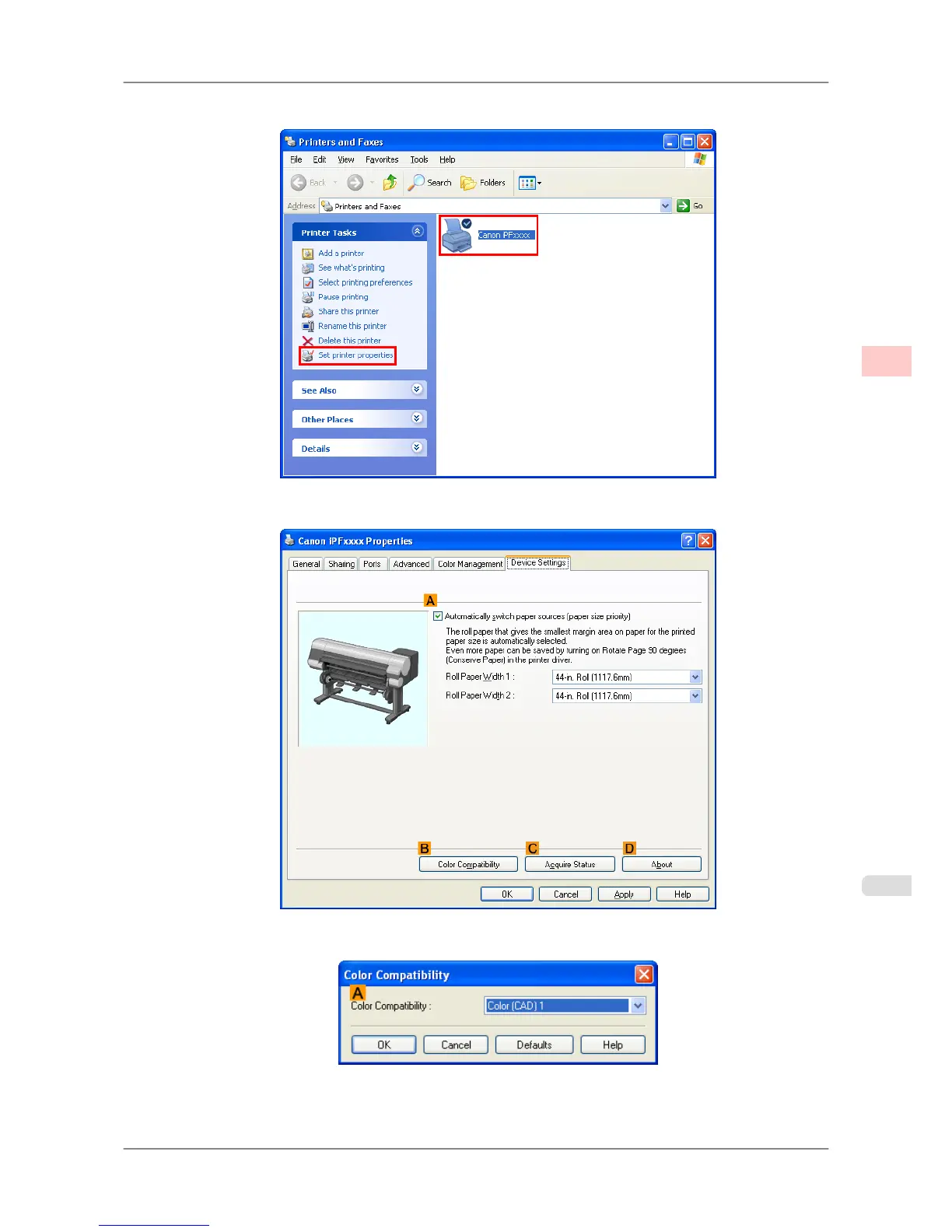
2. Select the printer, and then display the printer properties dialog box.
3. Click the Device Settings tab to display the Device Settings sheet.
4. Click B Color Compatibility to display the Color Compatibility dialog box.
Working With Various Print Jobs
>
Printing CAD Drawings
>
iPF825 Specifying Colors and Printing CAD Drawings (Windows)
2
27














 To Next Page