Using the printer driver (Windows)
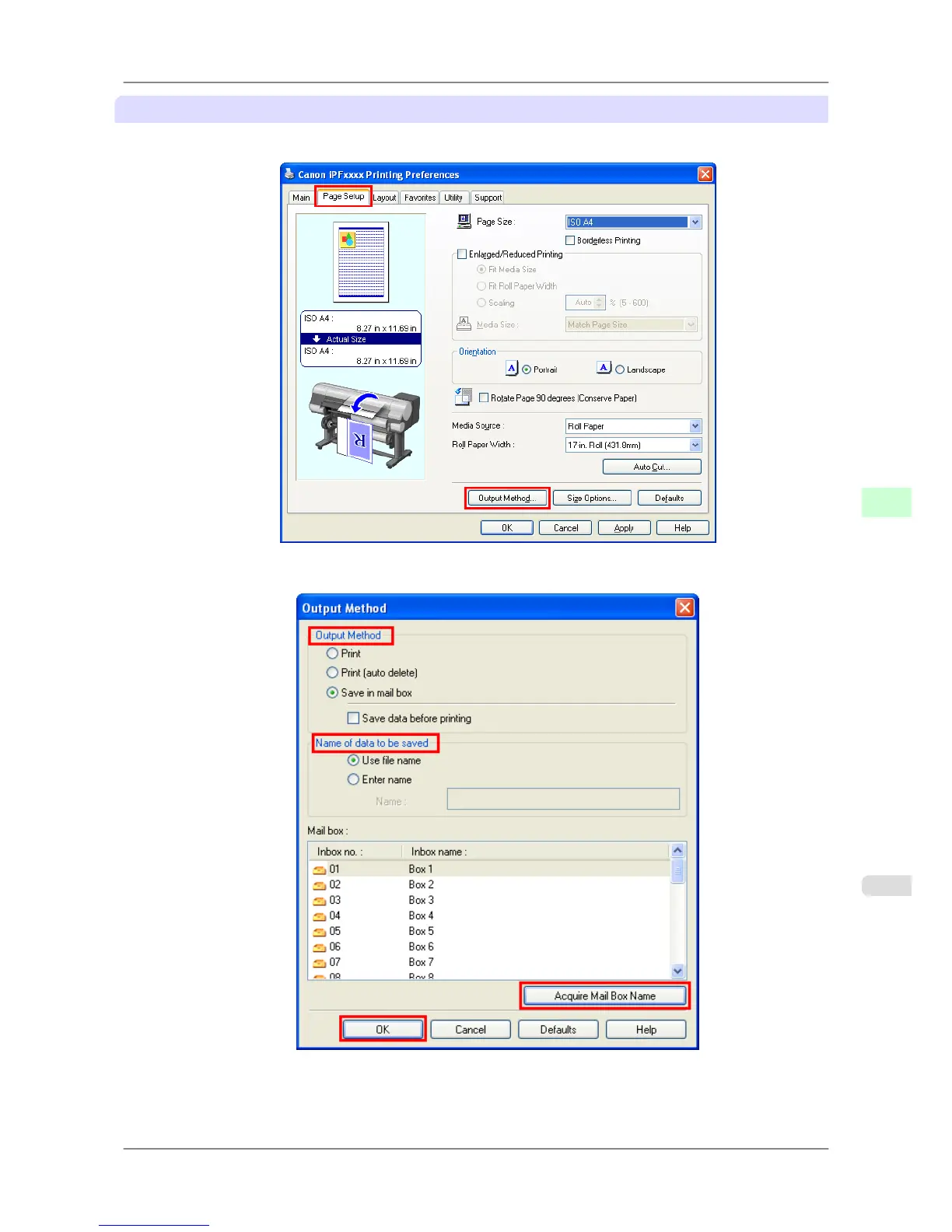
1. Access the Page Setup sheet.
2. Click Output Method to display the Output Method dialog box.
3. Choose an Output Method.
•
Print
Save print jobs automatically at the same time they are printed. (This is the default format.)
Print Jobs
>
Basic Print Job Operations
>
iPF825 Saving Print Jobs
6
533














 To Next Page