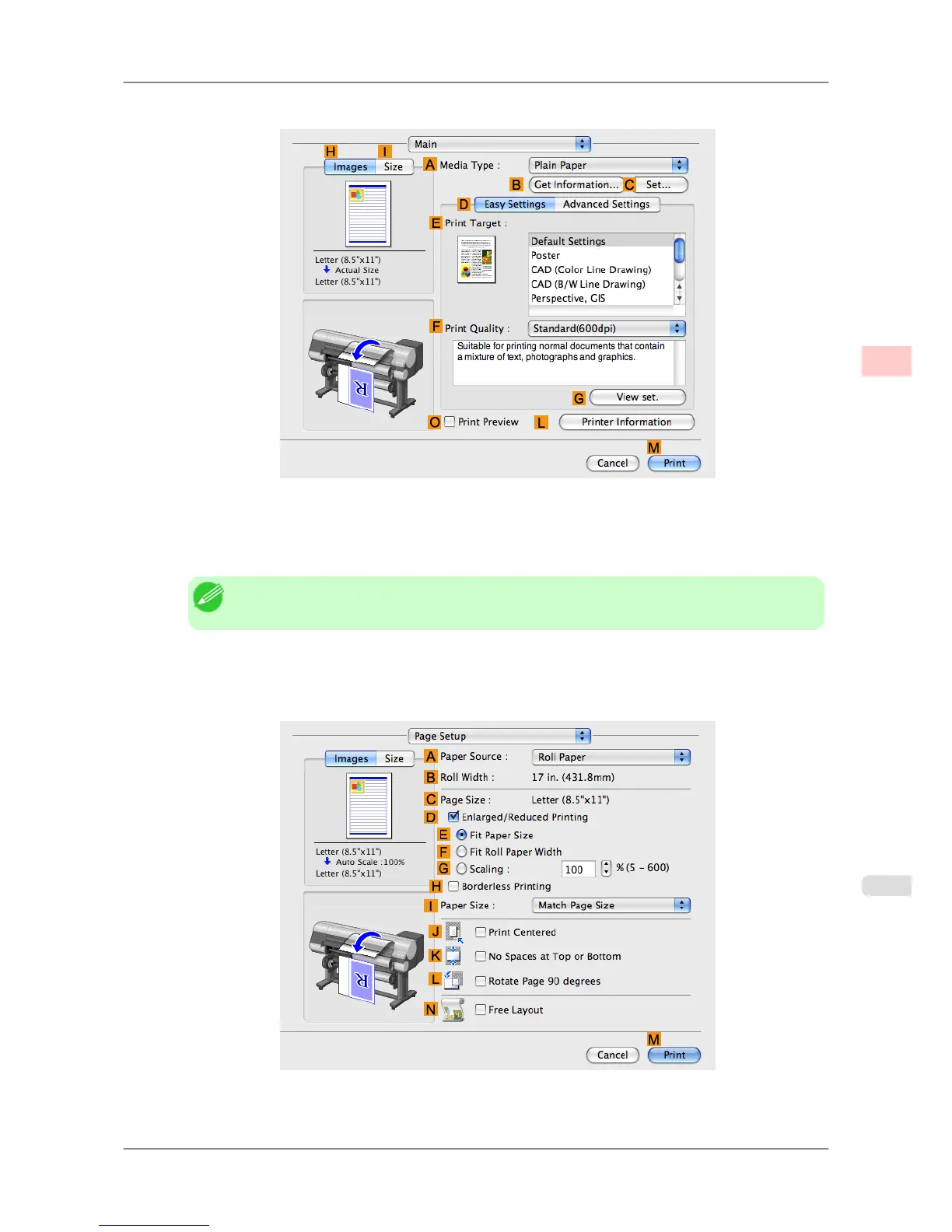
5. Access the Main pane.
6. In the A Media Type list, select the type of paper that is loaded. In this case, click Plain Paper.
7. After confirming that DEasy Settings is selected, click Office Document in the E Print Target list.
Note
• You can check the settings values selected in the EPrint Target list by clicking G View set..
8. Make your selection in the FPrint Quality list.
9. Access the Page Setup pane.
10. Click Cut Sheet in the APaper Source list.
Working With Various Print Jobs
>
Printing Office Documents
>
iPF825 Printing Office Documents (Mac OS X)
2
41














 To Next Page