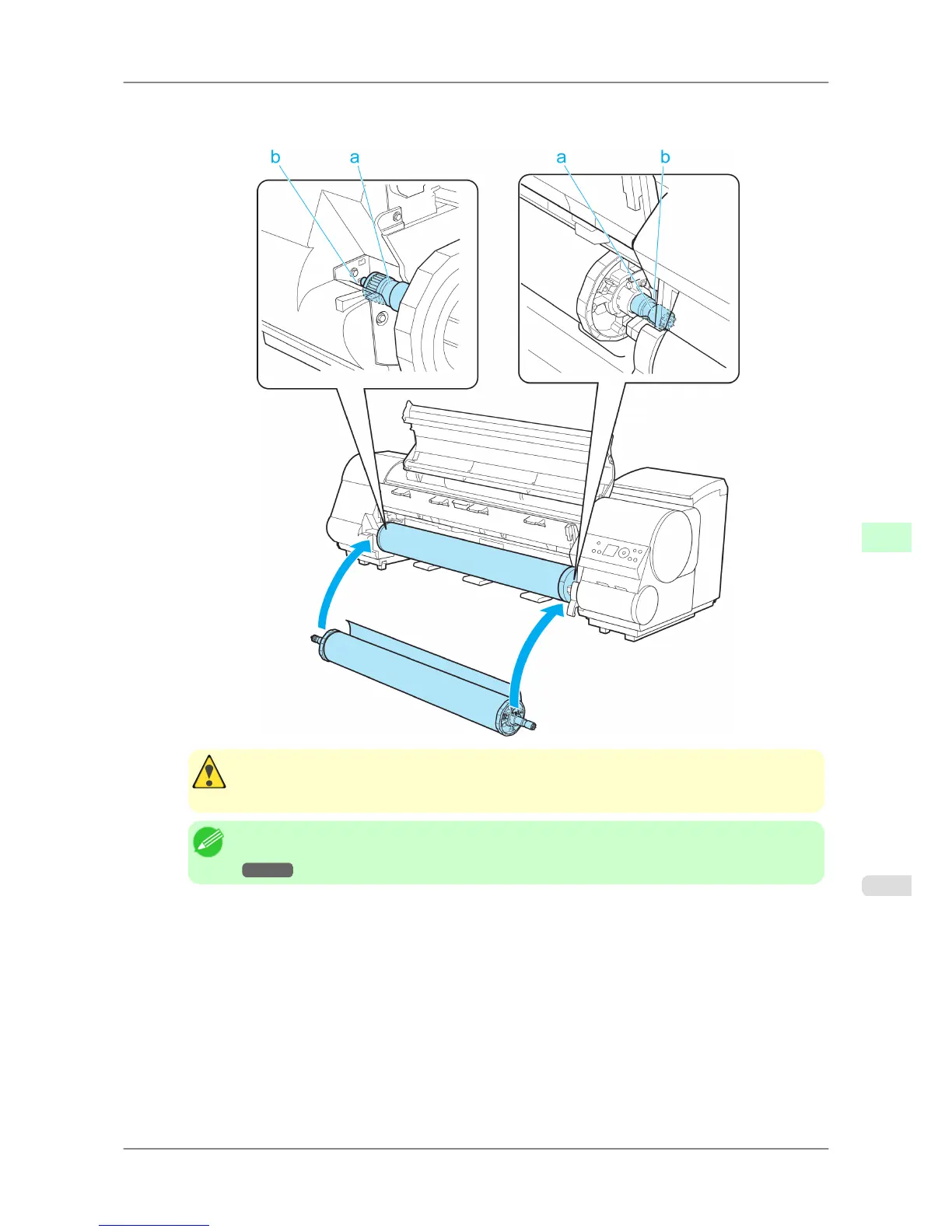
3. Holding
the Roll Holder so that the side with the white gear faces the side of the Roll Holder Slot with a white
gear, load the Roll Holder shaft (a) into the grooves (b) on both ends of the Roll Holder Slot.
Caution
• Be
careful not to pinch your fingers between the Roll Holder shaft (a) and the guide grooves (b)
when loading rolls.
Note
• For
instructions on attaching the Roll Holder to rolls, see "Attaching the Roll Holder to Rolls."
→P.584
Handling Paper
>
Handling rolls
>
iPF825 Loading Rolls in the Printer
7
589














 To Next Page