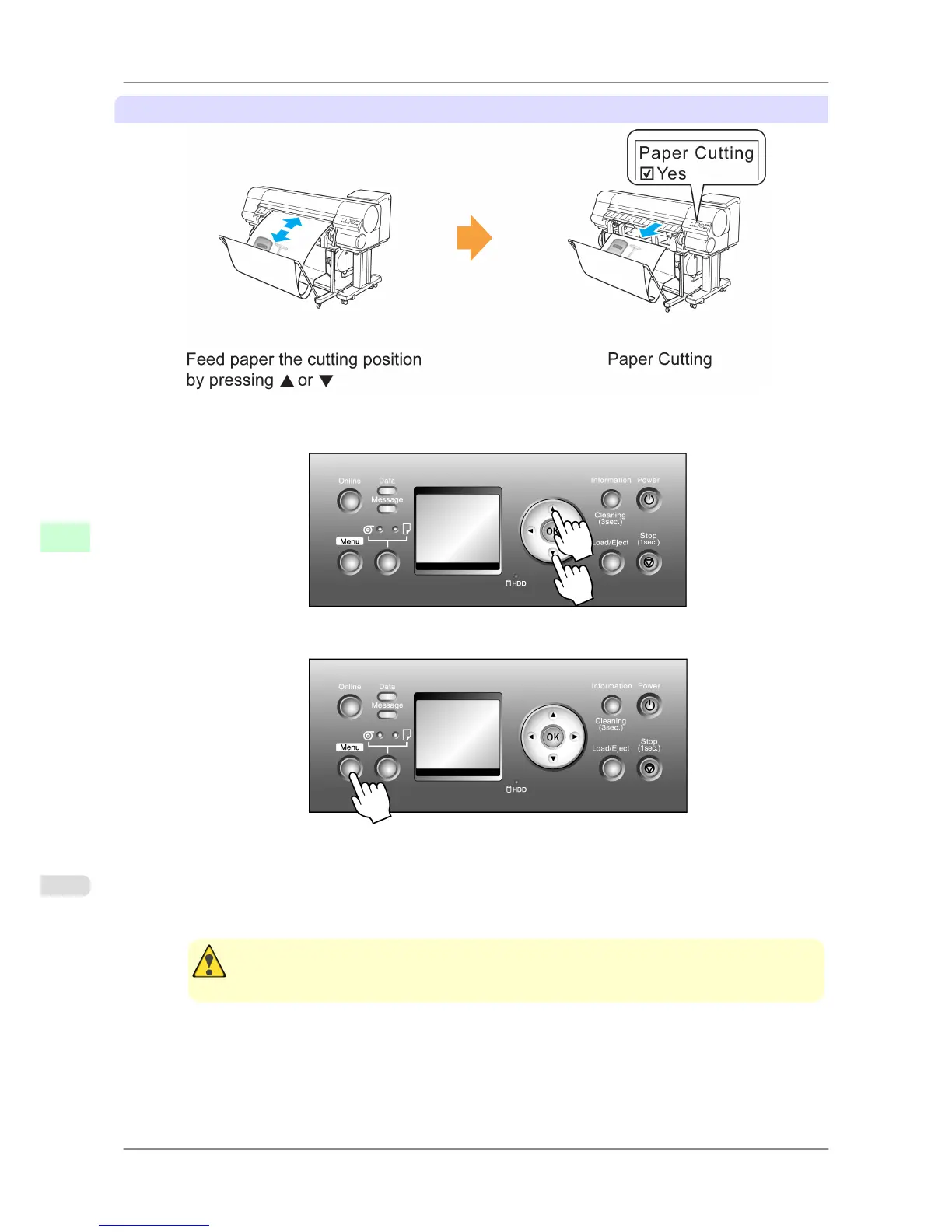
Paper Cutting (to have the roll cut at your specified position)
1. After
pressing the Online button to bring the printer offline, press ▲ or ▼ to advance the roll paper to the posi-
tion for cutting.
2. Press the Menu button to display MAIN MENU.
3. Press ▲ or ▼ to select Paper Cutting, and then press the ▶ button.
4. Press ▲ or ▼ to select Yes, and then press the OK button.
After the roll paper is cut, it is rewound automatically.
Caution
• If
paper would be short when cut at a particular position, the roll may automatically be advanced
in some cases before cutting.
Handling Paper
>
Handling rolls
>
Specifying the Cutting Method for Rolls iPF825
7
610














 To Next Page