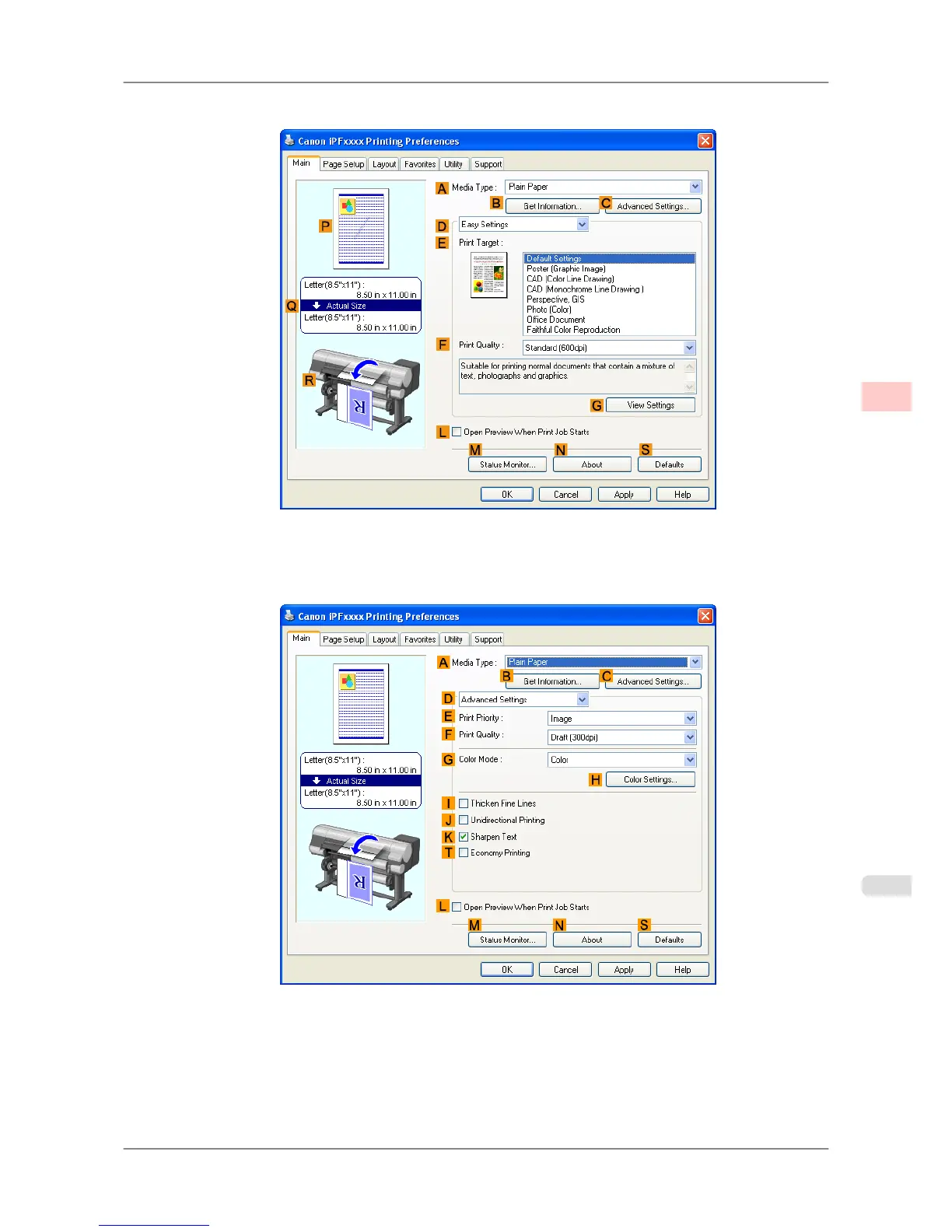
3. Make sure the Main sheet is displayed.
4. In the AMedia Type list, select the type of paper that is loaded.
5. Click DAdvanced Settings to switch the print mode.
6. Click Color in the GColor Mode list.
Enhanced Printing Options
>
Adjusting Images
>
iPF825 Fine-Tuning Colors of Photos and Images (Windows)
3
47














 To Next Page