Note
• If advanced adjustment does not improve printing results, or if you are using special paper, try manual
adjustment.
For instructions on manual adjustment, see "Manual Straightening of Lines and Colors (Manual Head
Adj)." →P.629
• Use Standard Adj. if you have switched to another type of paper or if you want the boundaries between
colors to appear as attractive as possible.
• Use Advanced Adj. to fine-tune the space between nozzles or colors if you have switched the printhead
or if you want printed documents to appear as vivid as possible. We recommend using Advanced Adj.
for printing at a higher level of image quality.
• Always make sure the loaded paper matches the type of paper specified on the printer. Adjustment can-
not be completed correctly unless the loaded paper matches the settings.
• We recommend using the type of paper you use most often for adjustment.
• This function is not available with CAD Tracing Paper, CAD Translucent Matte Film, or CAD Clear
Film. If adjustment is not possible as expected using highly transparent film or similar media, try another
type of paper, or try adjust the Printhead alignment manually. (See "Manual Straightening of Lines and
Colors (Manual Head Adj).") →P.629
Paper to Prepare
Rolls An unused roll at least 10 inches wide
Sheets Standard Adj. : One sheet of unused paper of at least A4/Letter size
Advanced Adj. : Five sheets of unused paper of at least A4/Letter size (or one sheet when using A2 or
larger, or two sheets when using A3 loaded lengthwise)
Execute Auto Head Adj. as follows.
1. Load paper.
• Attaching the Roll Holder to Rolls →P.584
• Loading Rolls in the Printer →P.588
• Loading Sheets in the Printer →P.616
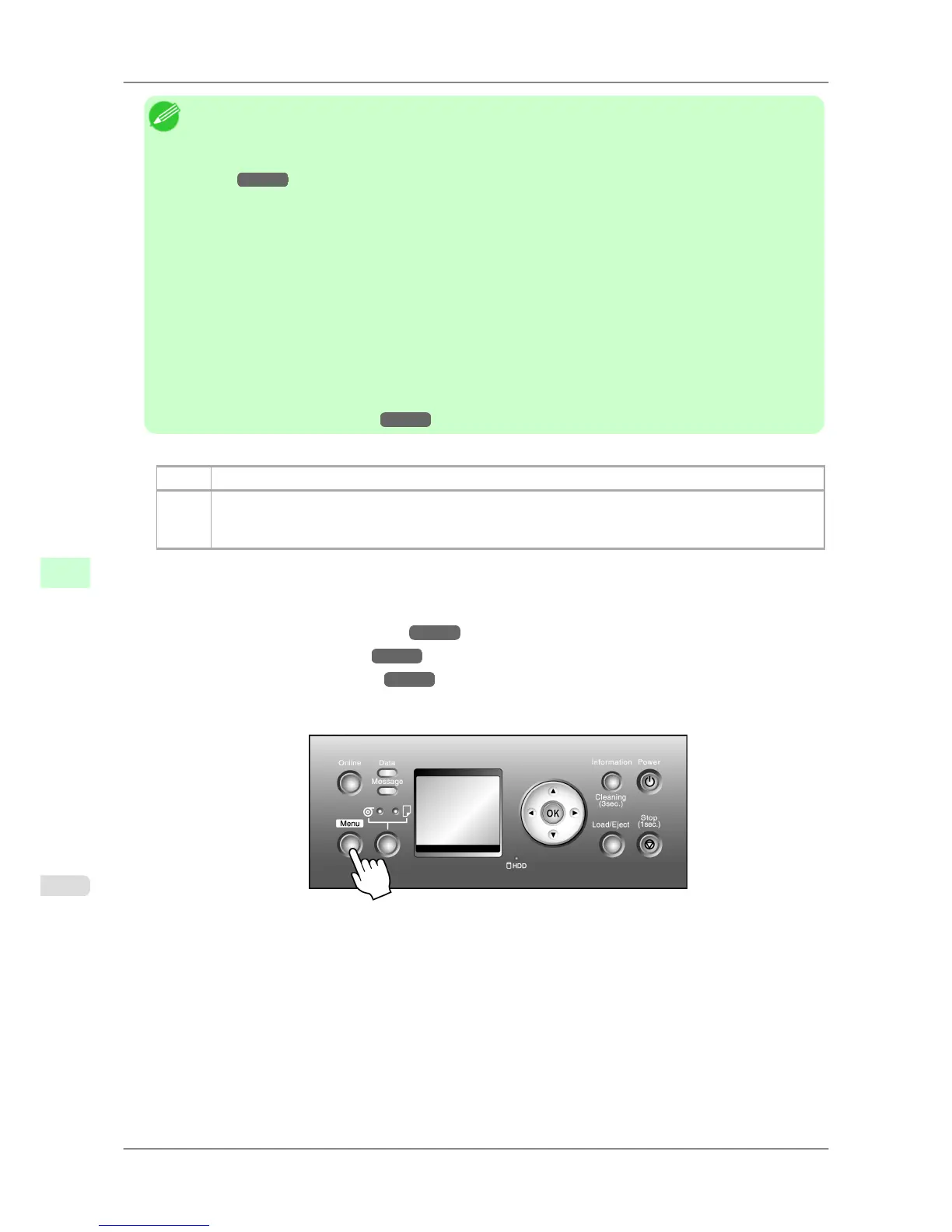
2. Press the Menu button to display MAIN MENU.
3. Press ▲ or ▼ to select Adjust Printer, and then press the ▶ button.
4. Press ▲ or ▼ to select Auto Head Adj., and then press the ▶ button.
5. Press ▲ or ▼ to select Standard Adj. or Advanced Adj., and then press the ▶ button.
6. Press ▲ or ▼ to select Yes, and then press the OK button.
A test pattern is printed for printhead adjustment.
Adjustment is now finished if you have printed on a roll or a sheet of A2 size or larger.
Adjustments for Better Print Quality
>
Adjusting the Printhead
>
Automatic Straightening of Lines and Colors (Auto Head Adj.) iPF825
8
628














 To Next Page