Note
• Press any button other than the Information button to restore the previous mode.
• After you display a submenu, the printer will revert to the previous mode in about ten seconds if no print
job is received or if you do not operate the printer.
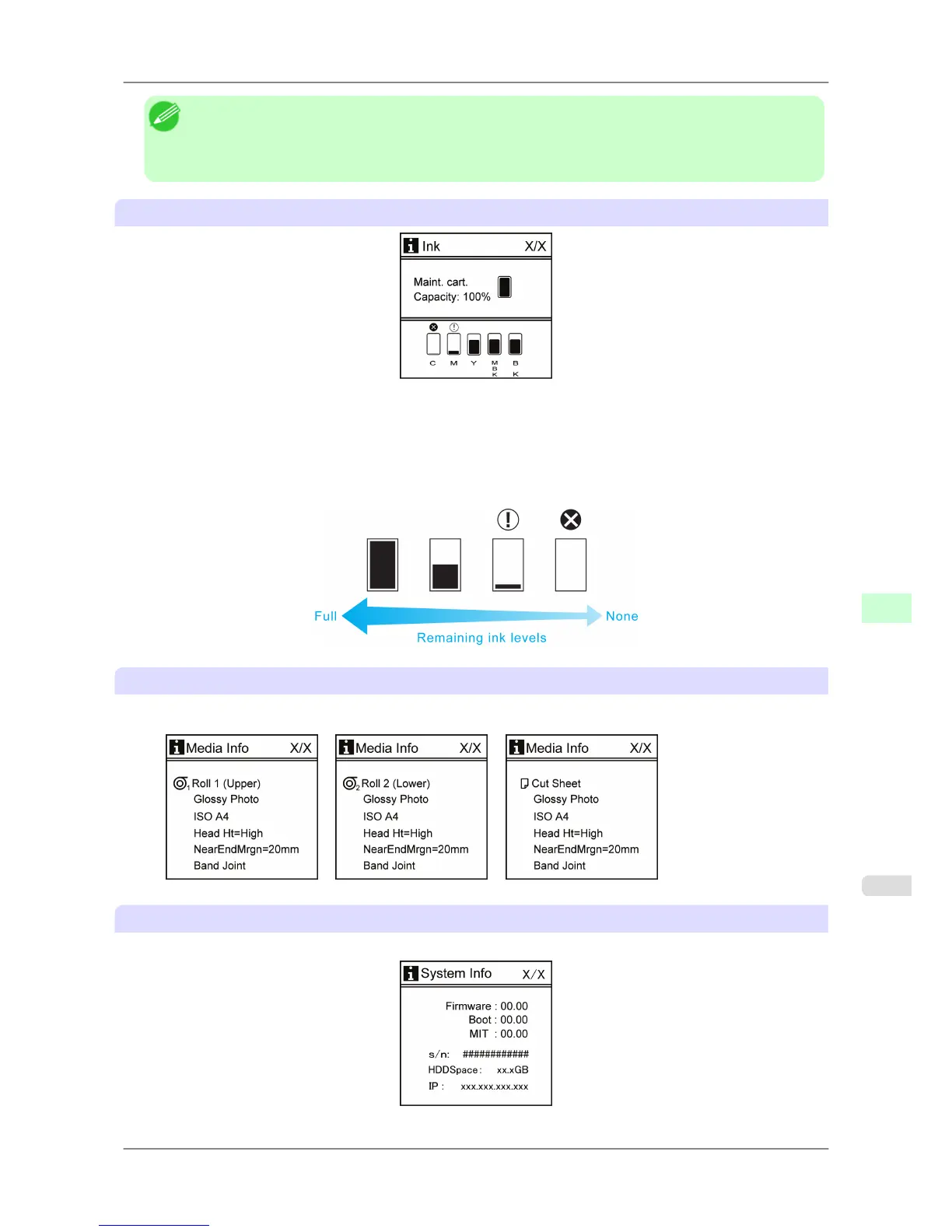
Remaining Maintenance Cartridge capacity and ink levels
The remaining Maintenance Cartridge capacity is shown on the top level of the Display Screen.
The remaining level of each ink is shown on the bottom level of the Display Screen. Ink levels shown on the Display
Screen correspond to the inks identified by the color labels on the bottom of the Display Screen.
These symbols may be displayed above the ink level: ! if ink is low, × if no ink is left, and ? if ink level detection is not
on.
Remaining ink is indicated as follows.
Information on the loaded paper
Here, the paper size, type, and related printer settings are displayed.
Printer information
Displays the firmware version, serial number, free hard disk space, IP address, and interface information.
Printer Parts
>
Control Panel
>
iPF825 Submenu Display
9
691














 To Next Page