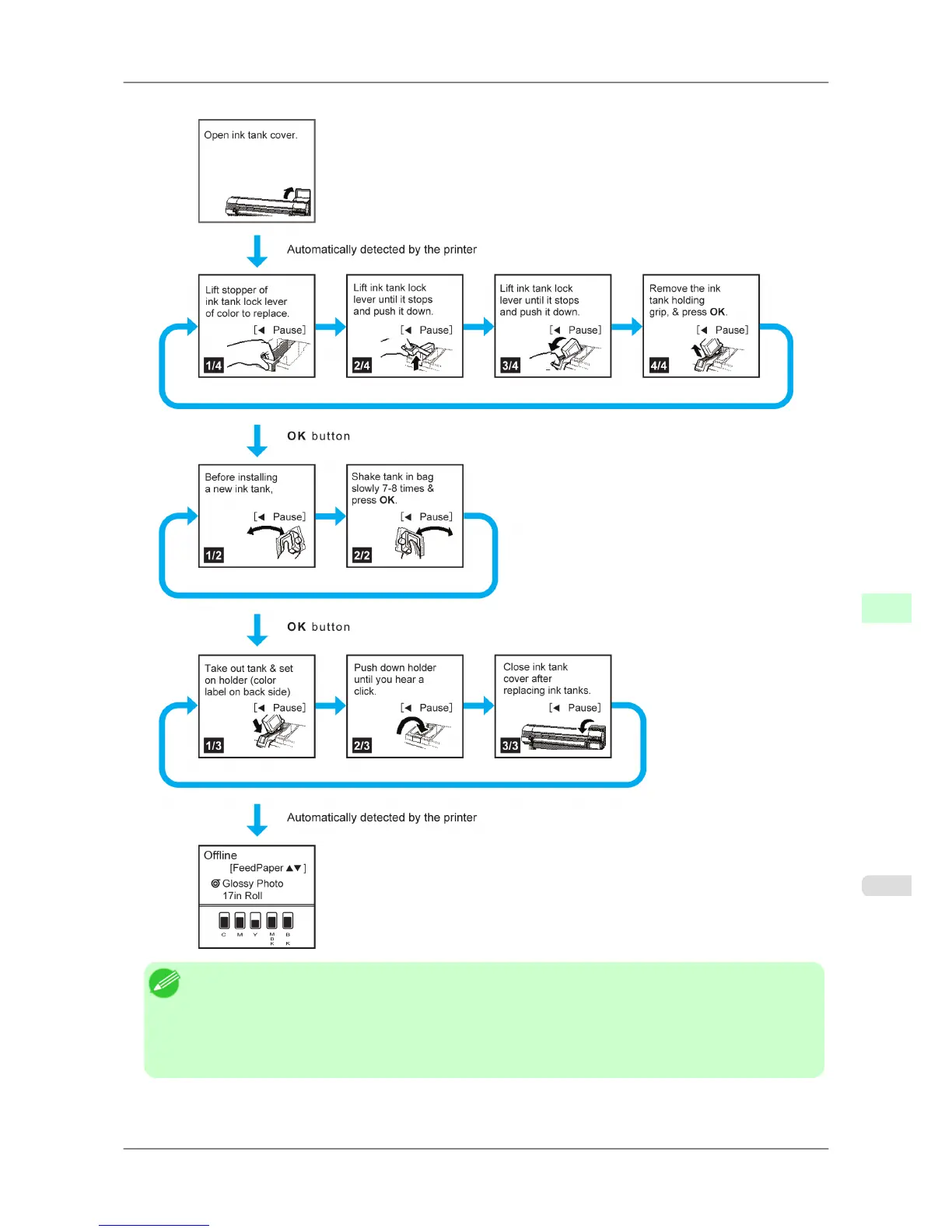
When all actions in the sequence are finished, the instruction screen for the next step is displayed.
Note
• During
a continuous display of instructions, you can press the ◀ button to pause the instructions on the
current screen.
Press the ◀ or ▶ button to display the previous or next screens. If you do not press the ◀ or ▶ button
within 30 seconds, continuous display is resumed.
Press the OK button to display the instruction screen for the next step.
Printer Parts
>
Control Panel
>
iPF825 Checking Instructions During Printer Operations
9
699














 To Next Page