8. Click Color (CAD) in the GColor Mode list.
9. To adjust the color, click HColor Settings.
Note
• For instructions on adjusting color, see "Adjusting the Color in the Printer Driver
→P.44 "
10. Select the KSharpen Text check box.
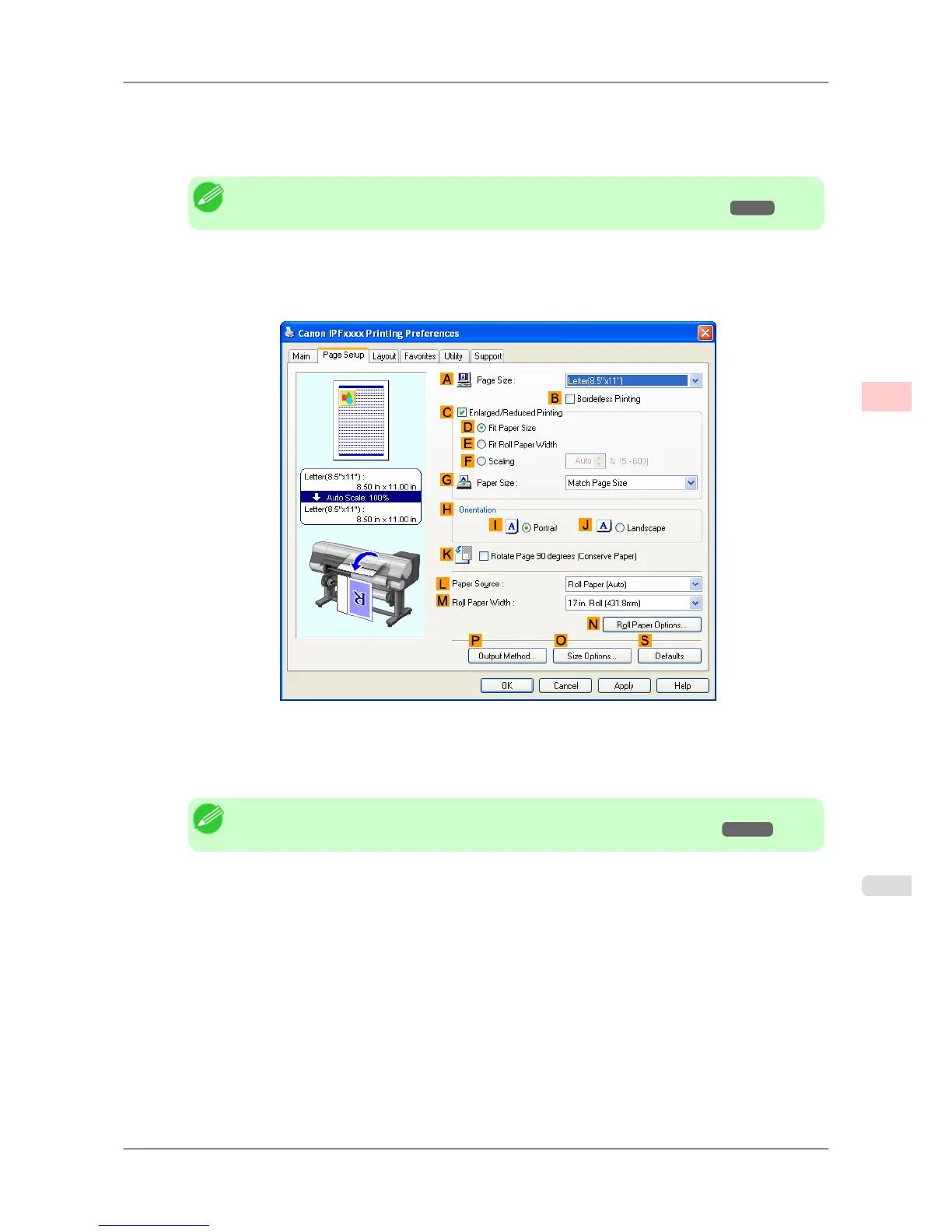
11. Click the Page Setup tab to display the Page Setup sheet.
12. Confirm the settings of APage Size, L Paper Source, and so on.
13. Confirm the print settings and print as desired.
Note
• For tips on confirming print settings, see "Confirming Print Settings (Windows)
→P.196 "
Enhanced Printing Options
>
Adjusting Images
>
iPF825 Choosing the Document Type and Printing Conditions (Windows)
3
57














 To Next Page