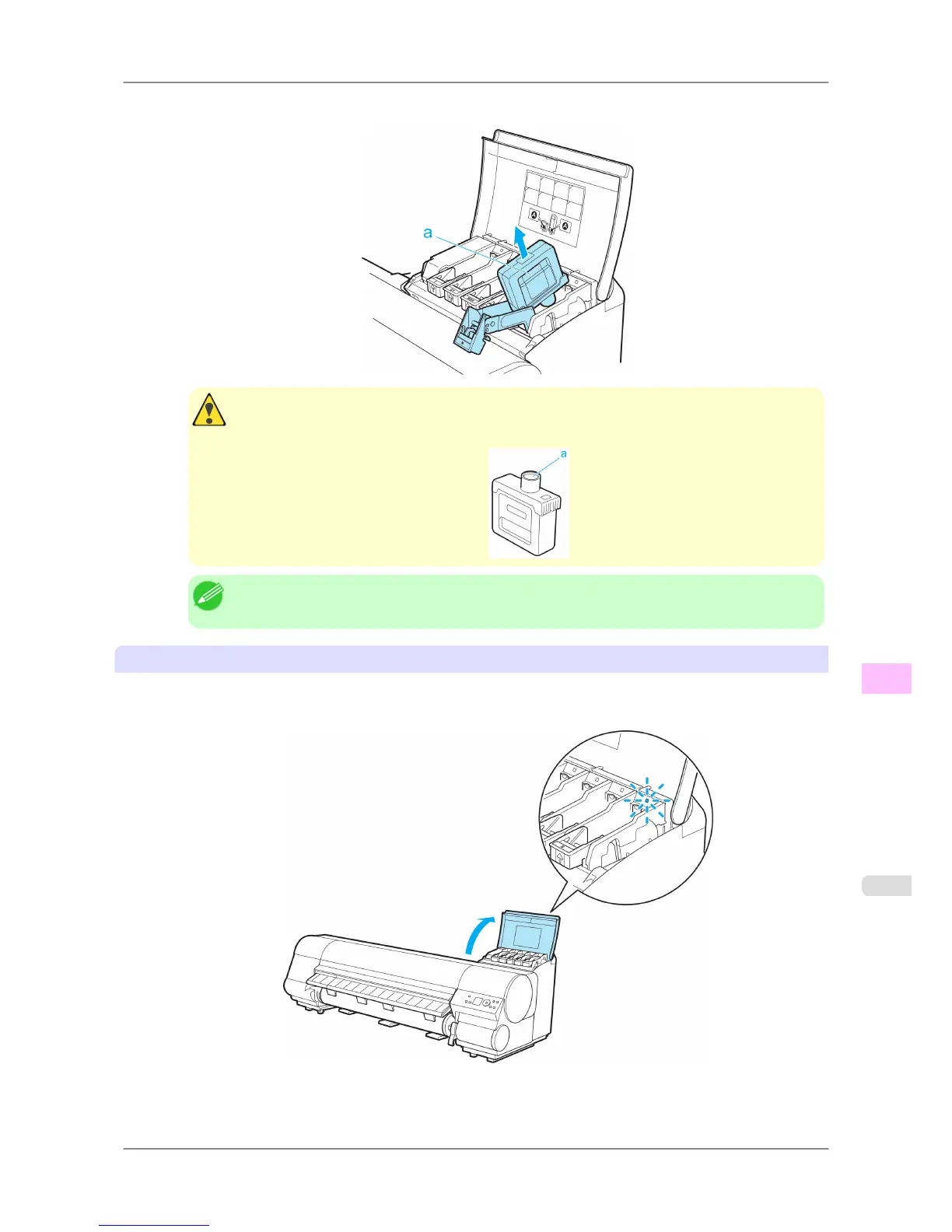
3. Hold the Ink Tank by the grips (a) and remove it. Press the OK button.
Caution
• If
there is still ink in the Ink Tank you removed, store it with the ink holes (a) facing up. Other-
wise, ink may leak and cause stains. Put the Ink Tank in a plastic bag and seal it.
Note
• Dispose of used ink tanks according to local regulations.
Remove the Ink Tank (700 ml)
1. Open the Ink Tank Cover of the tank for replacement and check the Ink Lamp.
The Ink Lamp flashes quickly if there is no ink left.
Maintenance
>
Ink Tanks
>
iPF825 Replacing Ink Tanks
11
745














 To Next Page