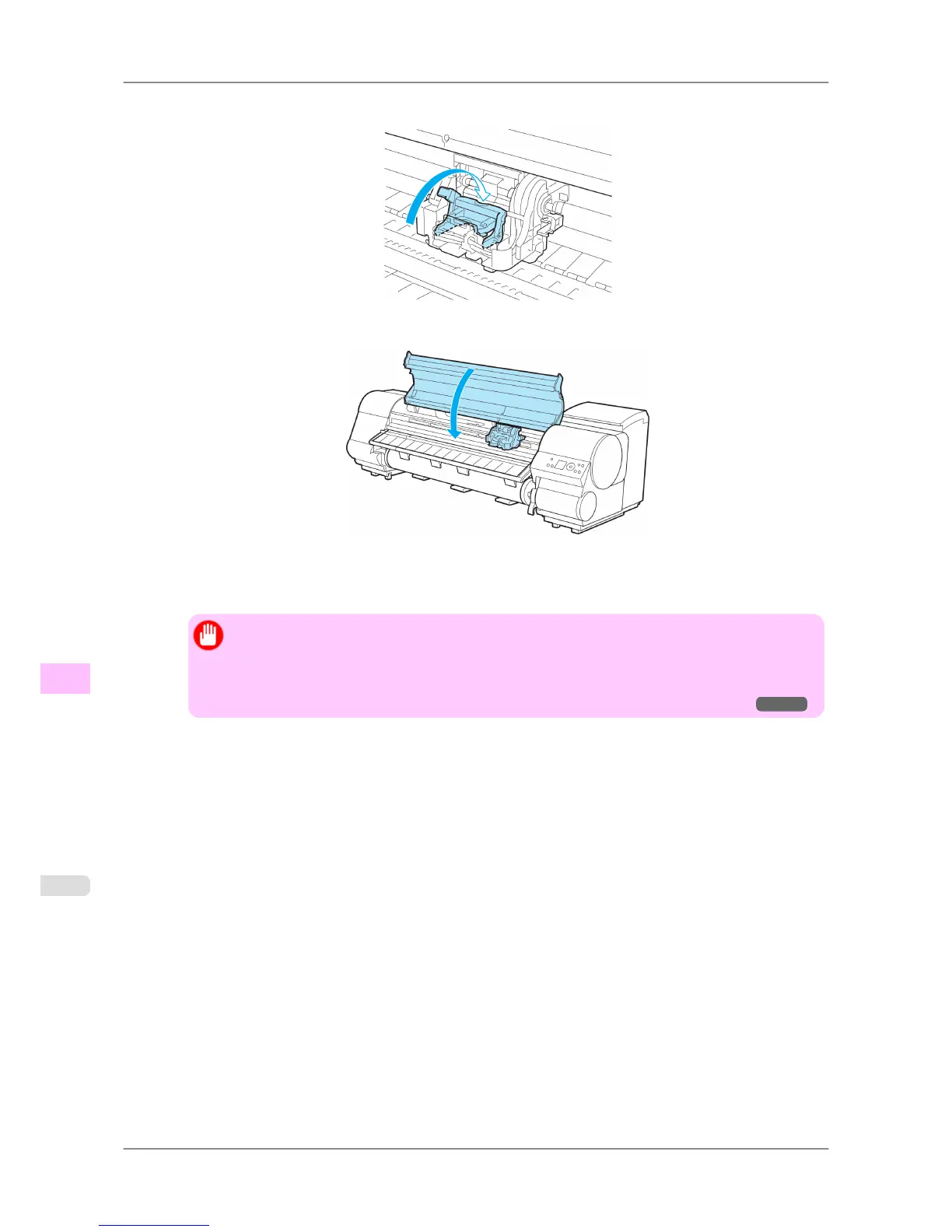
17. Push the Printhead Fixer Lever toward the back of the printer until it clicks.
18. Close the Top Cover.
Ink now fills the system.
After about six minutes, the Printhead will be automatically aligned, and the printer will go online.
If no paper has been loaded, a message is displayed requesting you to load paper.
Important
• Never remove an Ink Tank while the system is filling with ink.
• If Auto
Print is Off in the printer menu, the Printhead alignment will not be adjusted. In this
case, adjust the alignment after Printhead replacement by accessing Advanced Adj. in Auto
Head Adj.. (See "Automatic Straightening of Lines and Colors (Auto Head Adj.).")
→P.627
Maintenance
>
Printheads
>
Replacing the Printhead iPF825
11
762














 To Next Page