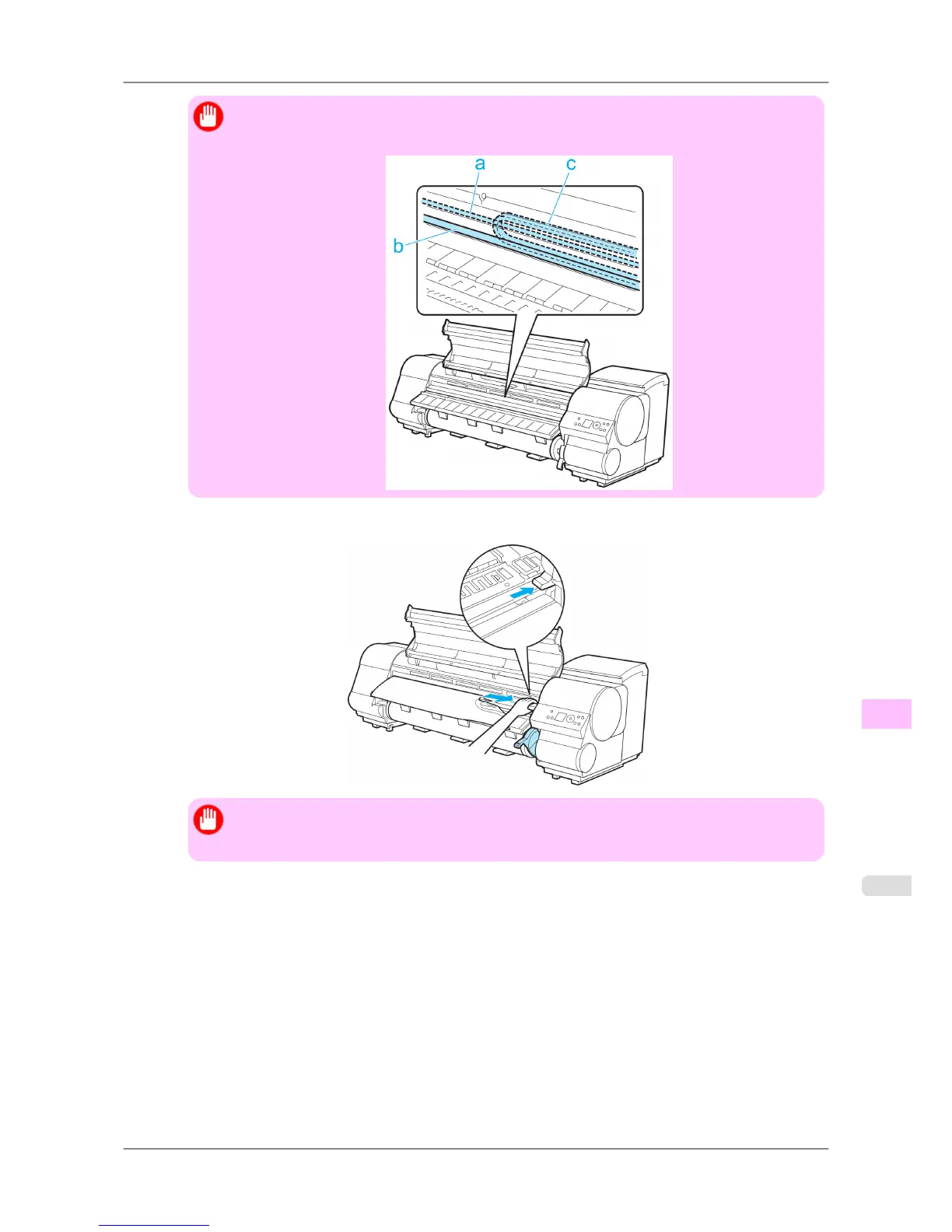
Important
• Do not touch the Linear Scale (a), Carriage Shaft (b), or Ink Tube Stabilizer (c). Touching these
parts may damage them.
4. If the Cutter is out, move the Cutter to the right side, away from the paper.
Important
• If
the Cutter is on the left side, be sure to move it to the right. If the Cutter is on the left side when
you turn the printer on, the printer may rip the paper.
Troubleshooting
>
Problems Regarding Paper
>
iPF825 Clearing Jammed Roll Paper
12
787














 To Next Page