Performing optimisation with engineering tool
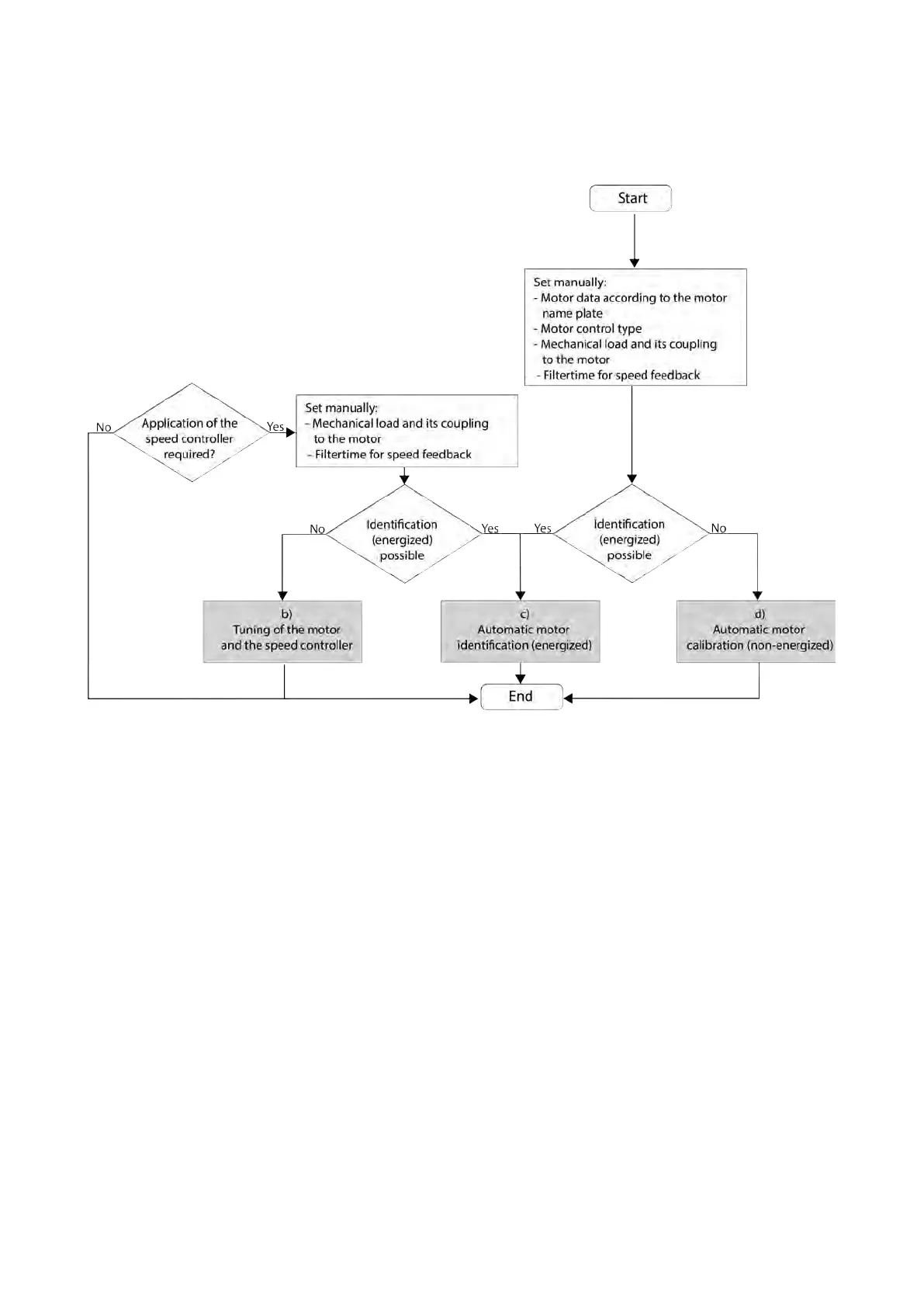
The following flow diagram shows the optimisation process with an engineering tool (e. g.
»Emotron Easy starter«):
• No matter which option suits you best, first the relevant motor data must be set.
• If you already have an optimised system, but the load adjustment has changed, it
makes sense to just re-initialise the speed controller.
Tuning of the motor and the
speed controller
138
• If the application enables you to energise the system during the optimisation
procedure, carry out an automatic identification. This procedure results in the best
possible parameter settings. Automatic motor identification (energized)
139
• If the application does not enable you to energise the system during the optimisation
procedure, carry out an automatic calibration.
Automatic motor calibration (non-
energized)
140



 To Next Page