290 01-6203-01R3, CG Drives & Automation
Configuring the write access protection with »Emotron Easy starter«
The write access protection is activated by specifying PIN1 and/or PIN2 (depending on the
desired configuration of the write access protection).
How to activate the write access protection:
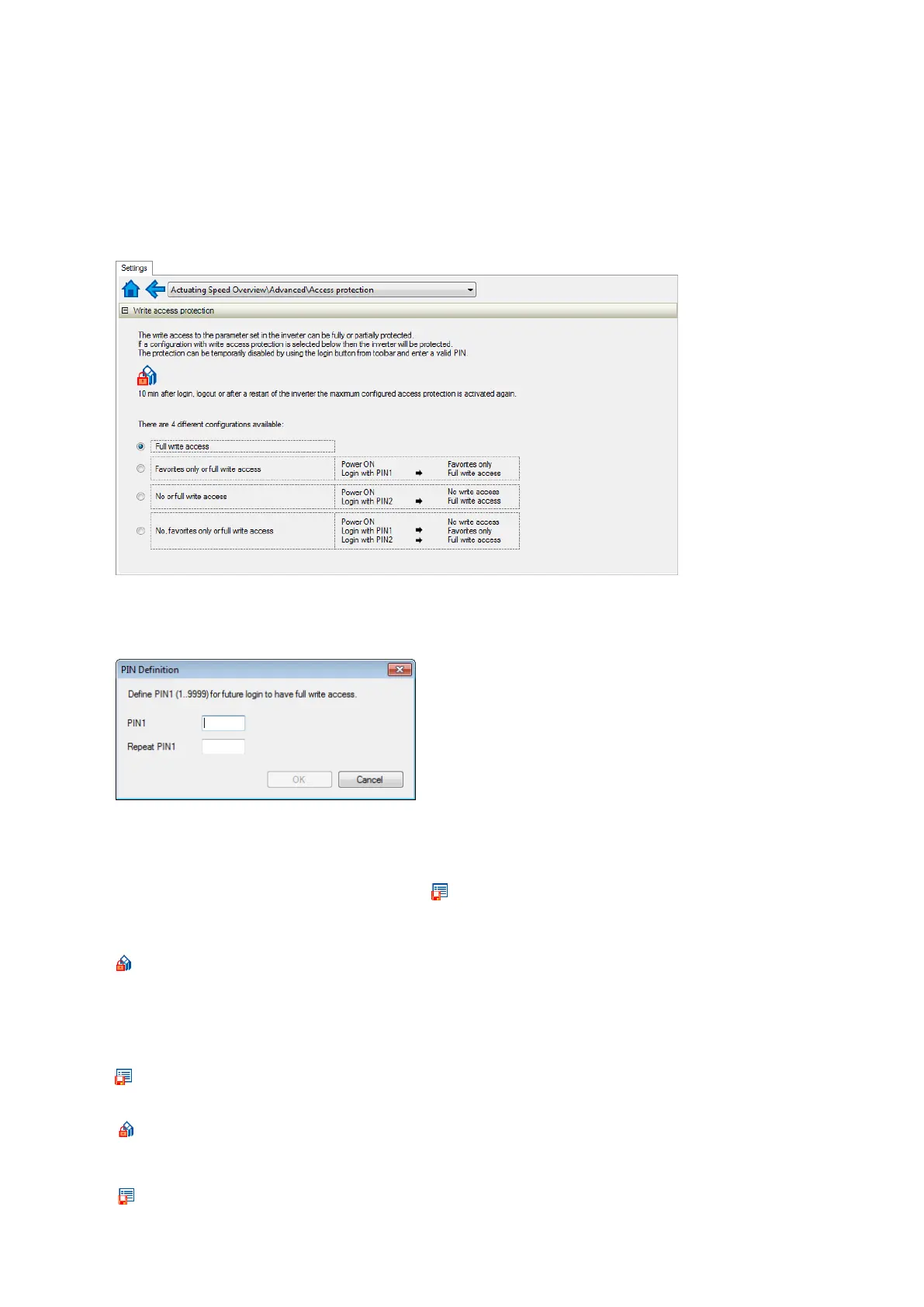
1. Go to the "Settings" tab and navigate to the "Access protection" parameterisation
dialog:
2. Select the desired configuration of the write access protection.
The "PIN definition" dialog box is displayed. The possible entries depend on the
selected configuration.
3. Enter the desired PIN(s) and confirm with OK.
After successful execution, the write access protection is immediately effective and is
displayed in the »Emotron Easy starter« status bar.
4. For a permanent acceptance of the configuration:
Save parameter settings in the
device.
How to change already defined PIN(s):
1.
Remove the active write access protection temporarily (see above).
2. Select the "Full write access" configuration in the "Access protection"
parameterisation dialog.
3. Select again the desired configuration of the write access protection.
4. Enter new PIN(s) and confirm with OK.
5.
Save parameter settings in the device.
How to remove a configured write access protection permanently:
1.
Remove the active write access protection temporarily (see above).
2. Select the "Full write access" configuration in the "Access protection"
parameterisation dialog.
3.
Save parameter settings in the device.



 To Next Page