36 01-6203-01R3, CG Drives & Automation
Details
The following instructions describe the connection establishment via the USB module.
• Parameterising without motor operation does not require a mains voltage: If you
connect the inverter directly to the PC without a hub, The USB interface of the PC is
sufficient for the voltage supply.
•
Instructions for the connection establishment via the WLAN module can be found in
the chapter "Wireless LAN (WLAN)".
251
How to establish a communication to the inverter via USB:
Preconditions for commissioning:
• The functional test described in the mounting and switch-on instructions has been
completed successfully (without any errors or faults).
• The inverter is ready for operation (mains voltage is switched on).
Accessories required for commissioning:
• USB module
• USB 2.0 cable (A-plug on micro B-plug)
• PC with installed »Emotron Easy starter« software
1. Plug the USB module onto the front of the inverter (interface X16).
2. Use a USB cable to connect the inverter to the PC on which »Emotron Easy starter« is
installed:
• Plug the micro B plug of the USB cable into the socket of the USB module.
• Plug the other end into a free USB type A-socket of the PC.
3. Start »Emotron Easy starter«.
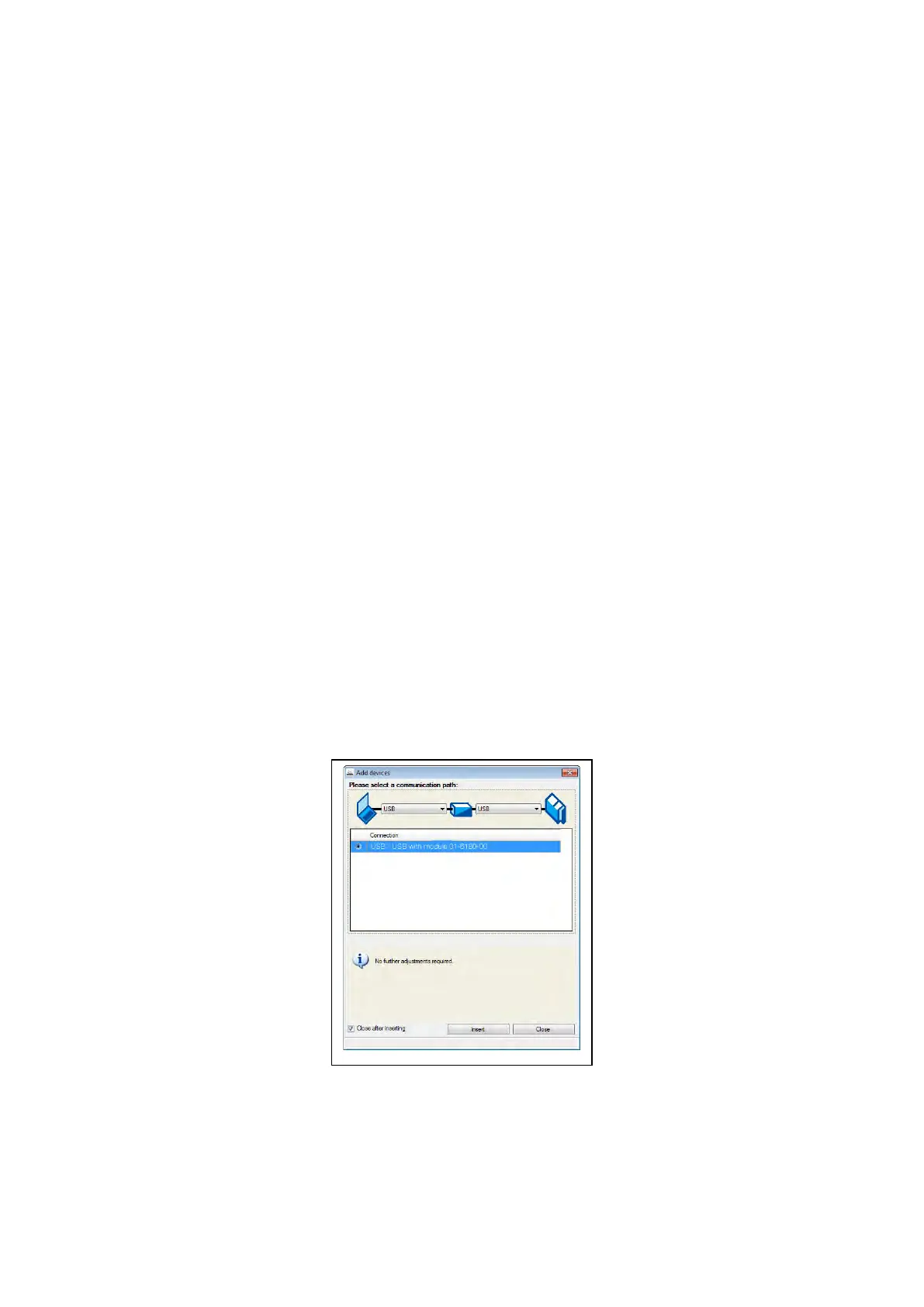
• The "Add devices" dialog is shown.
4. Select the "
USB - USB with module 01-6180-00" connection:
5. Click the Insert button.
»Emotron Easy starter« searches for connected devices via the communication path
selected. When the connection has been established successfully, the inverter is displayed
in the device list of »Emotron Easy starter«. The inverter parameters can now be accessed
via the tabs of »Emotron Easy starter«.



 To Next Page