422 01-6203-01R3, CG Drives & Automation
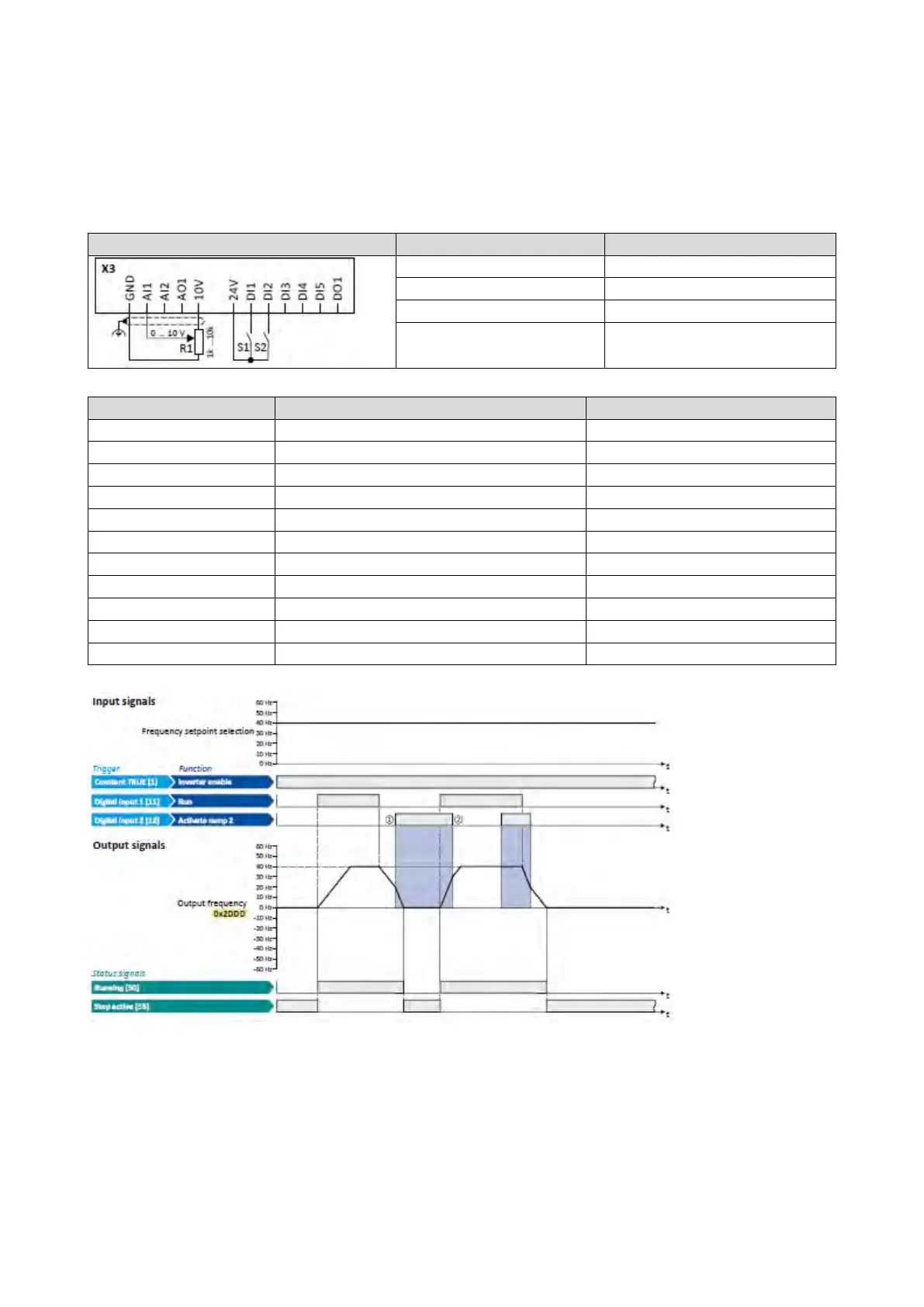
Example for operating mode
• Switch S1 starts the motor in forward direction of rotation. Switch S1 in the initial
position stops the motor again.
• Switch S2 activates the acceleration time 2 and deceleration time 2.
Switch S1 Run
0x2631:001 (P400.01)
Enable inverter
Constant TRUE [1]
Flexible I/O configuration [0]
0x2838:003 (P203.03)
Stop method
Standard ramp [1]
Frequency control: Default setpoint source
0x291A (P223.00)
Deceleration time 2
5.0 s
The
status
signals can be assigned to digital outputs.
Configuration of digital outputs
429
① Change-over to deceleration time 2 during the deceleration phase.
② Change-over to acceleration time 1 during the acceleration phase.



 To Next Page