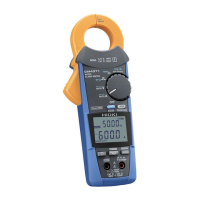
Press to confirm the setting.
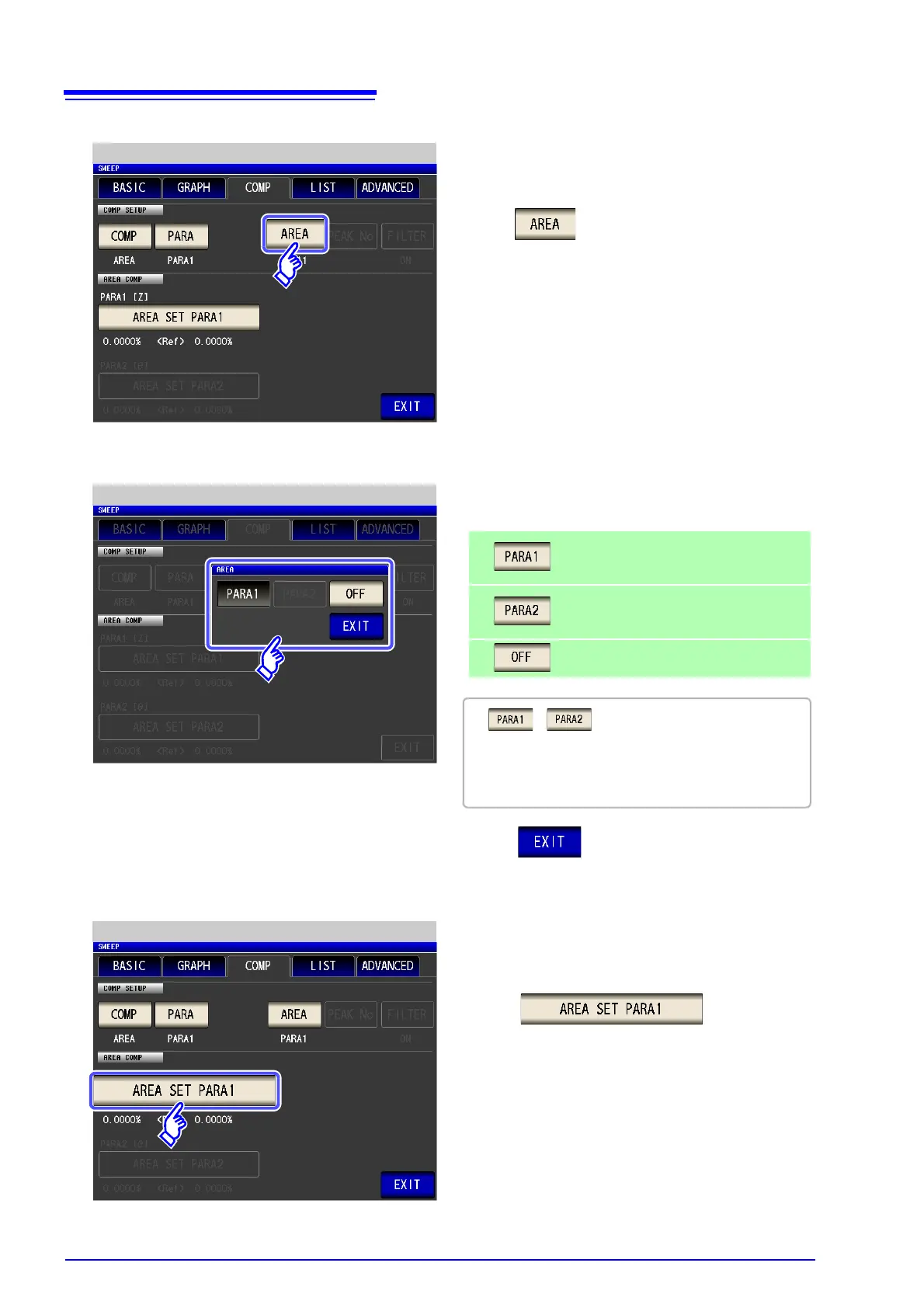
Judgment Area Setting
7
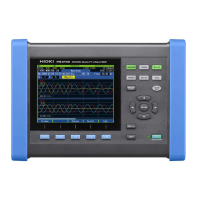
Set the judgment area to display in the mea-
surement screen.
Displays the judgment area of the first
measurement parameter.
Displays the judgment area of the second
measurement parameter.
Displays no judgment area.
• , cannot be selected if the parame-
ter to judge has not been set.
• Both the judgment areas of the first measurement
parameter and second measurement parameter
cannot be displayed at the same time.



 To Next Page