Operation
R-Concept
145 / 564
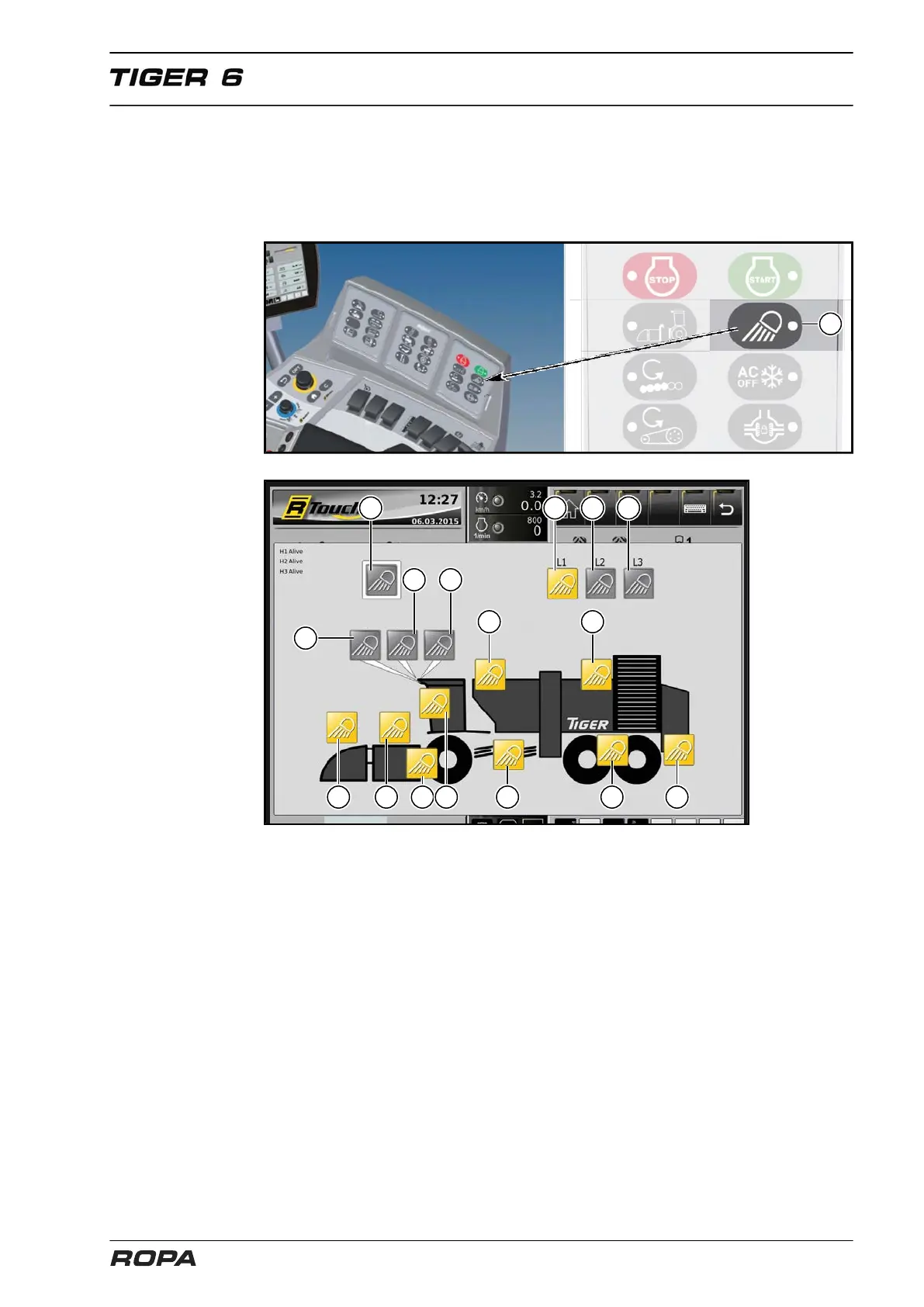
6.3.4 Light control
The lighting in the machine is controlled at the R-Touch. The light control menu
appears when the key (4) on keypad III is pressed for three seconds. Briefly pressing
this key switches the light on or off with the last selected setting.
(1) Switch light on/off
(2) Spotlight driver's cabin roof
(3) Spotlight driver's cabin roof
(4) Spotlight driver's cabin roof
(5) Bunker lighting
(6) Light program 1
(7) Light program 2
(8) Light program 3
(9) Unload conveyor lighting
(10) Defoliator lighting
(11) Lifter lighting
(12) Lifter side lighting
(13) High-beam headlamp
(14) Strainer wheels lighting
(15) Rear axle lighting
(16) Rear part lighting



 To Next Page