Operating Components
Operating console R-Concept
80 / 564
5.6.4 Keypad I
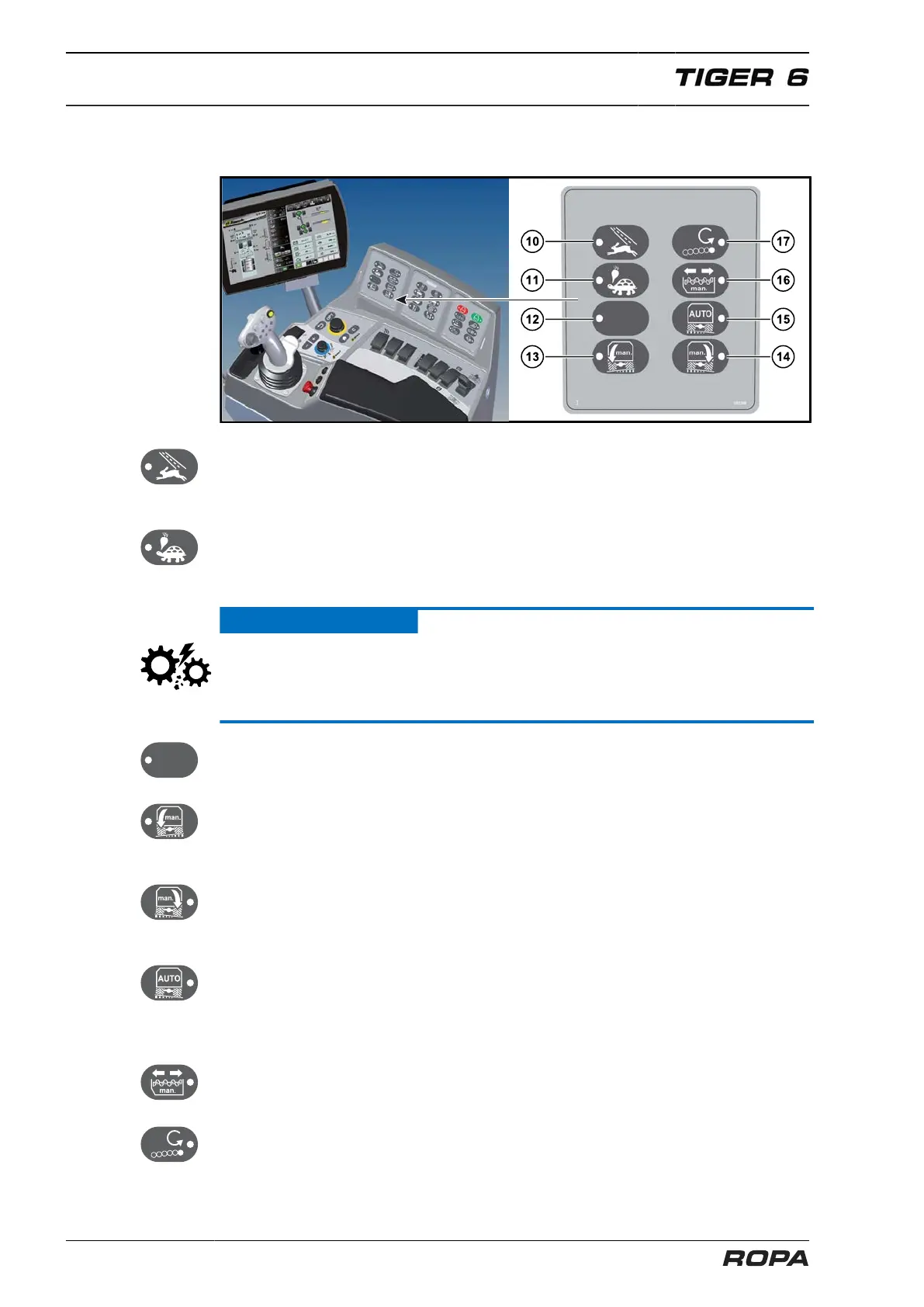
(10) Operating mode "Road":
In the operating mode Road all-wheel drive is automatically switched off. Operating
mode Road is active when the LED lights.
(11) Operating mode "Field":
In the operating mode Field (lifting) all-wheel drive is automatically switched on. Oper-
ating mode Field is active when the LED lights.
ATTENTION
Hazard of severe damage.
– The switch for selecting an operating mode must only be pressed with the machine
stationary (0.0 km/h).
(12) Empty key (not used currently)
(13) Manual inclination to the right:
As long as this key is held, the left chassis cylinders drive out and the right chassis
cylinders drive in (See Page 222).
(14) Manual inclination to the left:
As long as this key is held, the right chassis cylinders drive out and the left chassis
cylinders drive in (See Page 222).
(15) Automatic inclination off/on:
If this key is pressed, the automatic inclination system is ON (LED lights). The machine
automatically inclines on the axles horizontally. If you press this key again, the auto-
matic inclination system is OFF (LED doesn't light) (See Page 222).
(16) Switch bunker auger manually forward/backward:
If the LED lights, then the manual control has been selected (See Page 318).
(17) Changing direction of rotation of the smooth lifting roller:
If LED on the key is on, the lifting roller rotates in the opposite direction to the neigh-
bouring roller (See Page 279).



 To Next Page