Operating Components
Operating console R-Concept
79 / 564
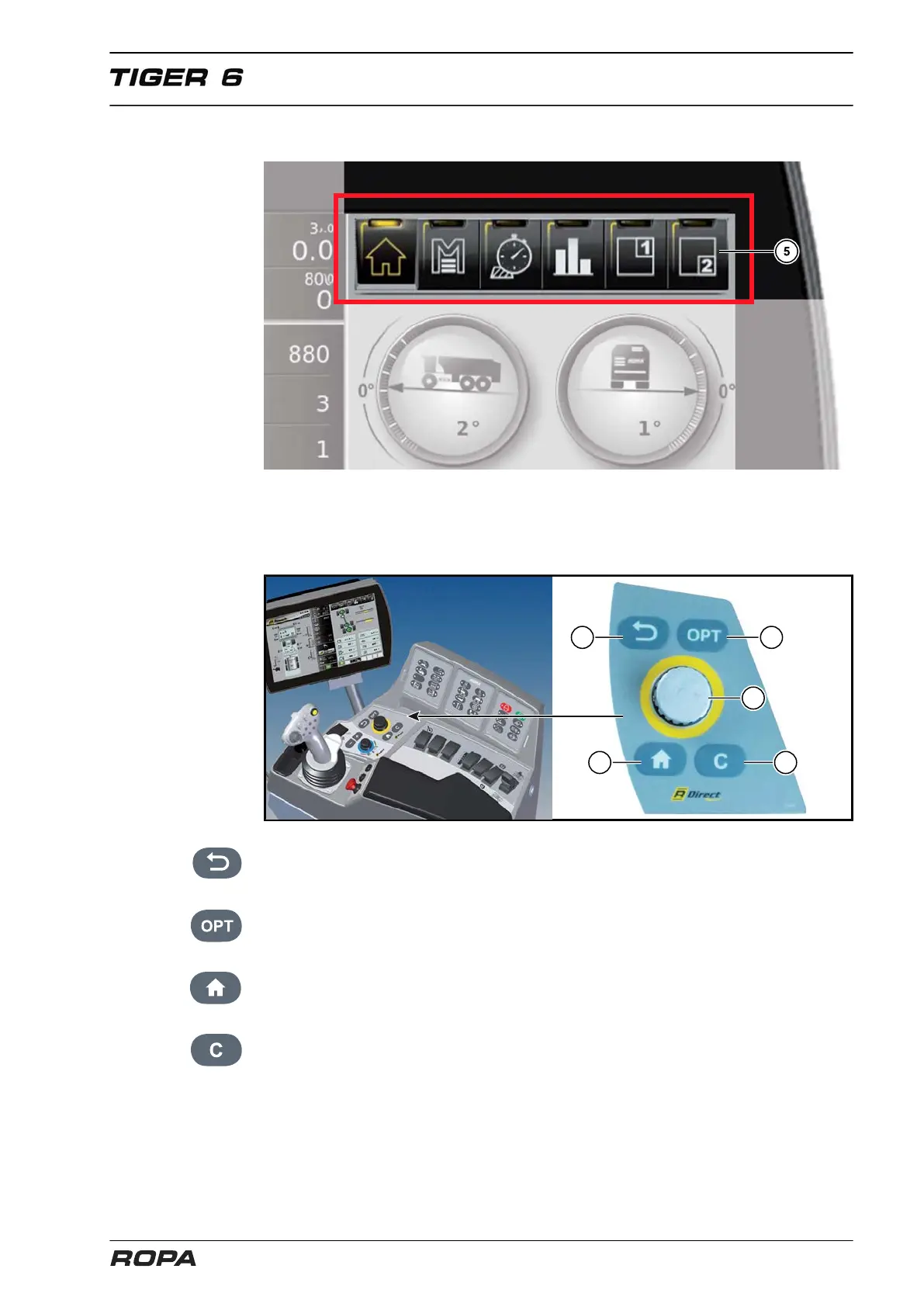
5.6.3 R-Direct
The R-Direct function area (5) (YELLOW screen and operating panel colour) allows
the driver to perform different settings, e.g. access to the main menu with submenus.
When touching one of the R-Direct selecting field (5) the R-Touch accepts commands
as well as when turning or pressing wheel on the R-Direct (5a).
(6) RETURN – Key:
With the RETURN key you can leave each R-Direct menu gradually.
(7) OPT:
Use this key to open the fast access window (See Page 109).
(8) HOME:
Click here to go back to the start screen.
(9) C–key:
With the C-key entered information can be deleted (Delete). When a warning indicator
activates the warning buzzer, you can suppress the sounding of the buzzer for a short
period pressing the C-key (9).



 To Next Page