Operation
Steering
201 / 564
6.10.2 Steering in operating mode "Field"
In the operating mode "Field" the machine has five different steering variants,
namely:
Offset-steer left or right
Lifting through steer
U-turn steer
All-wheel steer
Crab steering
For offset-steer there is a distinction between different offset-steer stages:
- Offset-steer 0 left = no articulation
- Offset-steer 1 left = light articulation to the left
- Offset-steer 2 left = strong articulation to the left
- Offset-steer 0 right = no articulation
- Offset-steer 1 right = light articulation to the right
- Offset-steer 2 right = strong articulation to the right
Please note, that reasonable lifting is possible only in offset-steer.
6.10.2.1 Preselect and activate lifting through steer
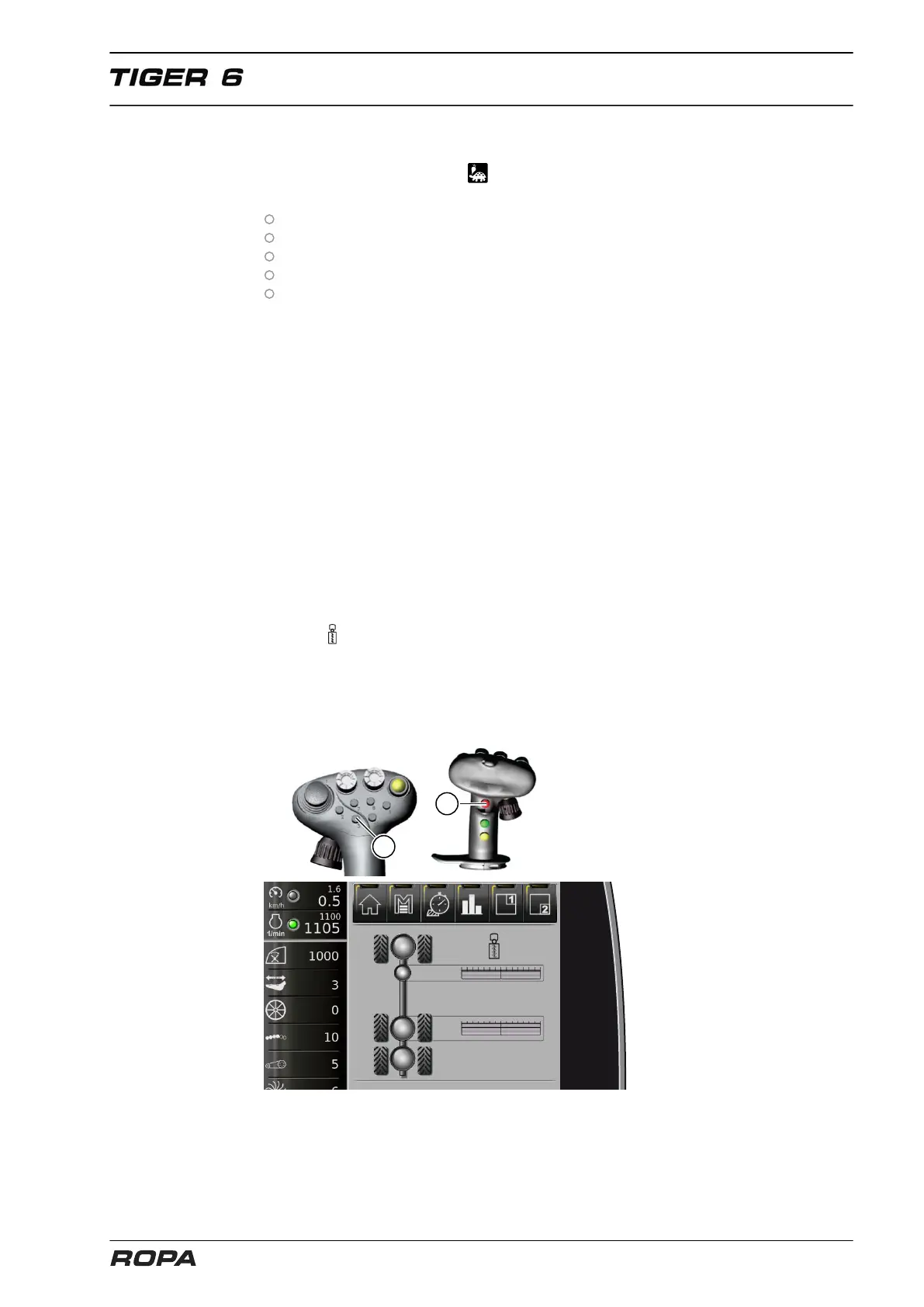
To preselect the lifting through steer hold the multi-key (11) and the key (3) pressed for
2 sec.. The lifting unit moves into the central position during lifting through steer and
the icon appears. The previously selected offset-steer stages are maintained in the
background. You can activate the lifting through steer while driving by pressing key (3)
on the joystick. Now you can lift through, raise three-point or drive back as often as
required. The lifting through function remains until you select again with the mini joy-
stick (1) an offset-steer side, the last preset offset-steer stage will be displayed again
on the R-Touch.



 To Next Page