Operation
Lifter
279 / 564
6.14.15 Rotating direction of the last (smooth) lifting roller (pinch roller)
The pressure in the hydraulic drive of the smooth lifting roller is continuously moni-
tored. Of the smooth lifting roller is overloaded (drive pressure above approx. 200 bar),
the following warning icon is shown on the R-Touch: . An additional warning signal
sounds.
If the smooth lifting roller is blocked by a foreign object, the following warning icon is
shown on the R-Touch: . An additional warning signal sounds. The lifter drive and
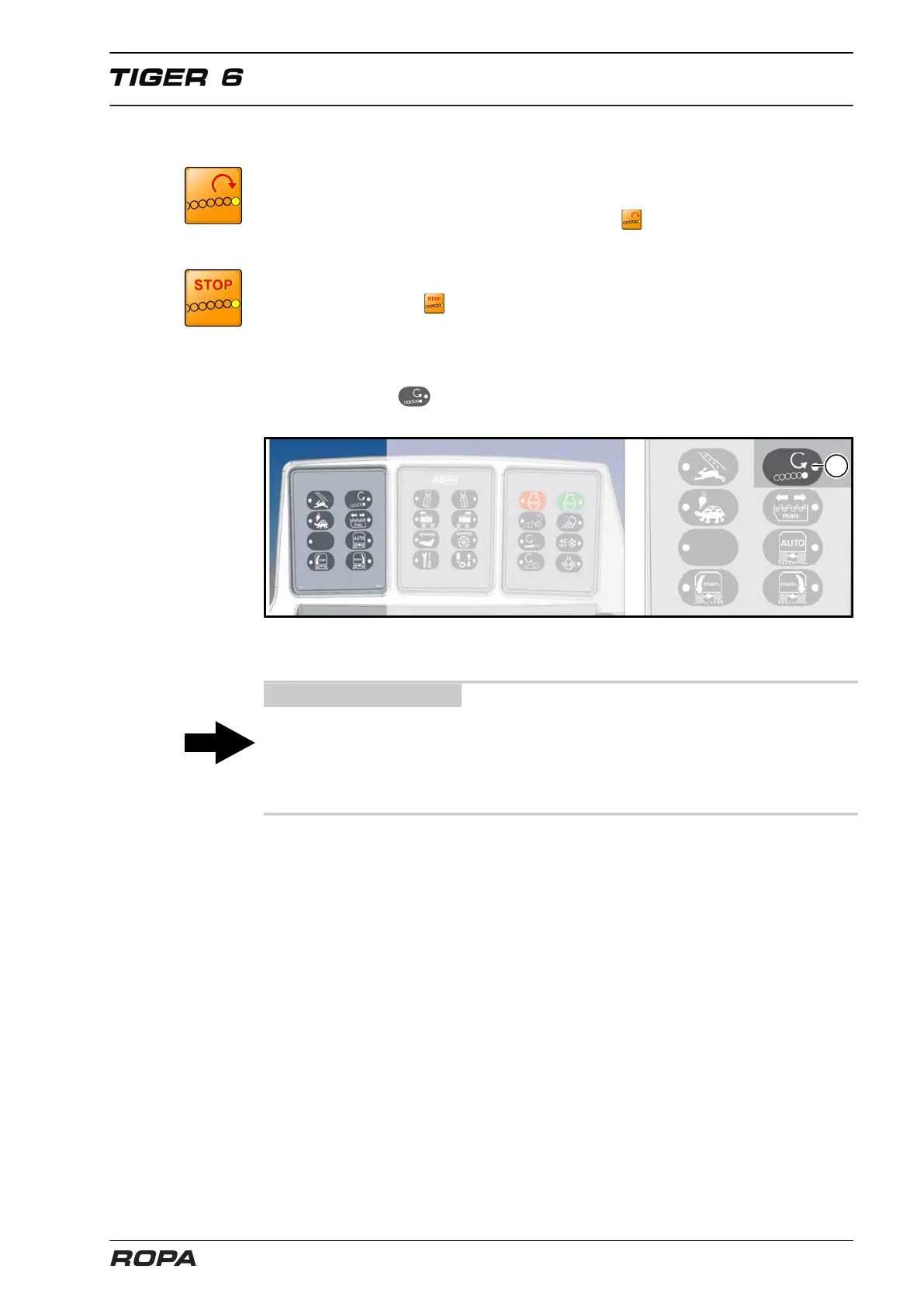
main drive then stop automatically. To clear such a block, press the "Reverse smooth
lifting roller" key (17) on keypad I.
The rotating direction of the smooth lifting roller can also be switched with key (17) on
keypad I. If the key is pressed briefly, the rotating direction of the smooth lifting
roller is reversed.
If the key’s LED lights, the lifting roller turns in the opposite direction to the neighbour-
ing roller. It helps to achieve better cleaning off of soil and leaves (pinch roller effect).
ADVICE
However, this leads to increased wear on this roller on stony ground.
If you have switched the pinch roller effect on before lifting (roller reversed), the rotat-
ing direction is reversed for a short time during lifting. The LED in the key flashes dur-
ing this brief reversal phase.
6.14.16 Short lifting rollers / 2x paddles
The speed of the short lifting rollers and the 2x paddle changes when the speed of the
defoliator shaft is adjusted. If the 2x paddle drive stops suddenly, this may be caused
by blockage of the short lifting rollers.



 To Next Page