Note: SecureSync starts numbering I/O ports with 0 (only 1PPS and 10MHz out-
puts start at1, because of the built-in outputs).
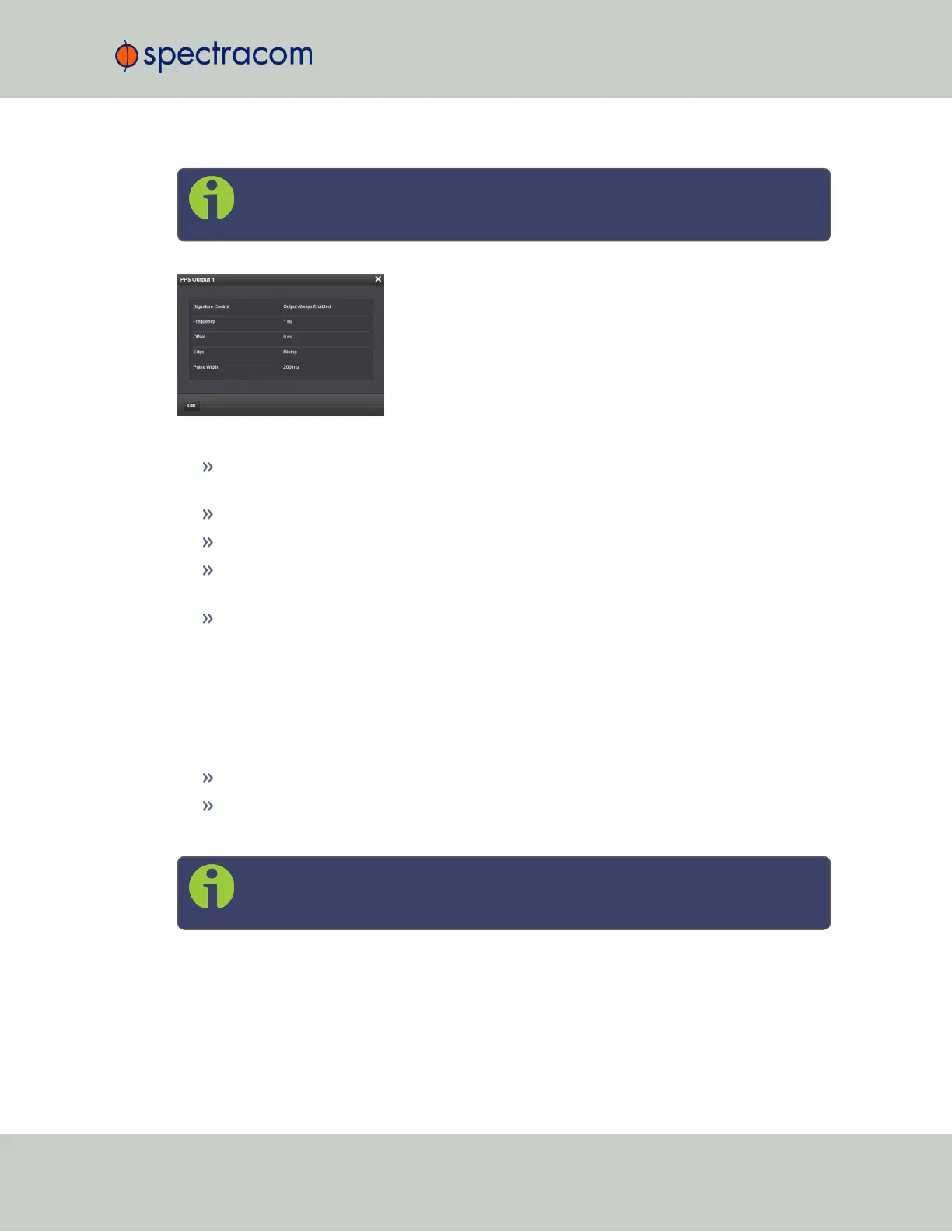
The fields displayed are:
Signature Control: Displays the current configuration of Signature Control. See "Sig-
nature Control" on page141.
Frequency: Indicates the configured frequency of the 1PPS output signal.
Offset: Displays the configured Offset (to account for cable delays or other latencies).
Edge: Shows if the on-time point of the 1PPS output is the rising or falling edge of the
pulse.
Pulse Width: Displays the configured Pulse Width of the 1PPS output. The Pulse Width is
displayed in nanoseconds (ns). The default Pulse Width is 200 milliseconds.
1PPS Input: Edit Window
To configure the settings of the PPS Input (also referred to as ‘Reference’), go to its Edit window.
For instructions, see: "Configuring Option Card Inputs/Outputs" on page348.
The Web UI list entries for these cards are:
1PPS In/Out
1PPS In/Out, Fiber
The connector number for the input is: J1
Note: SecureSync starts numbering I/O ports with 0 (only 1PPS and 10MHz out-
puts start at1, because of the built-in outputs).
SecureSync User Reference Guide 375
APPENDIX



 To Next Page