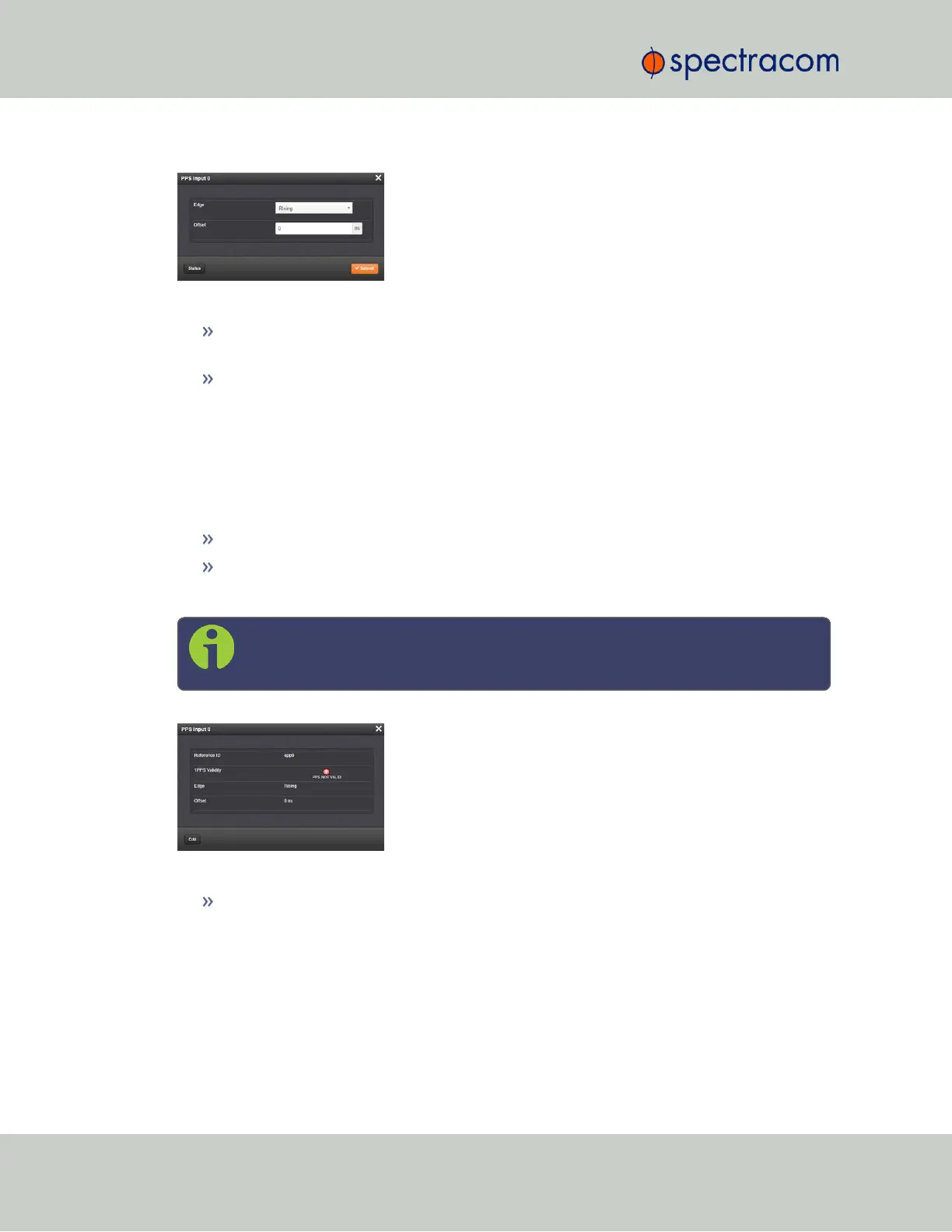
The Edit window allows the configuration of the following settings:
Edge: The operator can select either the rising or the falling edge as the input time ref-
erence (defines the on-time point of the signal).
Offset: It is possible to add an offset to the input signal (to account for cable delays),
with a resolution of 5ns and a positive or negative value of 500ms maximum.
1PPS Input: Status Window
To view the current settings of the PPS Input (also referred to as ‘Reference’), go to its Status win-
dow. For instructions, see: "Viewing Input/Output Configuration Settings" on page347.
The Web UI list entries for these cards are:
1PPS In/Out
1PPS In/Out, Fiber
The connector number for the input is: J1
Note: SecureSync starts numbering I/O ports with 0 (only 1PPS and 10MHz out-
puts start at1, because of the built-in outputs).
The Status window displays the following settings:
Reference ID: Name used to represent this 1PPS input reference in the Reference Priority
table. See also: "Configuring Input Reference Priorities" on page163.
376 SecureSync User Reference Guide
APPENDIX



 To Next Page