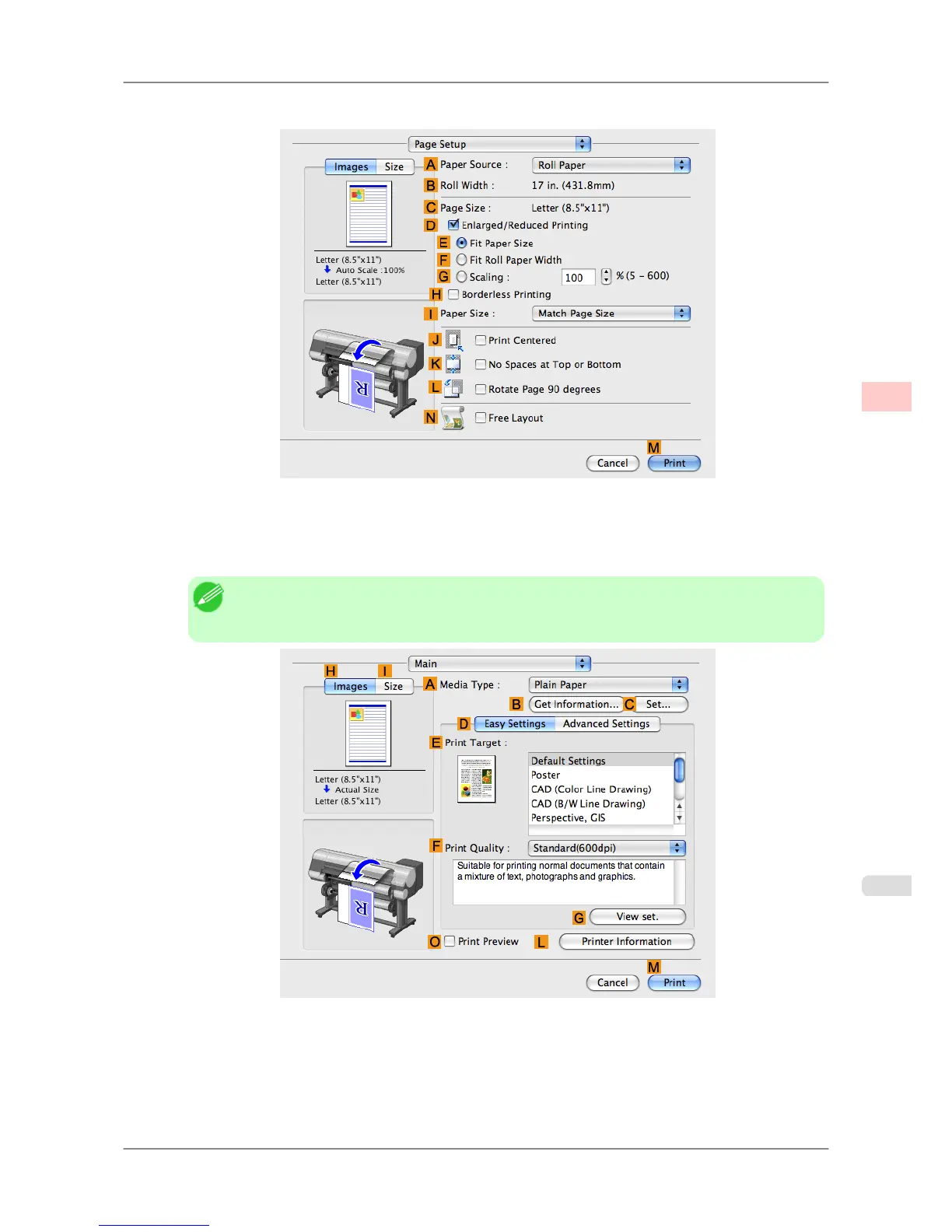
6. Access the Page Setup pane.
7. Select and click a roll paper in the APaper Source list.
8. Make sure the width of the loaded roll is displayed in the BRoll Width list—in this case, 16 in. (406.4mm).
Note
• If
the width of the loaded roll is not displayed in B Roll Width, click L Printer Information on
the Main pane and update the printer information.
9. In CPage Size, make sure 100*500 is displayed, as registered in Page Setup.
10. Select the DEnlarged/Reduced Printing check box.
11. Click FFit Roll Paper Width.
Enhanced Printing Options
>
Printing banners or at other non-standard sizes
>
iPF825 Printing Vertical or Horizontal Banners (Large-Format Printing; Mac OS X)
3
117














 To Next Page