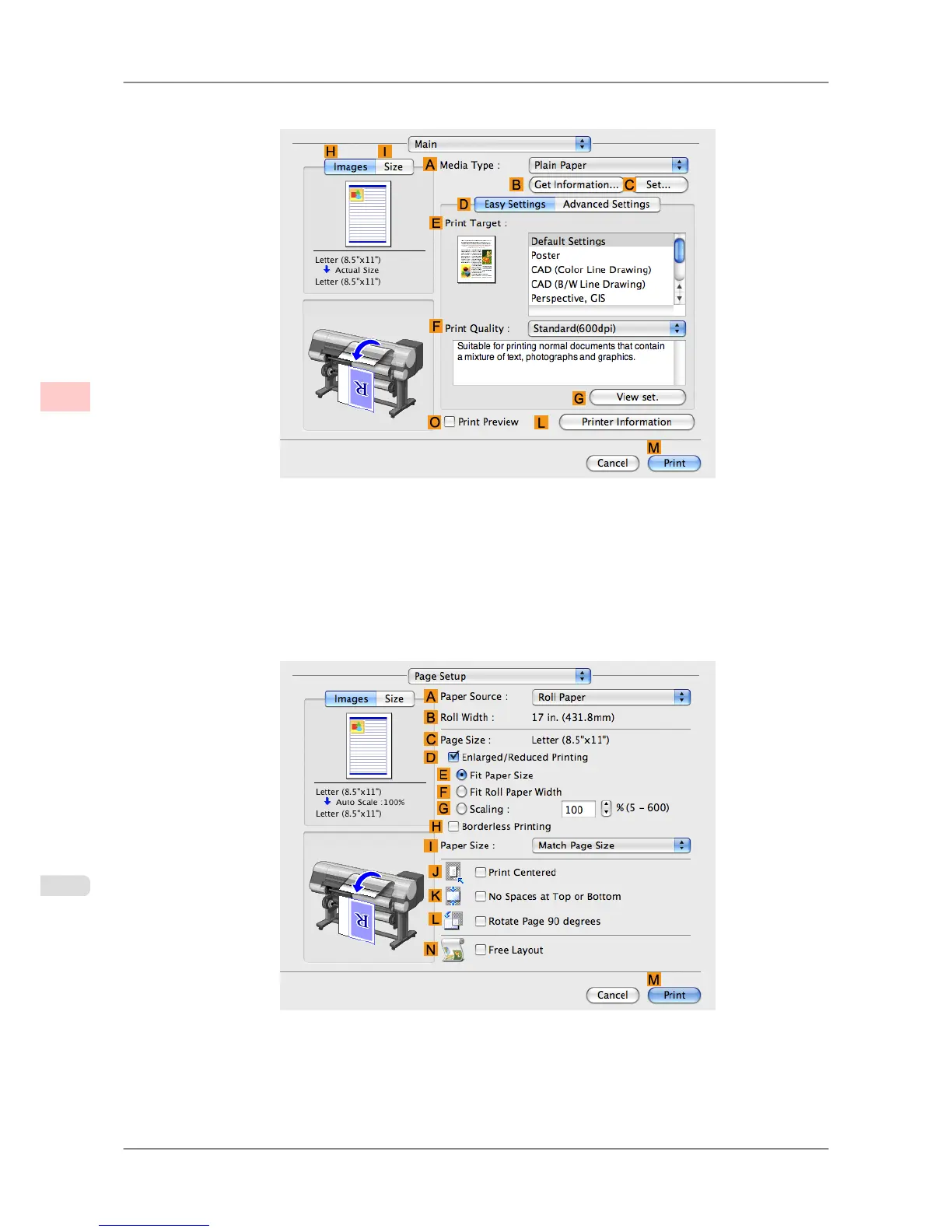
12. Access the Main pane.
13. In the A Media Type list, select the type of paper that is loaded.
14. After confirming that DEasy Settings is selected, select from the E Print Target list.
15. Make your selection in the FPrint Quality list.
16. Access the Page Setup pane.
17. Click Cut Sheet in the APaper Source list.
18. In CPage Size, make sure 430*430 is displayed, as registered in Page Setup.
Enhanced Printing Options
>
Printing banners or at other non-standard sizes
>
Printing on Non-Standard Paper Sizes (Mac OS X) iPF825
3
124














 To Next Page