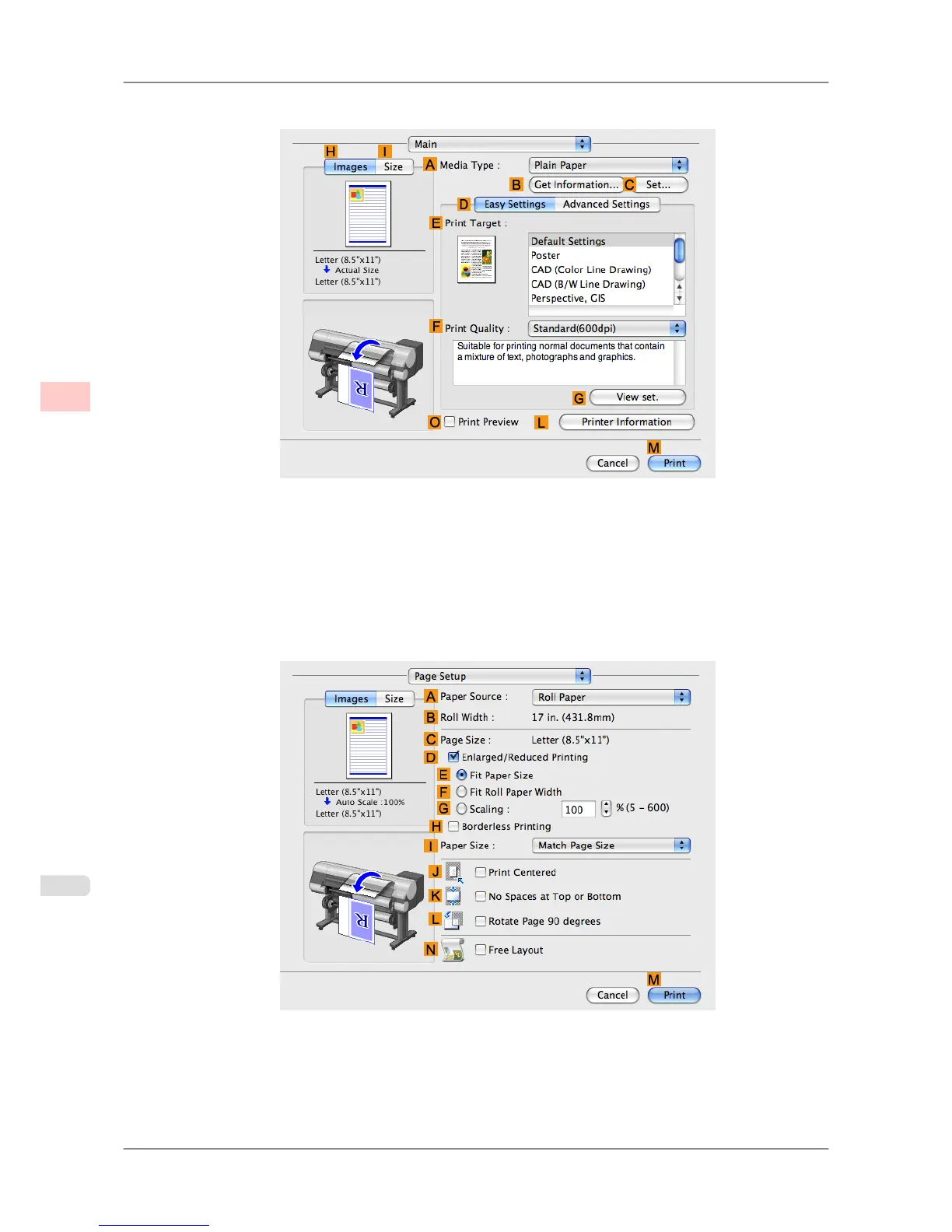
5. Access the Main pane.
6. In the A Media Type list, select the type of paper that is loaded. In this case, click Plain Paper.
7. Make your selection in the EPrint Target list.
8. Make your selection in the FPrint Quality list.
9. Access the Page Setup pane.
10. Select and click a roll paper in the APaper Source list.
Enhanced Printing Options
>
Centering originals
>
Printing Originals Centered on Rolls (Mac OS X) iPF825
3
150














 To Next Page