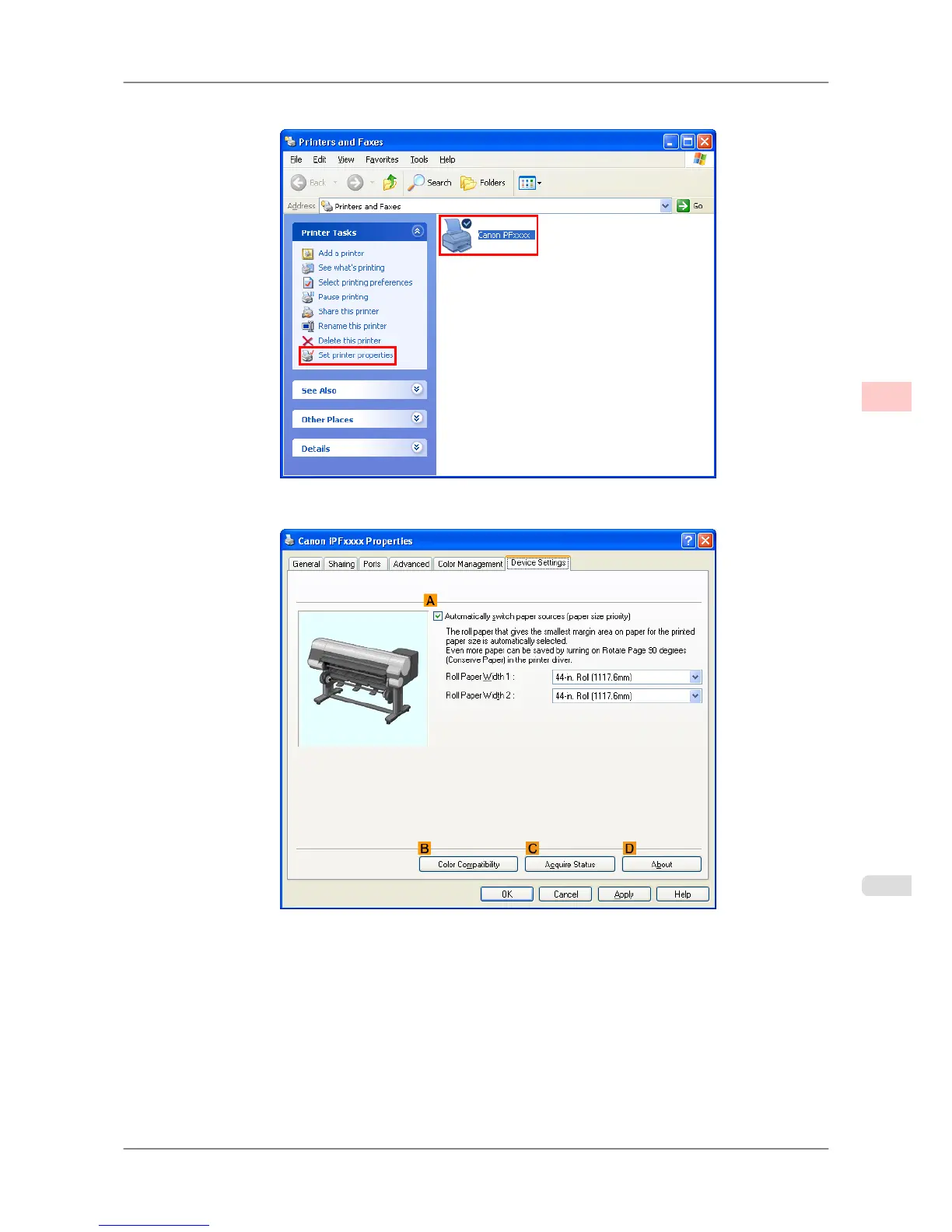
2. Select the printer, and then display the printer properties dialog box.
3. Click the Device Settings tab to display the Device Settings sheet.
4. Select the AAutomatically switch paper sources (paper size priority) check box.
5. Click CAcquire Status.
The
paper size information is acquired from the printer, and the width of the roll paper that is actually loaded in
the printer is displayed.
6. Click OK to close the dialog box.
7. Choose Print in the application menu.
Enhanced Printing Options
>
Other useful settings
>
iPF825 Switching the Paper Source of Roll Paper to Match the Paper Size
3
189














 To Next Page