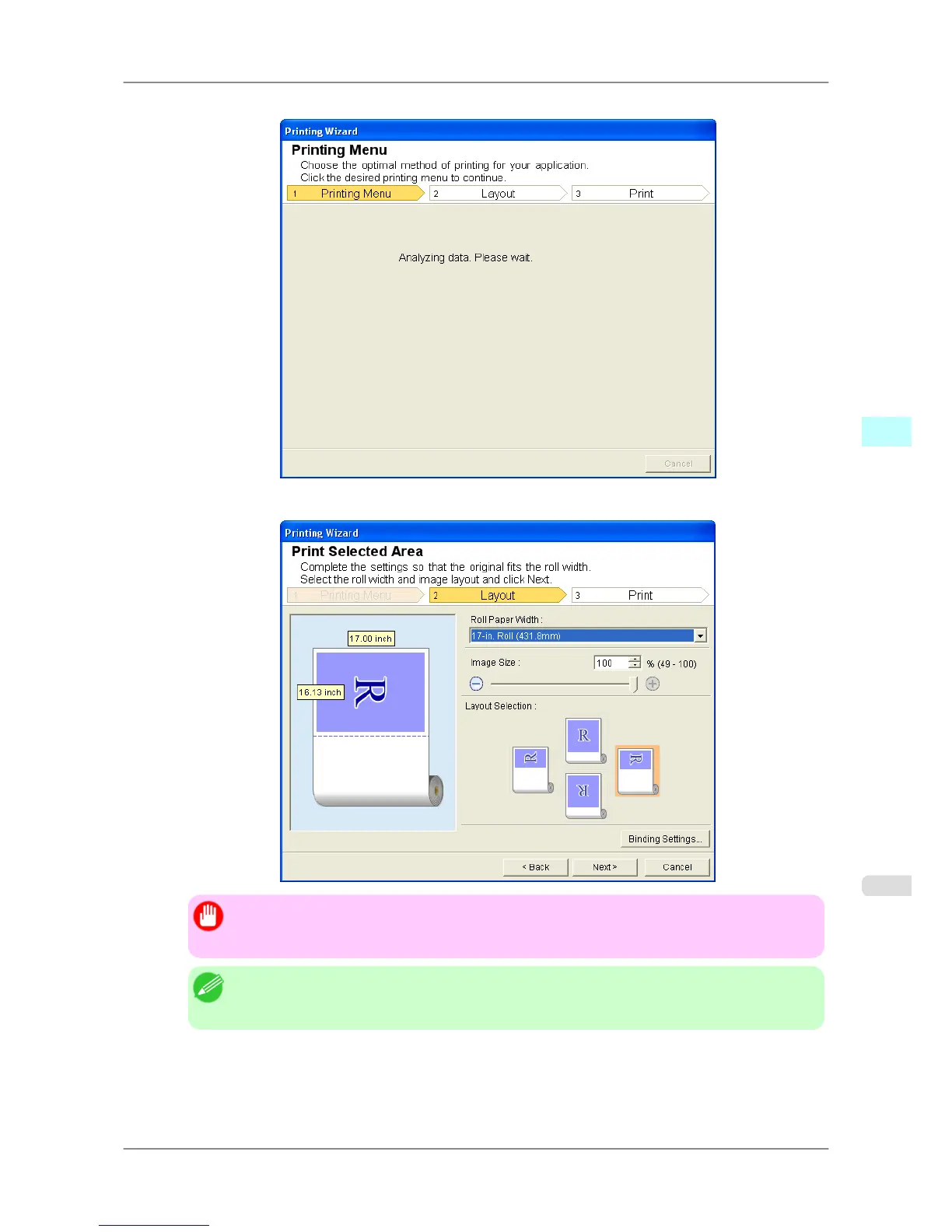
A message will appear informing you that analysis is in progress.
The Layout menu will appear automatically.
Important
• If
the range selected in Excel 2007/2010 is too large, it will not be possible to analyze the data.
Select a smaller range and then run the analysis.
Note
• If
data analysis requires time, a message dialog will appear. If you select No, you will return to
the application.
5. Select Roll Paper Width that is set in the printer.
6. Select image size.
Windows Software
>
Print Plug-In for Office
>
iPF825 Print Selected Area (Excel)
4
329














 To Next Page