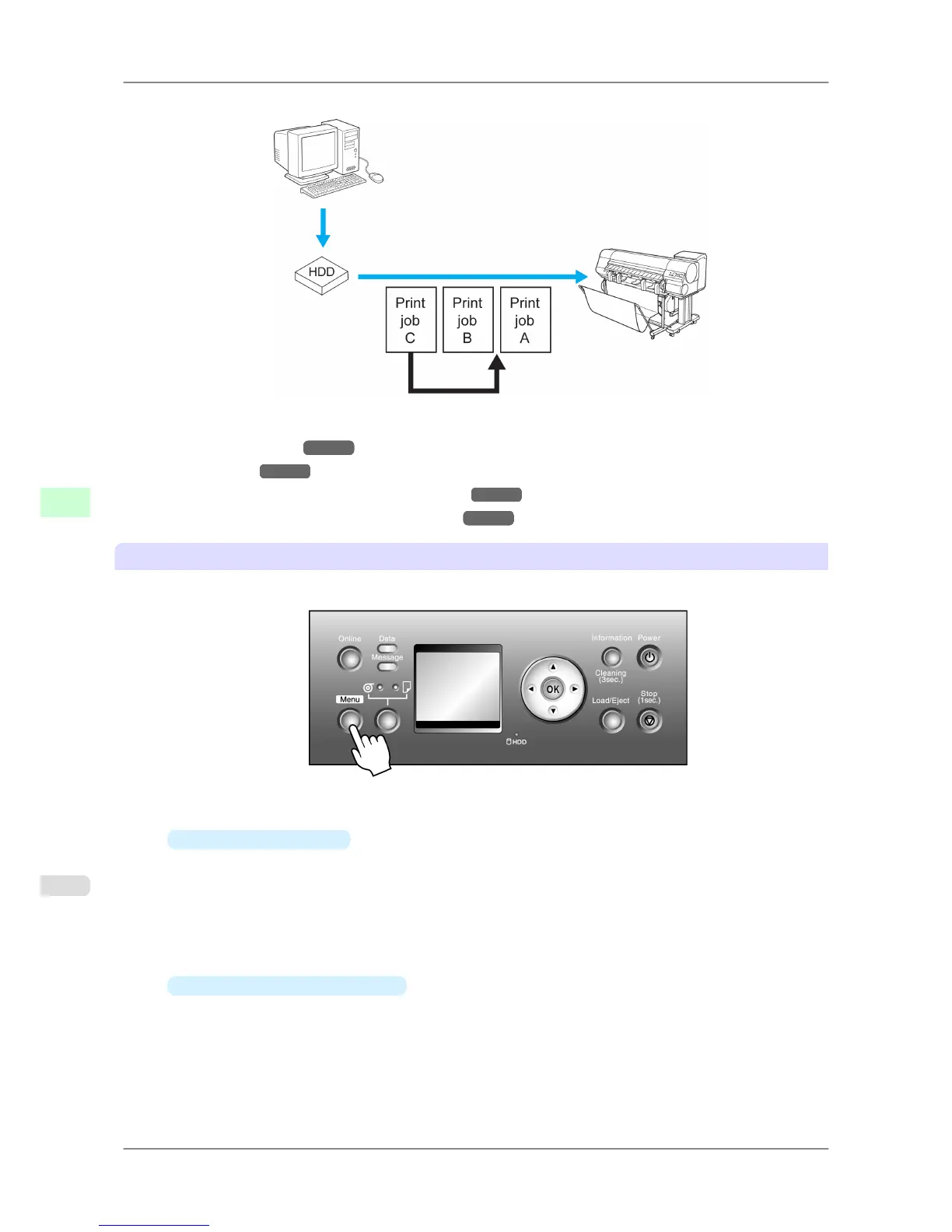
Print jobs that are being received or prepared for printing can be selected for preemptive printing.
You can manage queued print jobs as follows.
• Using the Control Panel
→P.536
• Using RemoteUI →P.537
• Using imagePROGRAF Status Monitor (Windows) →P.537
• Using imagePROGRAF Printmonitor (Macintosh) →P.537
Using the Control Panel
1. Press the Menu button to display Menu Durng Prtng.
2. You can manage queued jobs as follows.
•
Deleting queued jobs
1. Press ▲ or ▼ to select Job Mgmt Menu, and then press the OK button.
2. Press ▲ or ▼ to select Print Job, and then press the ▶ button.
3. Press ▲ or ▼ to select the print job to delete, and then press the ▶ button.
4. Press ▲ or ▼ to select Delete, and then press the OK button.
•
Changing the order of printing
1. Press ▲ or ▼ to select Job Mgmt Menu, and then press the OK button.
2. Press ▲ or ▼ to select Print Job, and then press the ▶ button.
3. Press ▲ or ▼ to select the job to print first, and then press the ▶ button.
4. Press ▲ or ▼ to select Preempt Jobs, and then press the OK button.
Print Jobs
>
Basic Print Job Operations
>
Managing Queued Jobs (Deleting or Preempting Other Jobs) iPF825
6
536














 To Next Page