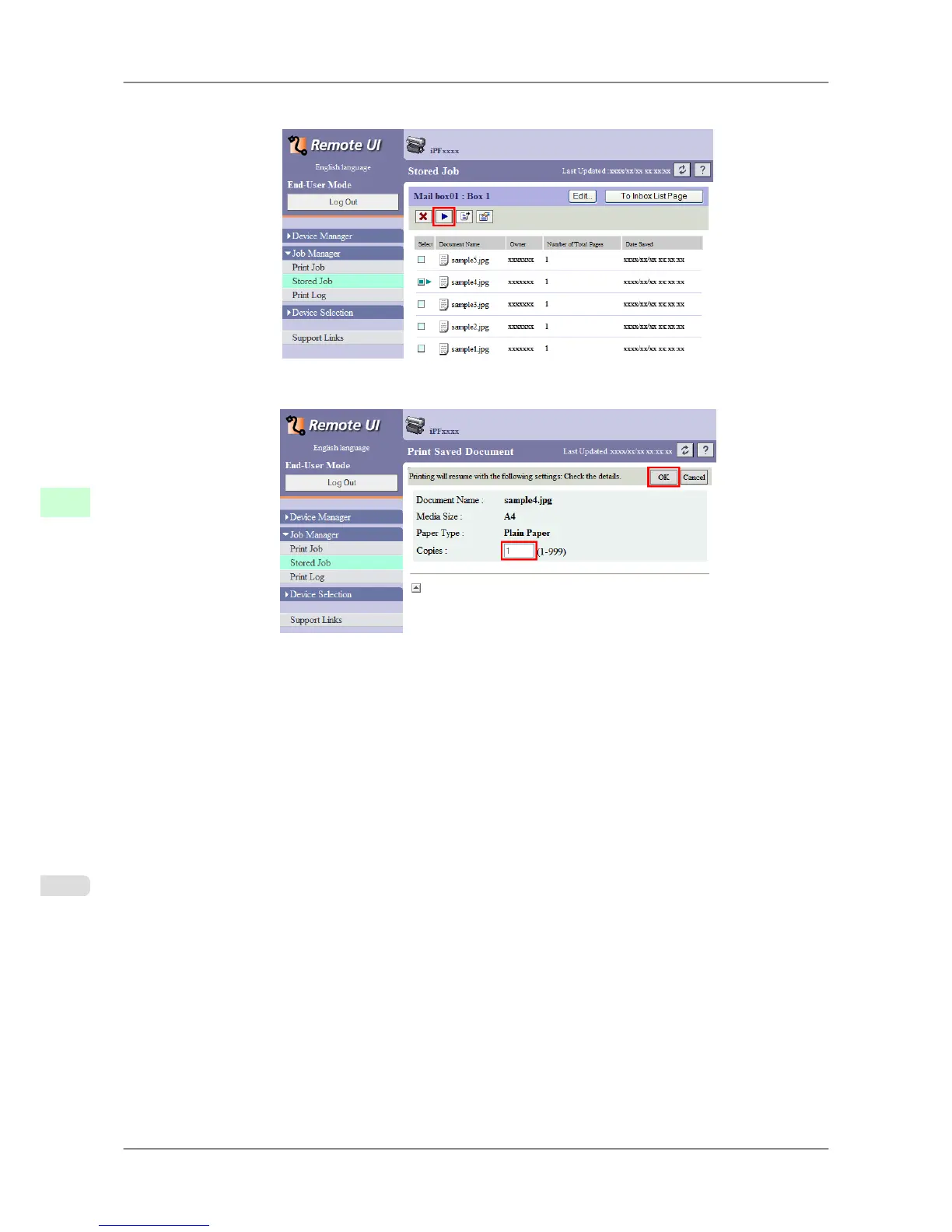
2. Select the print job in the list and click Print.
3. On the Print Saved Document page, enter the quantity to print in Copies and click OK.
For details, refer to the RemoteUI help.
Print Jobs
>
Basic Print Job Operations
>
Printing Saved Jobs iPF825
6
540














 To Next Page