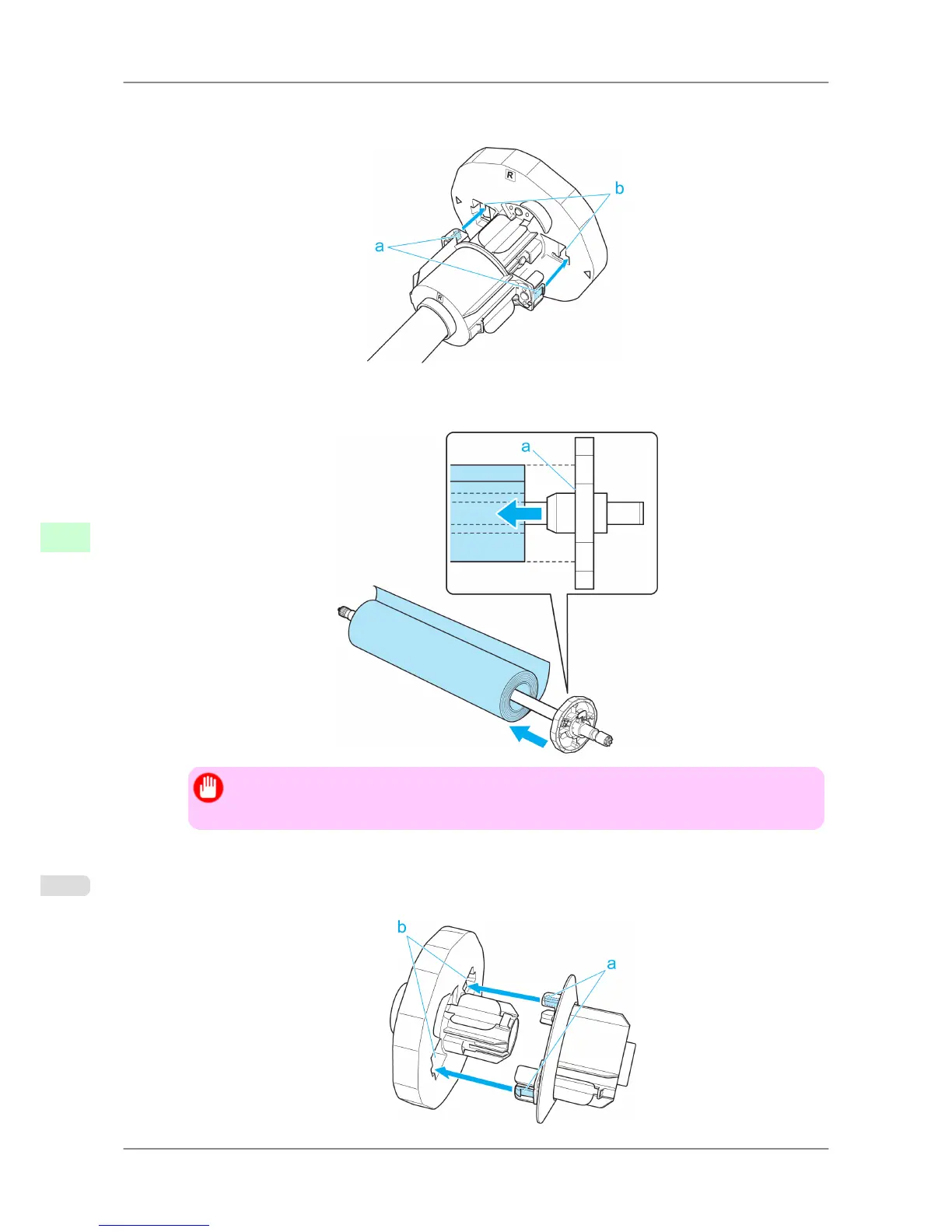
2. When
using a 3-inch paper core, align the tips (a) of 3-Inch Paper Core Attachment #1 with the holes (b) of the
Roll Holder and insert it firmly.
3. With
the edge of the roll paper facing forward as shown, insert the Roll Holder from the right of the roll. Insert it
firmly until the roll touches the flange (a) of the Roll Holder.
Important
• When
loading a roll, be careful to avoid hitting the printer hard with the roll. This may damage
the Roll Holder.
4. Insert the attachments for the roll paper core on the Holder Stopper.
Align the tips (a) of the attachment with the holes (b) of the Holder Stopper and insert it firmly.
• 3-Inch Paper Core Attachment #2
Handling Paper
>
Handling rolls
>
Attaching the Roll Holder to Rolls iPF825
7
586














 To Next Page