2. Press ▲ or ▼ to select Remove Roll, and then press the OK button.
3. Press ▲ or ▼ to select "Roll 1 (Upper)", and then press the OK button.
The roll can now be removed.
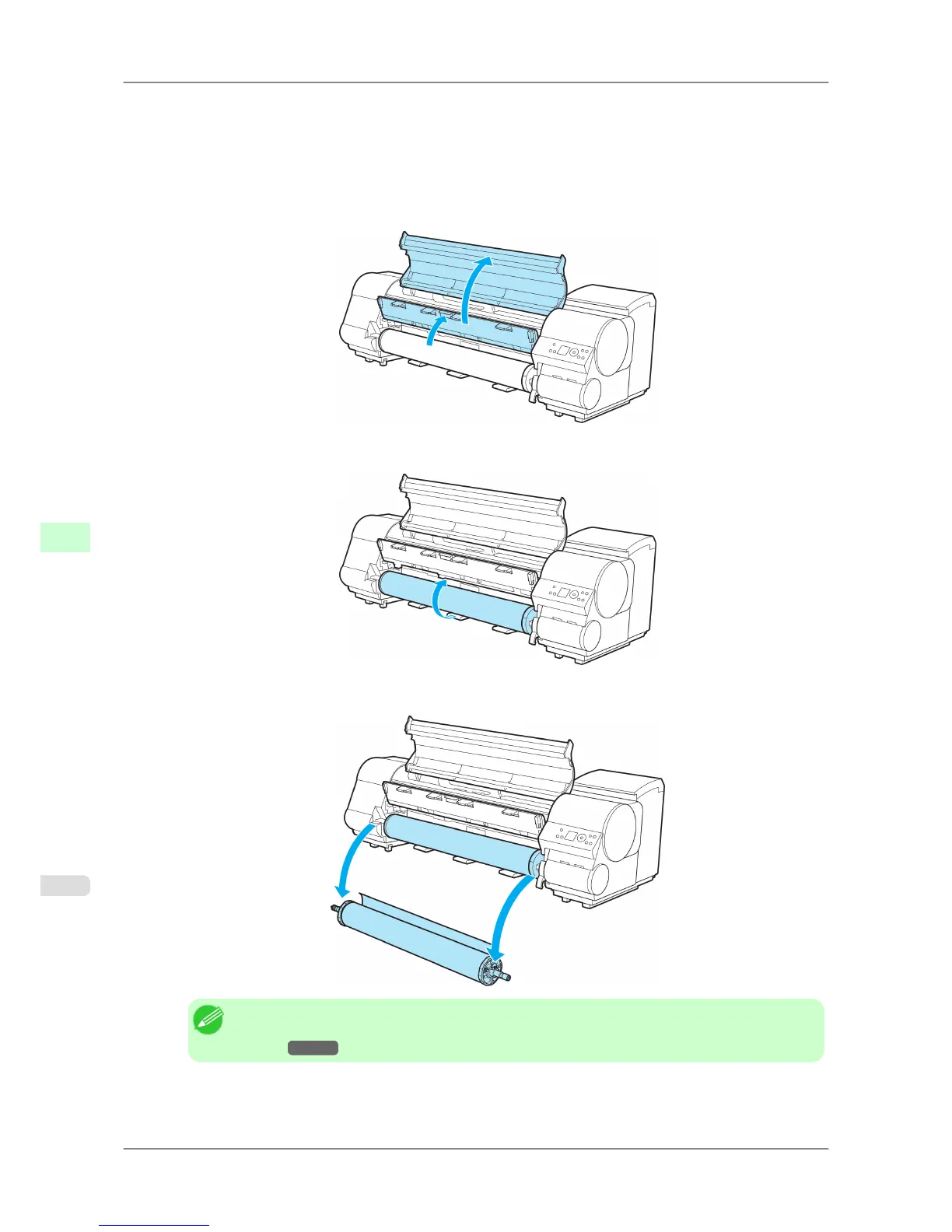
4. Open the Top Cover and lift the Ejection Guide.
5. Using both hands, rotate the Roll Holder in the direction of the arrow to rewind the roll.
6. Remove the Roll Holder from the Roll Holder Slot.
Note
• For
instructions on removing the Roll Holder from rolls, see "Removing the Roll Holder from
Rolls."
→P.601
Handling Paper
>
Handling rolls
>
Removing the Roll from the Printer iPF825
7
598














 To Next Page