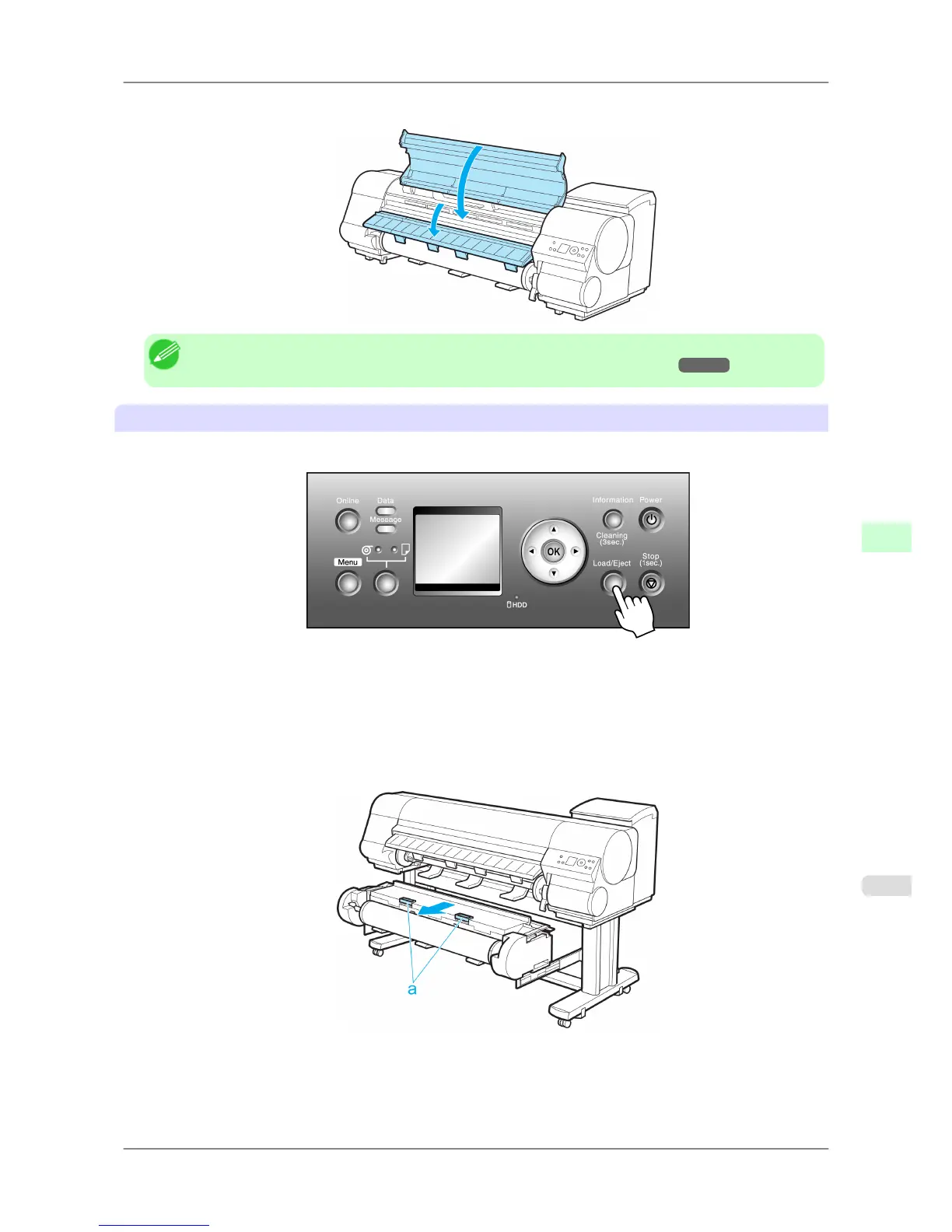
7. Lower the Ejection Guide and close the Top Cover.
Note
• To load new paper in the printer at this point, see "Loading Rolls in the Printer." →P.588
Removing rolls from the Roll 2 (Lower) position
1. Press the Load/Eject button.
2. Press ▲ or ▼ to select Remove Roll, and then press the OK button.
3. Press ▲ or ▼ to select "Roll 2 (Lower)", and then press the OK button.
The roll can now be removed.
4. After confirming that the Online lamp is off, hold the Roll Unit Lever (a) and pull out the Roll Unit.
Handling Paper
>
Handling rolls
>
iPF825 Removing the Roll from the Printer
7
599














 To Next Page