*2: The printer automatically enters Sleep mode if it is idle for a specific period (by factory default, five minutes), that
is, if no print jobs are received or buttons are pressed while all covers are closed. However, it does not enter Sleep
mode while error messages are displayed.
*3: In Sleep mode, the printer can be restored to the previous state by pressing any button. Sleep mode is also termina-
ted if a print job is received or a command is issued from RemoteUI.
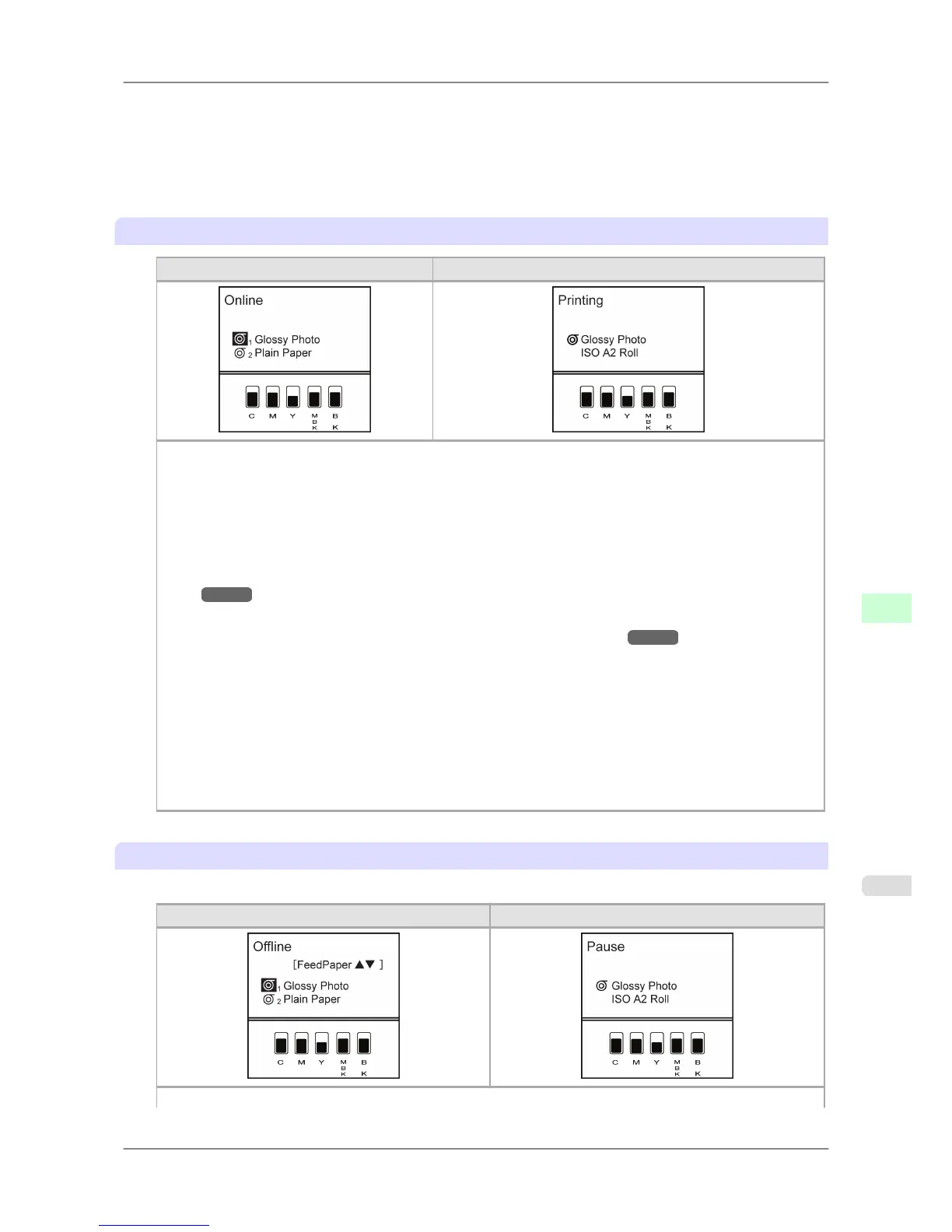
Online, and state of the Control Panel
Not printing Printing in progress (receiving or processing print jobs)
Display Screen
• Top Line of the Display Screen
The
printer status is displayed here. The selected paper source is indicated by an icon to the left of the type of
paper.
• Middle Level of the Display Screen
The first and second lines display the paper type and size.
Any warning messages are displayed here on lines 2–4. Take the appropriate action. (See "Error Messag-
es
→P.821 .")
• Bottom Line of the Display Screen
Here, the remaining ink level is indicated. (See "Checking Ink Tank Levels.") →P.752
Control Panel
• Online lamp
Lit when the printer is online.
• Data lamp
Flashes when print jobs are being received or processed.
• Message lamp
Lit when warning messages are displayed.
Offline, and state of the Control Panel
Offline
Not printing Printing is paused
Display Screen
Printer Parts
>
Control Panel
>
iPF825 Printer Modes
9
657














 To Next Page