Not printing Printing is paused
• Display Screen
The
printer status is displayed here. The selected paper source is indicated by an icon to the left of the type of
paper.
• Middle Level of the Display Screen
The first and second lines display the paper type and size.
Any warning messages are displayed here on lines 2–4. Take the appropriate action. (See "Error Messag-
es
→P.821 .")
• Bottom Line of the Display Screen
Here, the remaining ink level is indicated. (See "Checking Ink Tank Levels.") →P.752
Control Panel
• Message lamp
Lit when warning messages are displayed.
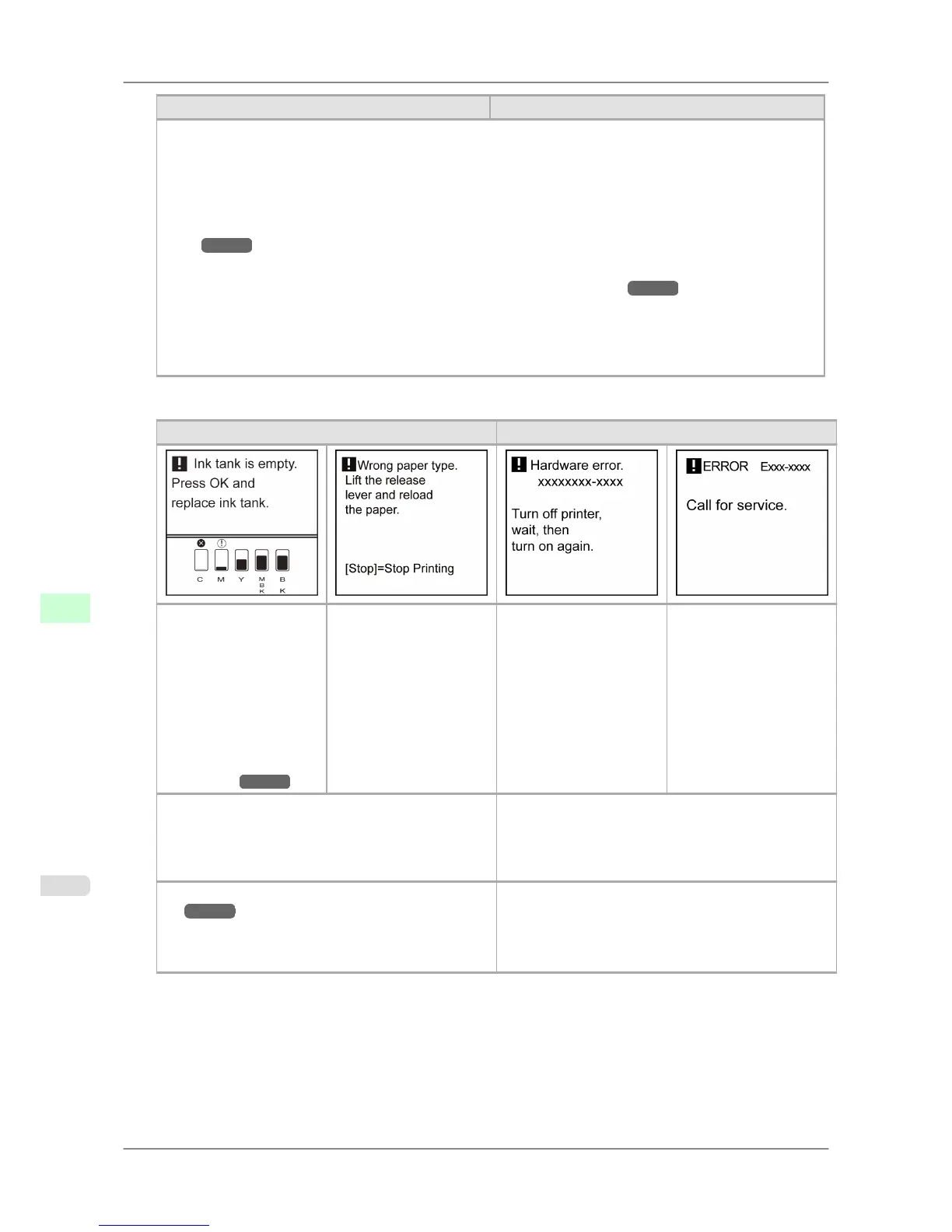
Error Messages
If action can be taken If no action can be taken
• Top
Line of the
Display Screen
Error messages are dis-
played.
• Bottom Line of the
Display Screen
Here, the remaining ink
level is indicated. (See
"Checking Ink Tank
Levels.")
→P.752
• Top
Line of the
Display Screen
Error messages are dis-
played.
• Bottom Line of the
Display Screen
The corrective actions
are displayed here.
• Top Line of the
Display Screen
The error message is
displayed with the fol-
lowing instructions:
"Turn off printer,
wait, then turn on
again.".
• Display Screen
ERROR is displayed,
followed by the error
code and "Call for
service.".
• Data lamp
Flashes when print jobs are being received.
• Message lamp
Flashes when error messages are displayed.
• Data lamp
Flashes when print jobs are being received.
• Message lamp
Flashes when error messages are displayed.
Take the appropriate action. (See "Error Messag-
es
→P.821 .")
Turn off the printer and wait at least three seconds before
restoring the power.
If the message is still displayed after this, write down the
error code and message, turn off the printer, and contact
the Canon dealer for assistance.
Printer Parts
>
Control Panel
>
Printer Modes iPF825
9
658














 To Next Page