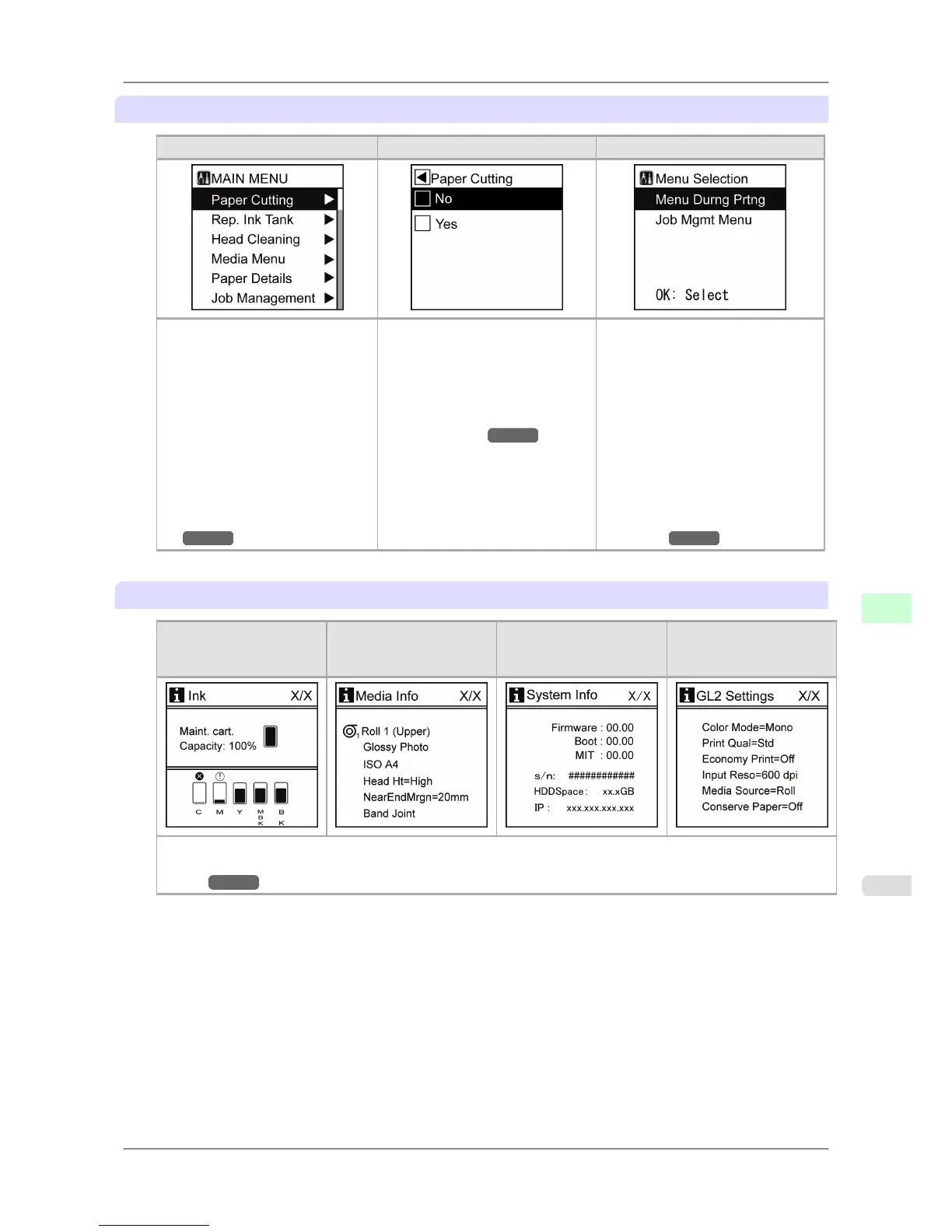
Menu mode, and state of the Control Panel
Main menu Menu items and settings Main menu (during printing)
• Display Screen
Pressing
the Menu button when
printing is not in progress dis-
plays the main menu.
The title of the selected menu is
displayed on the first line, and
menus immediately under the
current menu are displayed on
the second and subsequent lines.
Lower level menus are available
if ▶ is displayed at right. (See
"Main Menu Operations.")
→P.663
• Display Screen
The
title of the selected menu is
displayed on the first line, and
menu items or settings are dis-
played on the second and subse-
quent lines. (See "Main Menu
Operations.")
→P.663
The
menu of options available
during printing (top figure) can
be displayed by pressing the ▶
button when the main menu is
displayed (left figure).
• Display Screen
Menus
available during printing
are displayed if you press the
Menu button during printing.
If you select a menu, the title of
the selected menu is displayed on
the first line, and menus immedi-
ately under the current menu are
displayed on the second and sub-
sequent lines. Lower level menus
are available if ▶ is displayed at
right. (See "Main Menu Opera-
tions.")
→P.663
Submenu mode, and state of the Control Panel
Remaining Maintenance
Cartridge capacity and
ink levels
Information on the loaded
paper
Printer information
HP-GL/2 setting informa-
tion
Press the Information button to display this information, one after another: the Maintenance Cartridge capacity and
remaining ink levels, paper information, printer information, and GL2 settings information. (See "Submenu Dis-
play.") →P.690
Printer Parts
>
Control Panel
>
iPF825 Printer Modes
9
659














 To Next Page