*13: Viewing and configuration is possible for administrators, and only viewing for other users.
*14: Viewing and configuration is possible for administrators only.
*15: Default setting for the time to enter the power save mode/Sleep mode is recommended.
Caution
• Only the following menus are displayed during printing.
Choose this menu to display Head Cleaning, Fine Band Adj., and Information.
Choose this menu to display Job Management.
Submenus
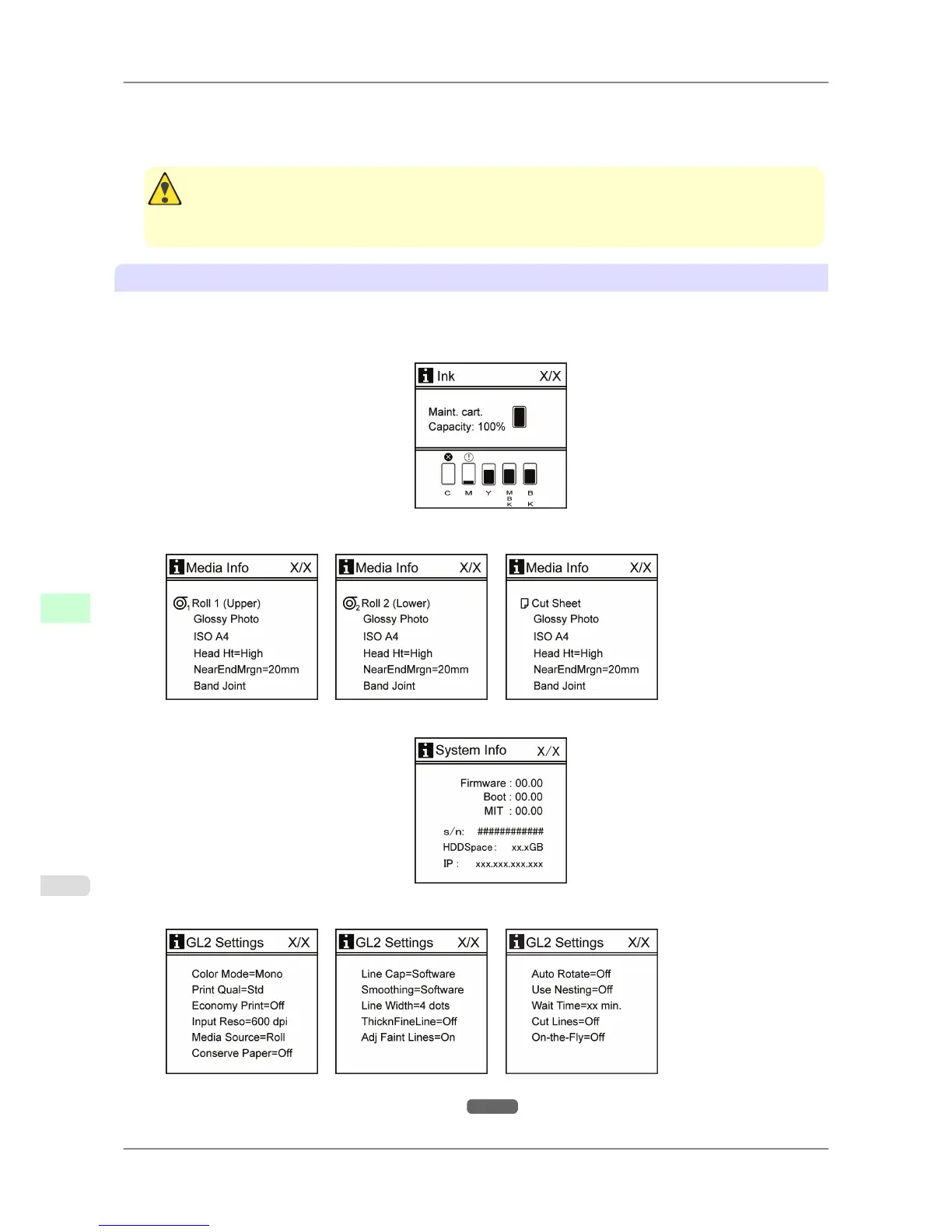
Each time you press the Information button on the Control Panel, printer information is displayed in the following
order.
• The remaining Maintenance Cartridge capacity and ink levels
• Information on the loaded paper
• Printer information
• HP-GL/2 settings information
For details on submenu screens, see "Submenu Display." →P.690
Printer Parts
>
Control Panel
>
Menu Structure iPF825
9
678














 To Next Page