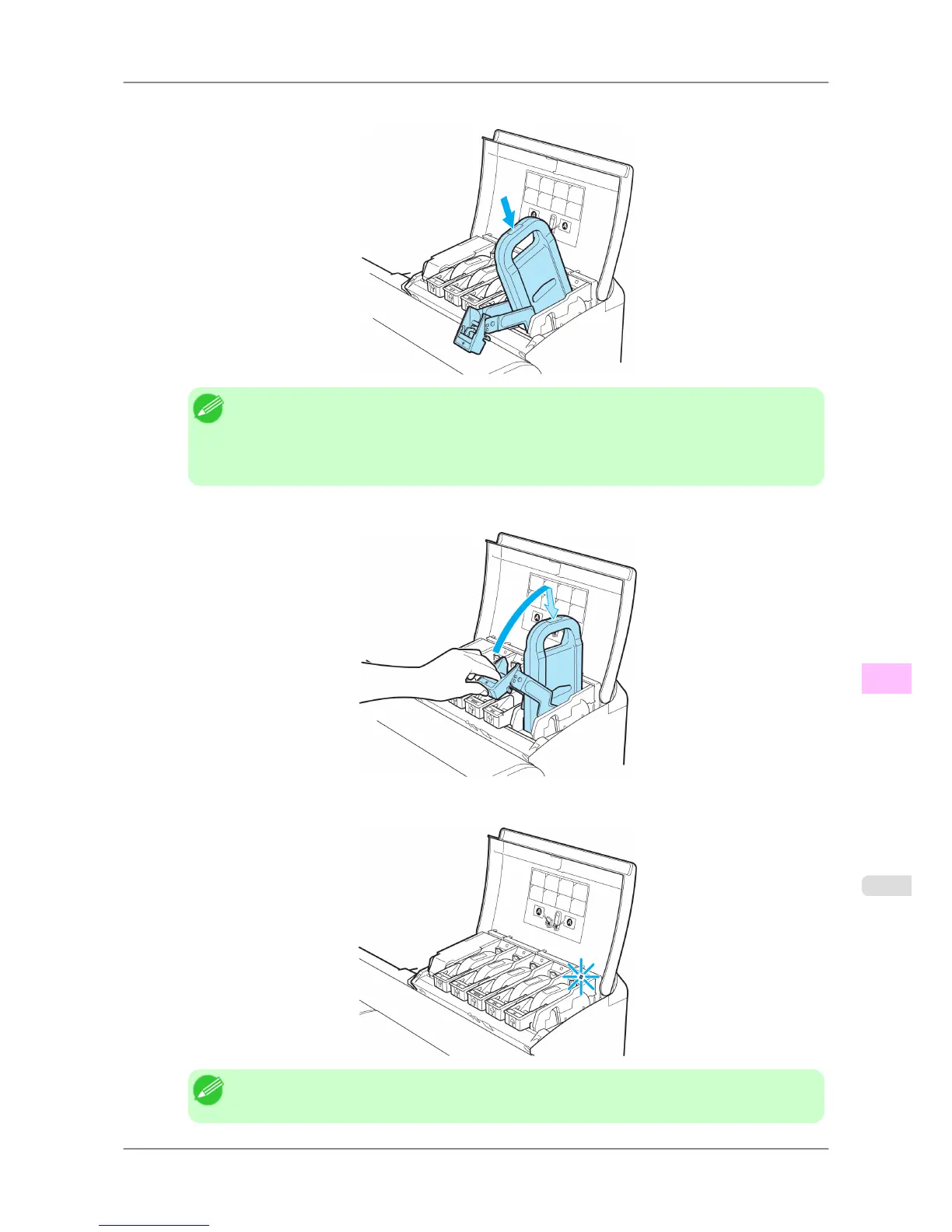
3. Press the OK button and insert the Ink Tank into the holder with the ink holes facing down, as shown.
Note
• Ink tanks cannot be loaded in the holder if the color or orientation is incorrect.
If
the Ink Tank does not fit in the holder, do not force it into the holder. Make sure the color of
the Ink Tank Lock Lever matches the color of the Ink Tank, and check the orientation of the Ink
Tank before reloading it.
4. Lift the Ink Tank Lock Lever until it stops, and then push it down until it clicks into place.
5. Make sure the Ink Lamp is lit in red.
Note
• If the Ink Lamp is not lit in red, reload the tank.
Maintenance
>
Ink Tanks
>
iPF825 Replacing Ink Tanks
11
751














 To Next Page