Note
• Do not open the Printhead Fixer Lever toward the front.
Accidentally opening the Printhead Fixer Lever toward the front will draw out ink, which con-
sumes ink.
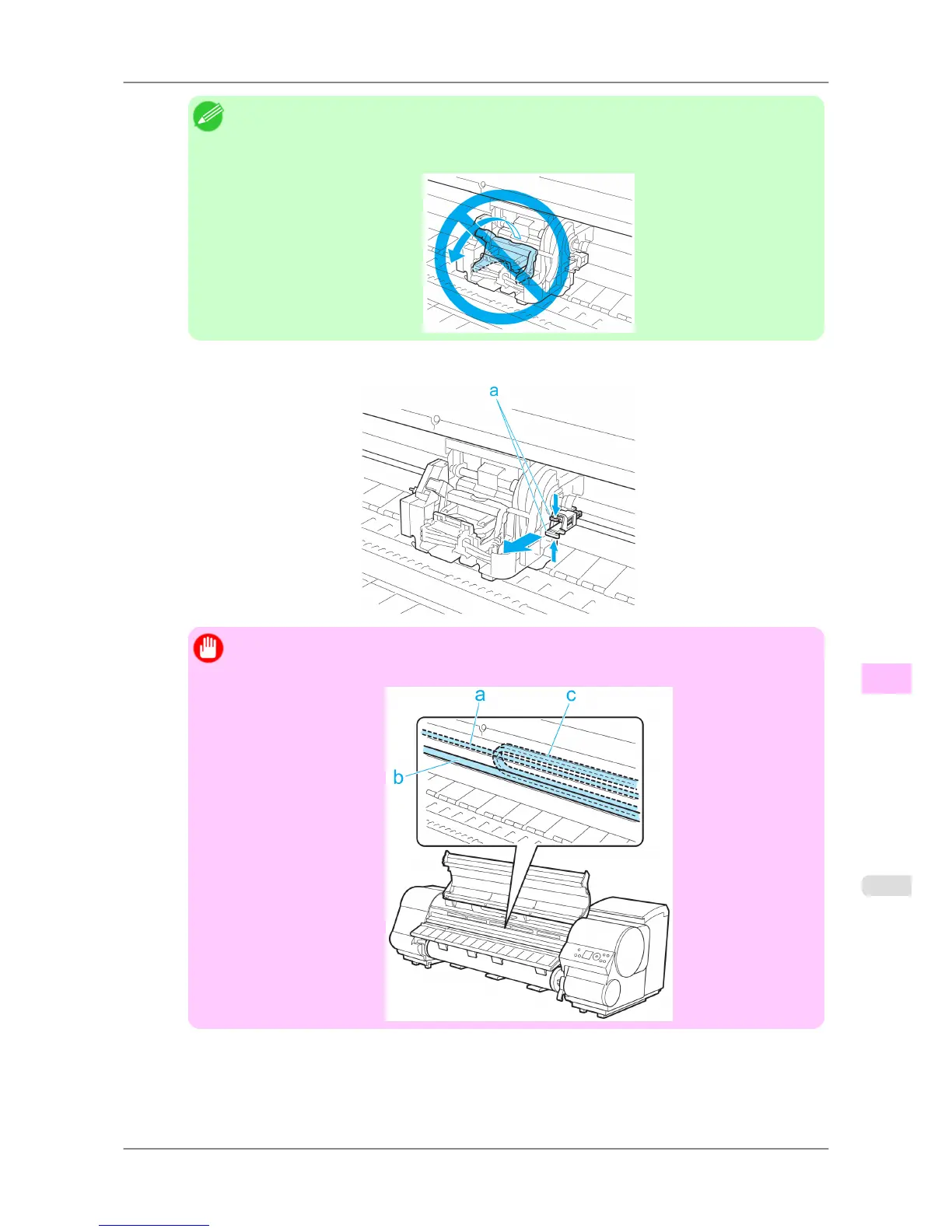
6. Hold the Shaft Cleaner on the right side of the Carriage by the grips (a) and pull it toward you to remove it.
Important
• Do
not touch the Linear Scale (a), Carriage Shaft (b), or Ink Tube Stabilizer (c). Touching these
parts may damage them.
Maintenance
>
Maintenance Cartridge
>
iPF825 Replacing the Maintenance Cartridge
11
769














 To Next Page