Important
• Here, the Belt Stopper is the one that was removed and stored after initial installation. Neglecting
to attach the Belt Stopper may damage the printer.
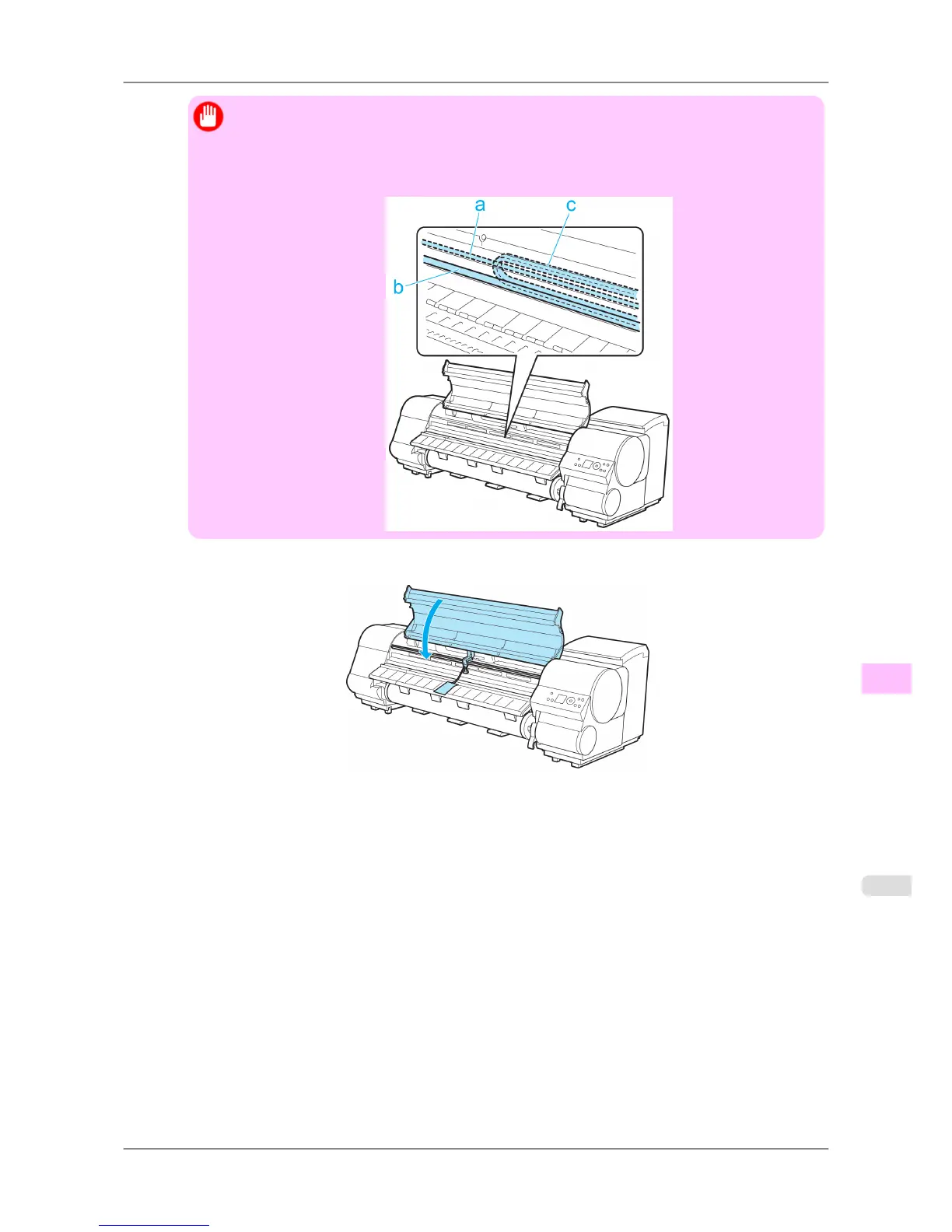
• Do not touch the Linear Scale (a), Carriage Shaft (b), or Ink Tube Stabilizer (c). Touching these
parts may damage them.
17. Close the Top Cover.
18. Tape down printer covers to secure them, in the reverse order of tape removal during installation.
19. Remove the Stand by reversing the installation procedure, when it was attached to the printer.
20. Disassemble and repackage the Stand by following the installation procedure in reverse.
21. Repack
the Roll Holder, Holder Stopper, and printer in shipping materials, and then package them in a shipping
box.
Maintenance
>
Other Maintenance
>
iPF825 Preparing to Transfer the Printer
11
781














 To Next Page