Operation
R-Concept
108 / 564
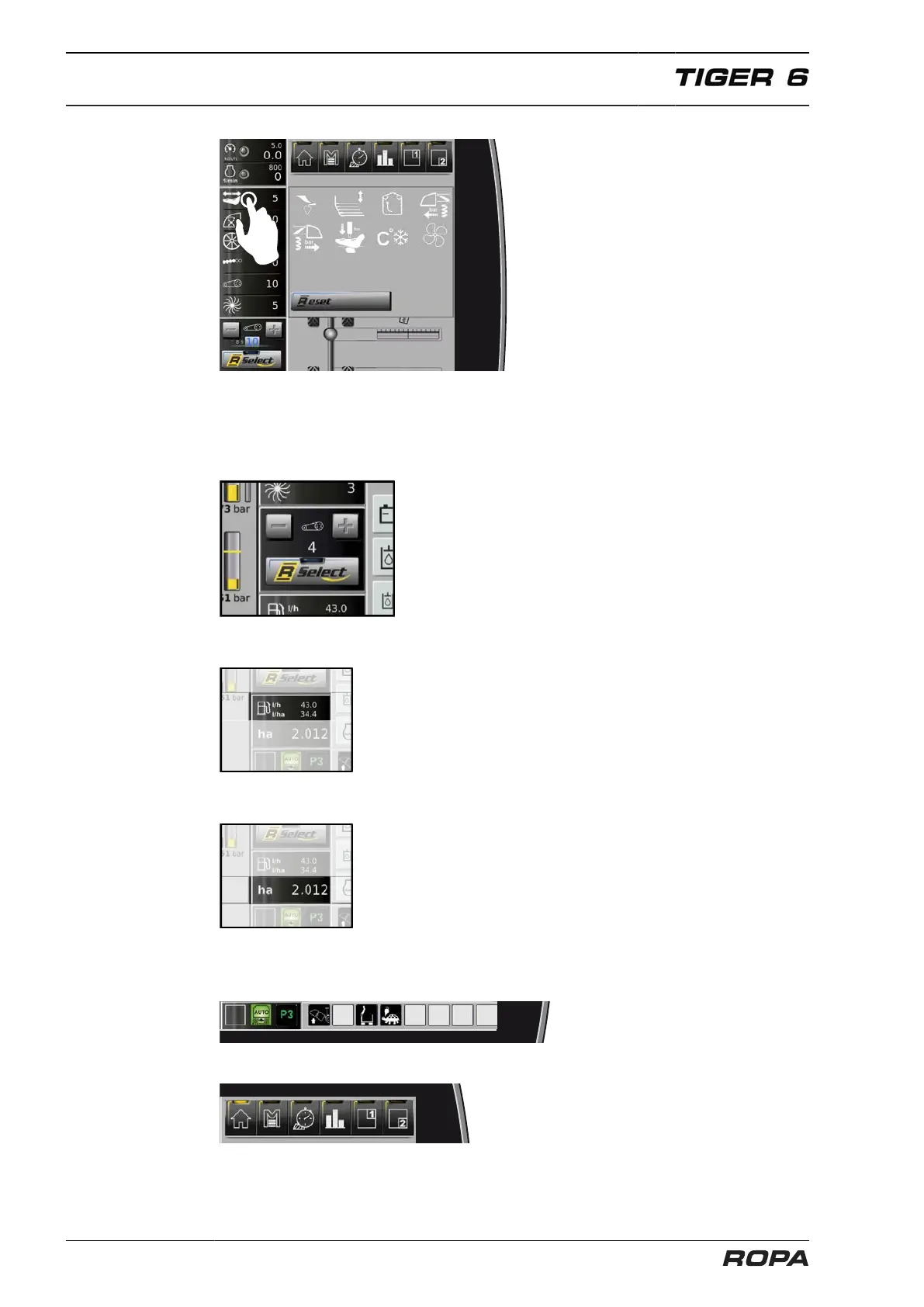
The quick overview of lifting parameters
can be adjusted individually. Press and
hold the icon (e.g. Shaking share speed),
which you want to remove from the quick
overview, for approx. 2 sec., draw it on
the place of the icon which you want to
put on the place of Shaking share speed.
To resort the icons, please press and hold
again the desired icon for approx. 2 sec.
and draw it on the place of the icon you
want to exchange with.
With the soft key "Reset" you can return
the factory setting as described in the
paragraph (F) Quick overview lifting para-
meters.
[G] Display and operating panel for R-Select (See Page 76)
[H] Display actual fuel consumption (See Page 131)
[I] Display of lifted area in current order
[J] Fields for status indicators
(See Page 144)
[K] Display and operating panel for R-Direct functional area (See Page 112)



 To Next Page