Operation
Strainer wheels (turbines)
305 / 564
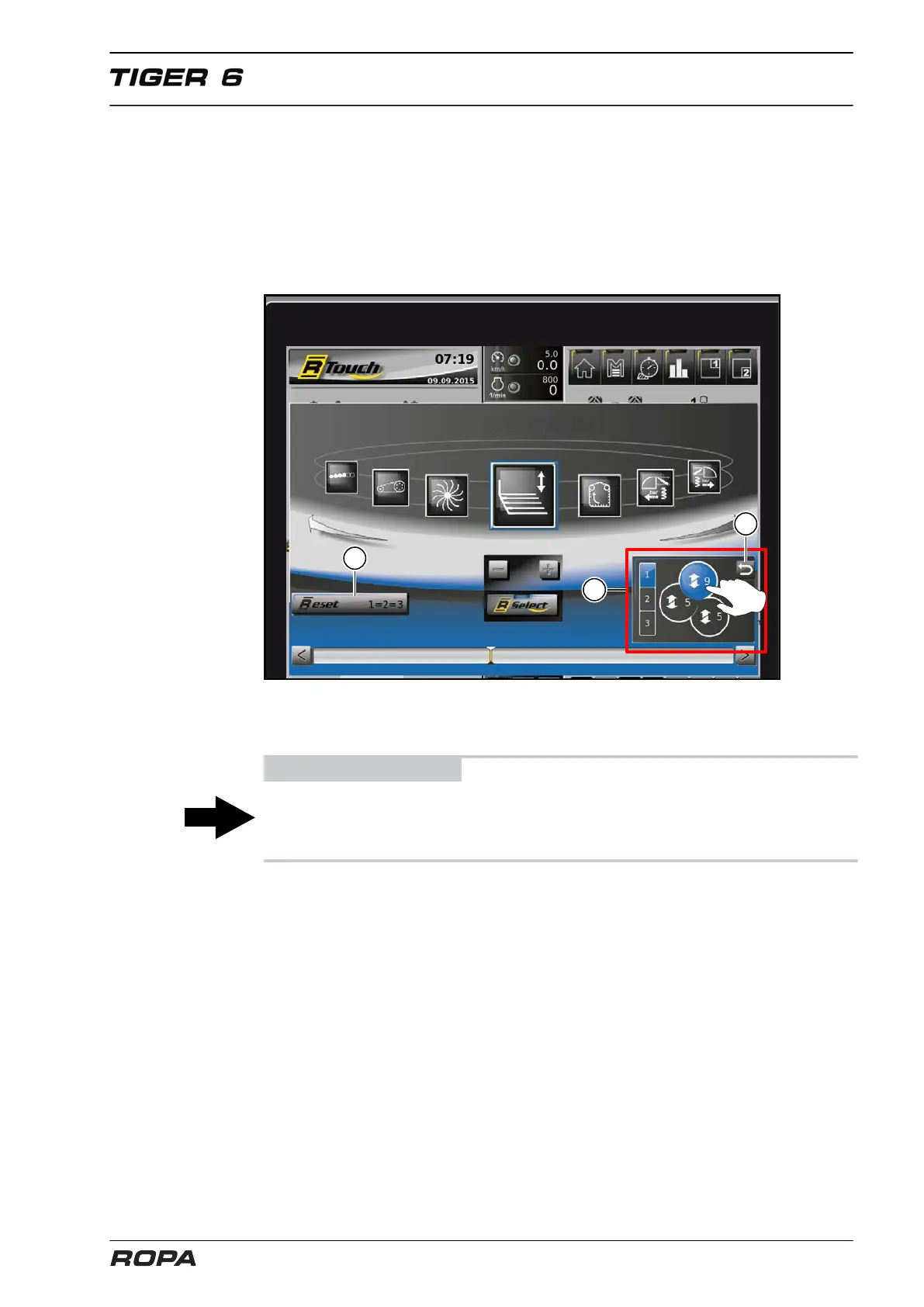
Separate guide grids adjustment of a single strainer wheel.
On the selection field (4) touch the strainer wheel, a guide grid of which you want to
adjust individually. Thus activated guide grid will be displayed in blue colour. Now, by
each pressing on the keys + or -, you set the guide grid of the selected strainer wheel
one stage higher or lower respectively. In order to return from this mode to the joint
adjustment of all guide grids, you should press the RETURN key or activate in the
selection filed (4) the RETURN switch panel (6) with the help of rotary wheel or by
touching.
(5) RESET - switch panel
(6) RETURN - switch panel
ADVICE
If you want to bring all 3 guide grids without any height difference to the same height
as quick as possible, touch the RESET switch panel (5). It will set all guide grids to the
height of the guide grid set lowest so far.



 To Next Page