6 Field-IQ crop input control setup Control setup for a location
Sensor Setup
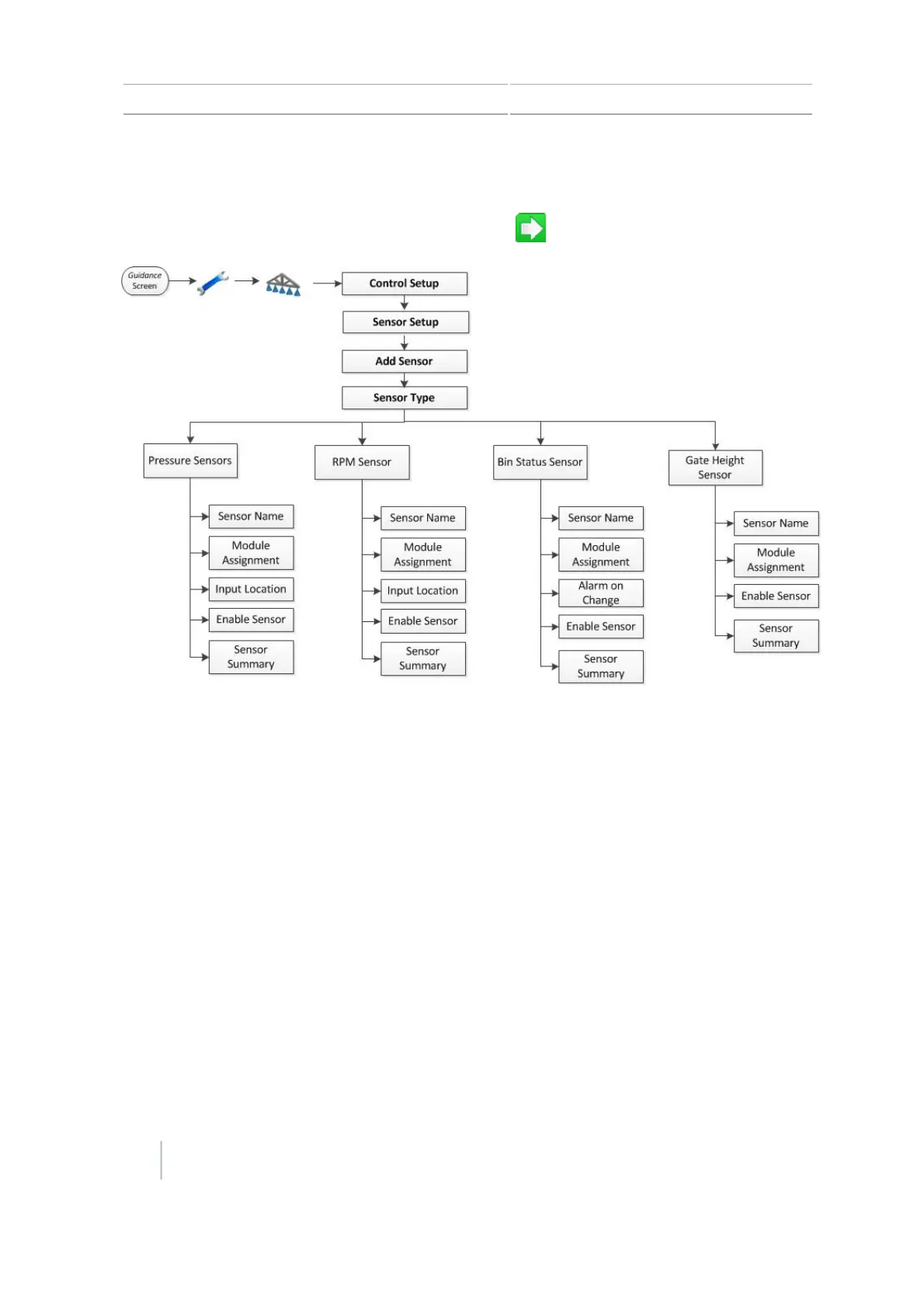
After you select a sensor type, complete all settings. Tap to go to the next screen.
Note – Not all options apply to all sensors.
1.
At the Sensor Type screen, select the type of sensor you want to set up.
ll Air Pressure
l Liquid Pressure
l NH3 Pressure
l Vacuum Pressure
l RPM Sensor
l Bin Status Sensor
l Gate Height Sensor
2. At the Sensor Name screen, use the on-screen keyboard to enter a name for the sensor.
3. At the Module Assignment screen, tap the serial number of the module the sensor is
connected to.
4.
The next screens that display depend on the type of sensor you have.
138 CFX-750 Display User Guide Version 7.0, Revision A



 To Next Page