Install the CFX-750 display 2 Installation
Install the CFX-750 display
The steps to install the CFX-750 display include:
l Installing the display mount
l Attaching the display to the mount
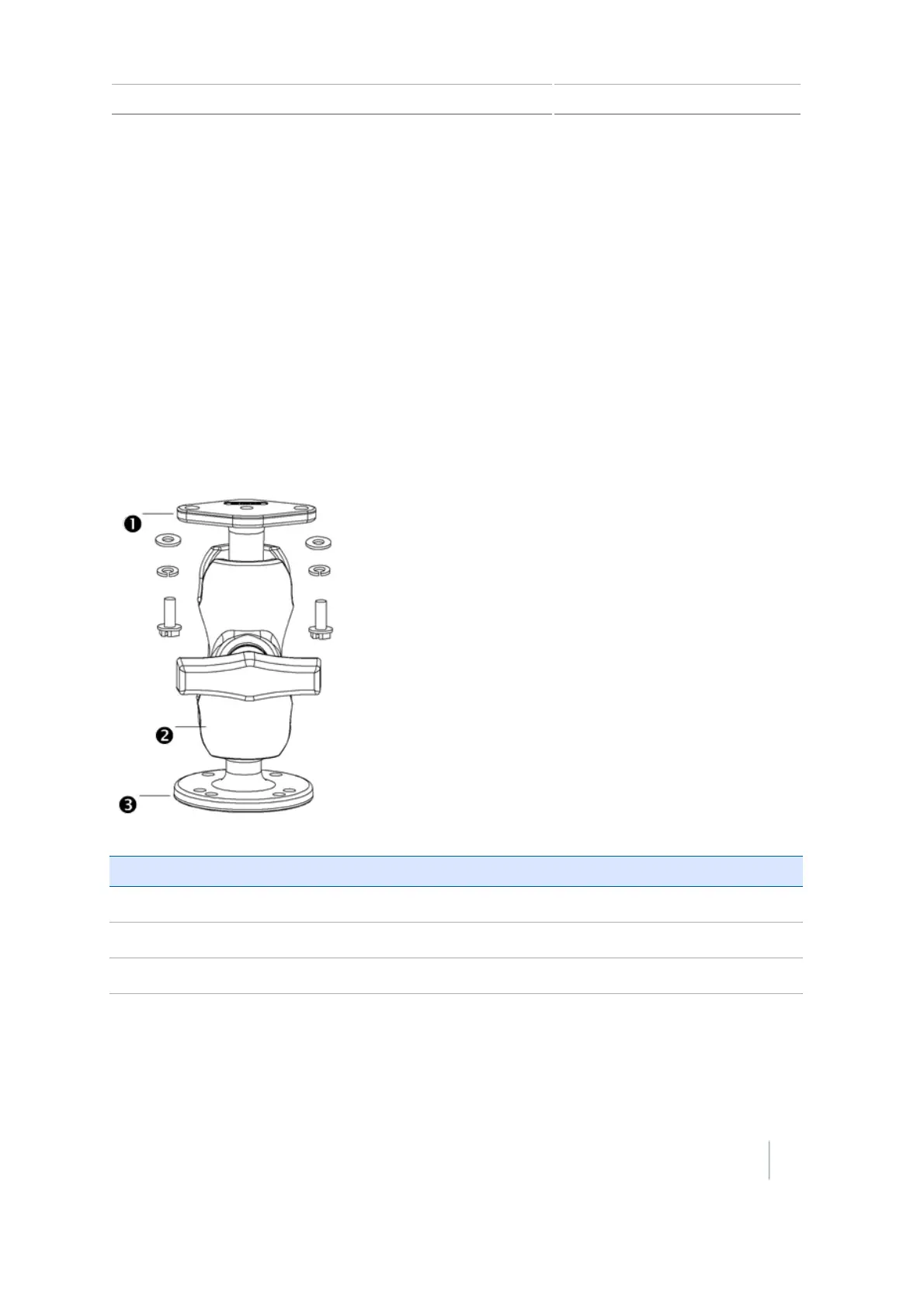
Install the display mount
Install the display mount in the vehicle cab. When you position the display mount, make sure:
l The display will be within the driver’s reach so that the USB drive is easy to remove and replace.
l The display's screen is easy to see, but does not block the driver’s view.
l Neither the display nor mount will interfere with the driver getting in or out of the cab, or any
other activities.
Item Description
c
Diamond-shaped mounting plate
d
RAM mount
e
Bar mount
Version 7.0, Revision A CFX-750 Display User Guide 27



 To Next Page