On-screen basics 3 Getting started
Wizards
The CFX-750 display contains various "wizards." A wizard is a series of screens that step you through
a specific process.
On-screen help
To view on-screen help, tap the help button.
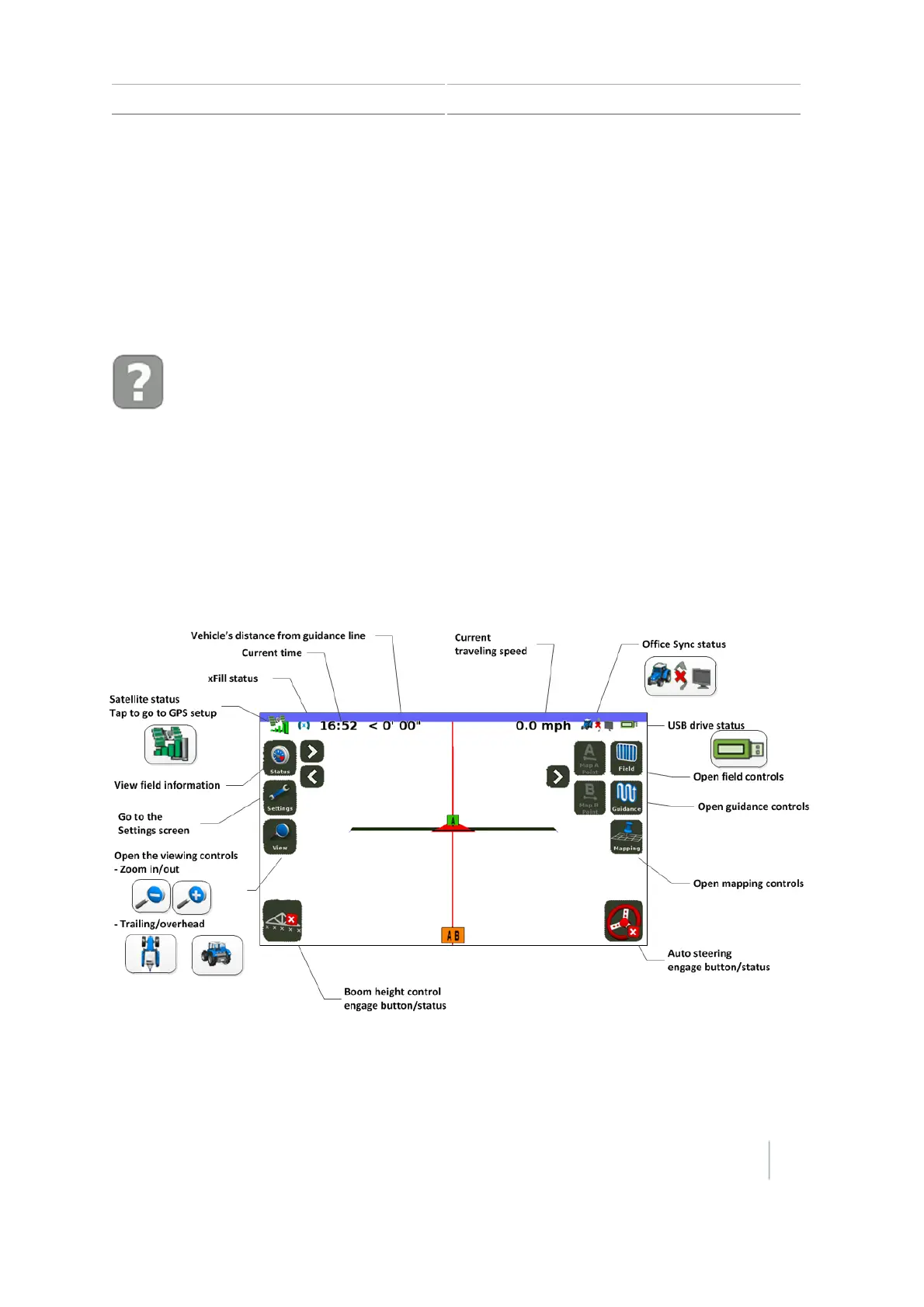
Guidance screen
The Guidance screen displays buttons to access functions and icons to provide status and
information.
Note – The setup of your system determines what buttons and status icons show on the screen.
For example, some buttons and status icons are not available while you are using an auto steering
system.
If the display does not respond when you tap it, see Recalibrate touchscreen, 198.
Version 7.0, Revision A CFX-750 Display User Guide 45



 To Next Page