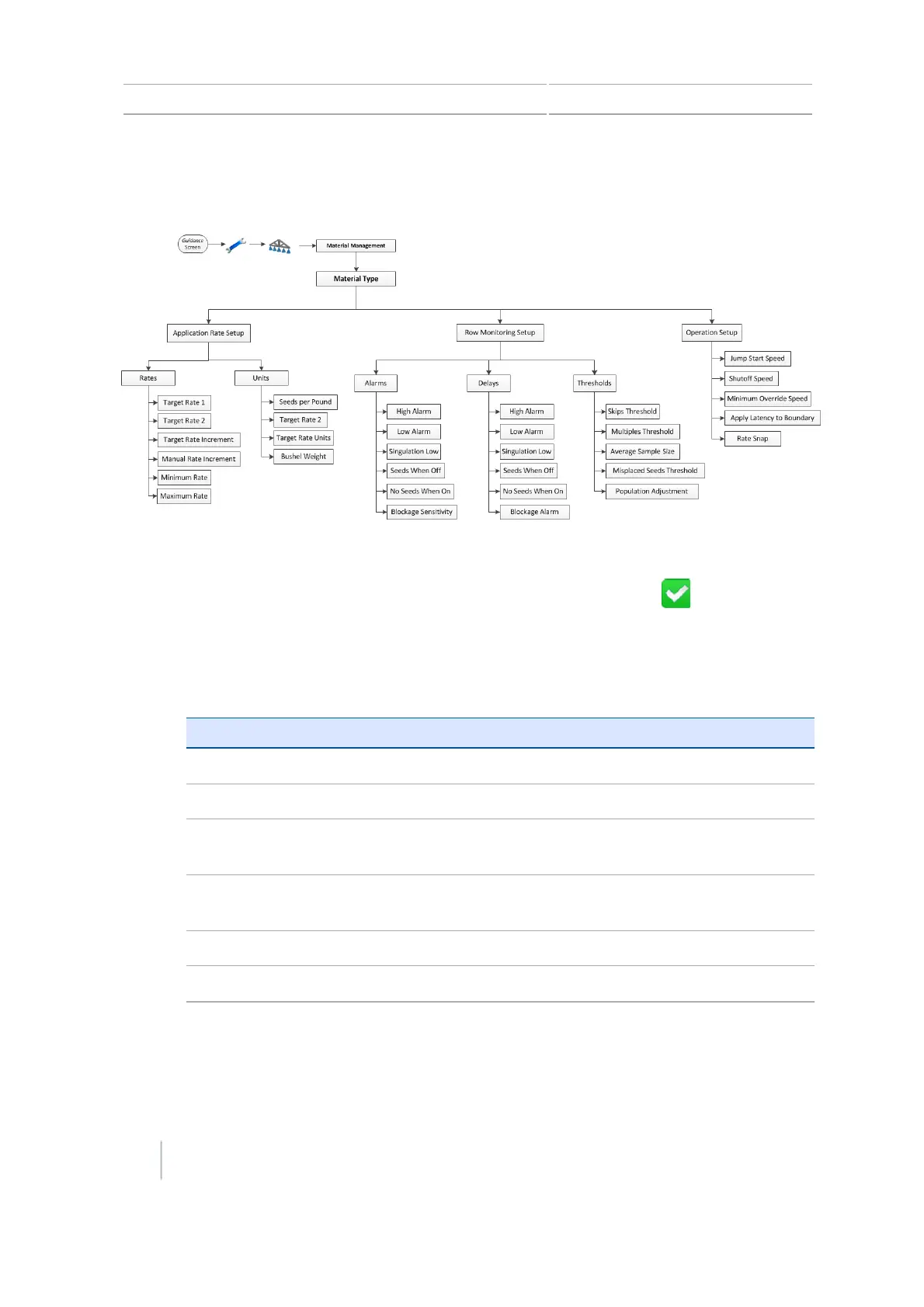
6 Field-IQ crop input control setup Row Crop Seed setup
Row Crop Seed setup
1. At the Material Management screen, tap Material Name.
2.
At the Material Name screen, enter a name for the material and then tap .
3. At the Material Management screen, tap Application Rate Setup.
4. At the Application Rate Setup screen, tap Rates.
a.
Rates
Rate Setting Explanation
Target Rate 1 Preset rate for position 1 on the rate switch.
Target Rate 2 Preset rate for position 2 on the rate switch.
Target Rate Increment Rate increase / decrease for Target Rate 1 or 2, when the
Rate Adjustment Switch is clicked once.
Manual Rate Increment Valve movement when the Rate Adjustment Switch is used
with the Rate Switch set to Manual.
Minimum Rate Minimum rate that will be applied with this material.
Maximum Rate Maximum rate that will be applied with this material.
b.
Units
124 CFX-750 Display User Guide Version 7.0, Revision A



 To Next Page