6 Field-IQ crop input control setup Control setup for a location
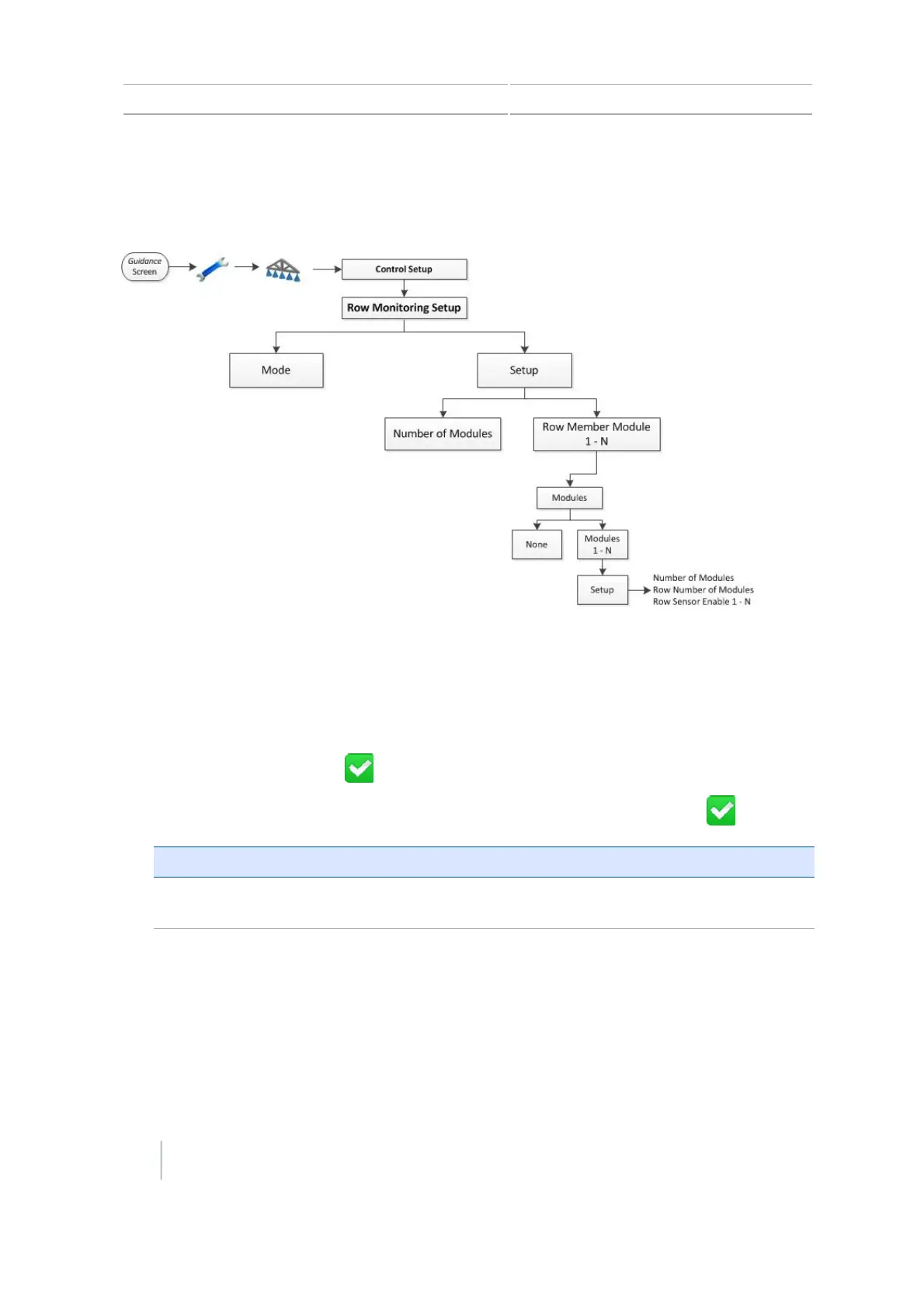
Row Monitoring Setup
Complete the row monitoring settings that are appropriate for your configuration.
1. At the Mode screen, choose the type of row monitoring you want:
ll None
l Blockage
l Seed Count
When you are finished, tap .
2.
At the Setup screen, complete settings for modules. When you are finished, tap .
Setting Explanation
Number of Modules Select the total number of row monitoring modules you have
connected to this location.
136 CFX-750 Display User Guide Version 7.0, Revision A



 To Next Page