4 Vehicle guidance setup Autopilot steering system
WARNING – During calibration the vehicle will turn slowly either to the right or to the left. The vehicle may move
in an unpredictable manner. To avoid injury, be prepared for vehicle movements.
Evaluate vehicle response
During calibration, the vehicle will turn slowly either to the right or to the left. The vehicle may move
in an unpredictable manner. To avoid injury, be prepared for vehicle movements.
Note – The field must be open and there must be an active AB line.
1. Drive near the AB line and engage the Autopilot system using the display or Remote Engage
buttons.
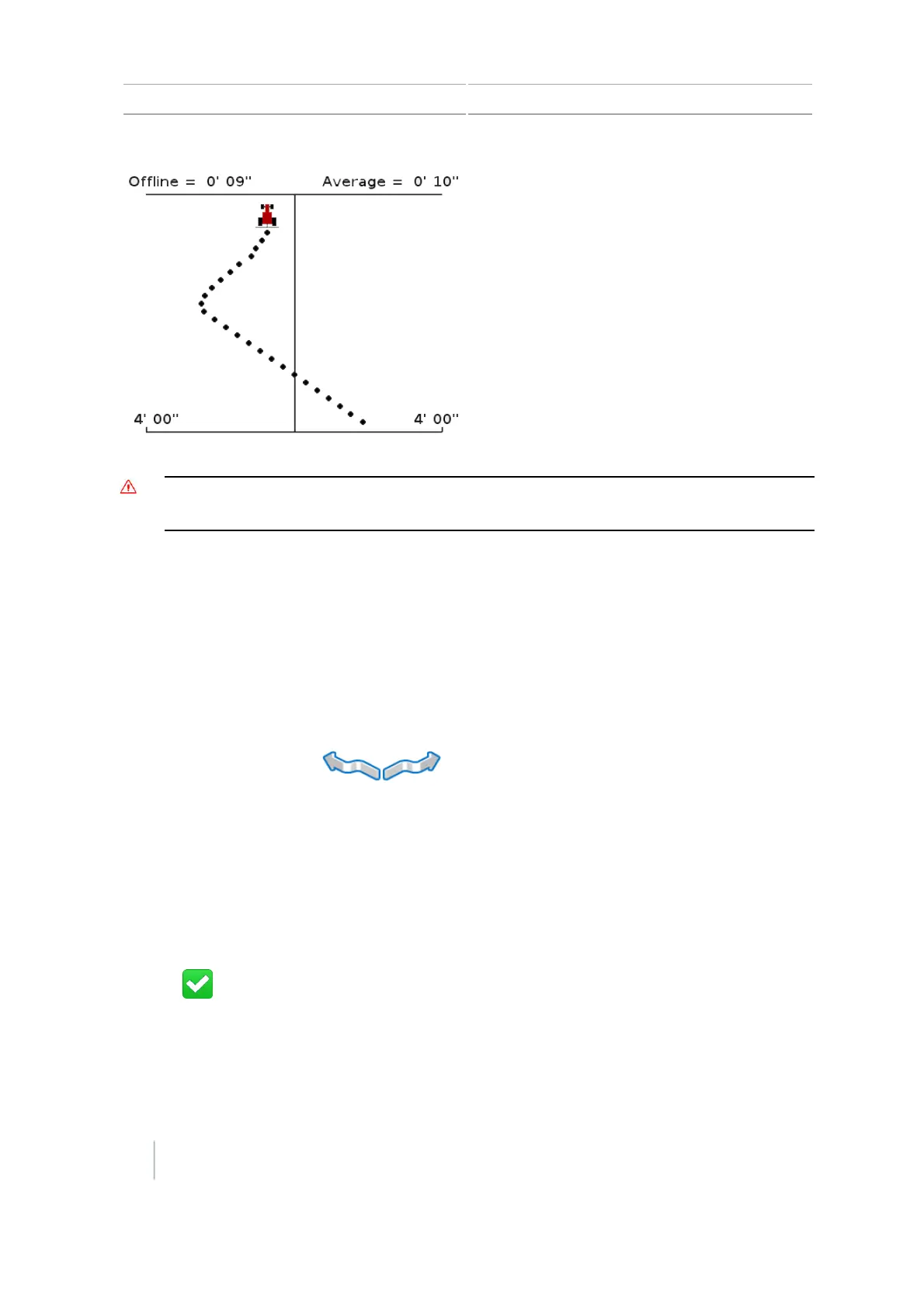
2. Evaluate the vehicles response using the Offline and the Average distance indicators.
3.
Tap the Nudge buttons to nudge the guidance line in either direction.
Note – Nudge shifts the AB line 36 inches (91.4 cm) to either side when the you tap the nudge
direction.
The vehicle will begin moving left or right depending on which direction you chose. Verify that
the path is free of obstacles and that the vehicle is under full operator awareness before
selecting nudge directions.
4. Evaluate the response again using the Offline and the Average distance indicators.
5. Repeat the evaluation as required to understand the responsiveness of the vehicle profile.
6.
Tap .
Save or restore vehicle configuration file
To save or restore a completed vehicle configuration file:
84 CFX-750 Display User Guide Version 7.0, Revision A



 To Next Page